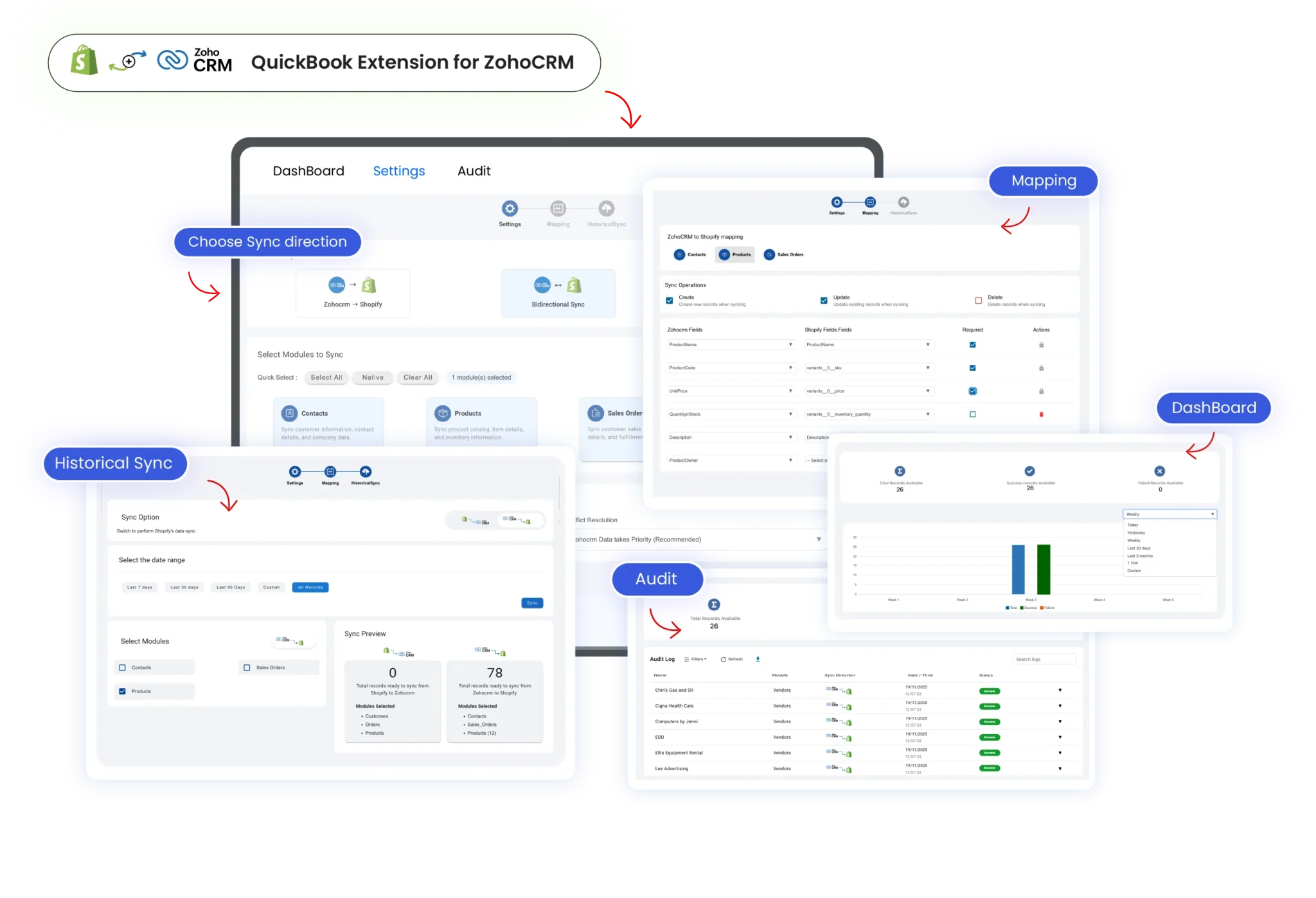

Shopify Integration for Zoho CRM

The Shopify integration for Zoho CRM syncs customers, orders, and products in real-time, providing sales and support teams with accurate e-commerce insights, automated workflows, and a scalable, AI-ready CRM for faster conversions.

Shopify-Integration-for-Zoho-CRM-scaled

Convert Shopify Data into Sales-Ready Actions with Zoho CRM

Real-Time-Shopify-Zoho-CRM-Sync

Real-Time Shopify Zoho CRM Sync

Instantly sync Shopify customers, orders, and products into Zoho CRM in real time, eliminating manual entry, reducing errors, and keeping ecommerce data always accurate.

Centralized-E-commerce-Data-Hub

Centralized E-commerce Data Hub

Bring all Shopify customer and order data into Zoho CRM, creating a single source of truth that empowers sales, marketing, and support teams worldwide.

Sales-Ready-Order-Intelligence

Sales-Ready Order Intelligence

See Shopify order status, payments, and shipping updates directly inside Zoho CRM, enabling faster follow-ups, smarter decisions, and improved conversion outcomes.

Automation-That-Drives-Action

Automation That Drives Action

Automatically trigger Zoho CRM tasks and workflows from Shopify order events, reducing manual workload while ensuring timely actions across sales and operations teams.
Multi-Store-Shopify-Integration

Multi-Store Shopify Integration

Connect multiple Shopify stores to a single Zoho CRM account and manage all customers, orders, and products centrally, ideal for global brands and multi-store ecommerce operations.

Clean-CRM-Data-with-Smart-Duplicate-Control

Clean CRM Data with Smart Duplicate Control

Built-in matching logic prevents duplicate contacts, accounts, and orders when syncing Shopify with Zoho CRM, keeping your CRM clean, reliable, and ready for AI-driven insights.
Support from SmackCoders for this integration between ZoHo and Shopify has been simply amazing. Subbulakshmie has gone far above and beyond to help me install, configure, troubleshoot and modify the integration to meet our specific needs and data. She is a pleasure to work with.

How to Connect Shopify with Zoho CRM

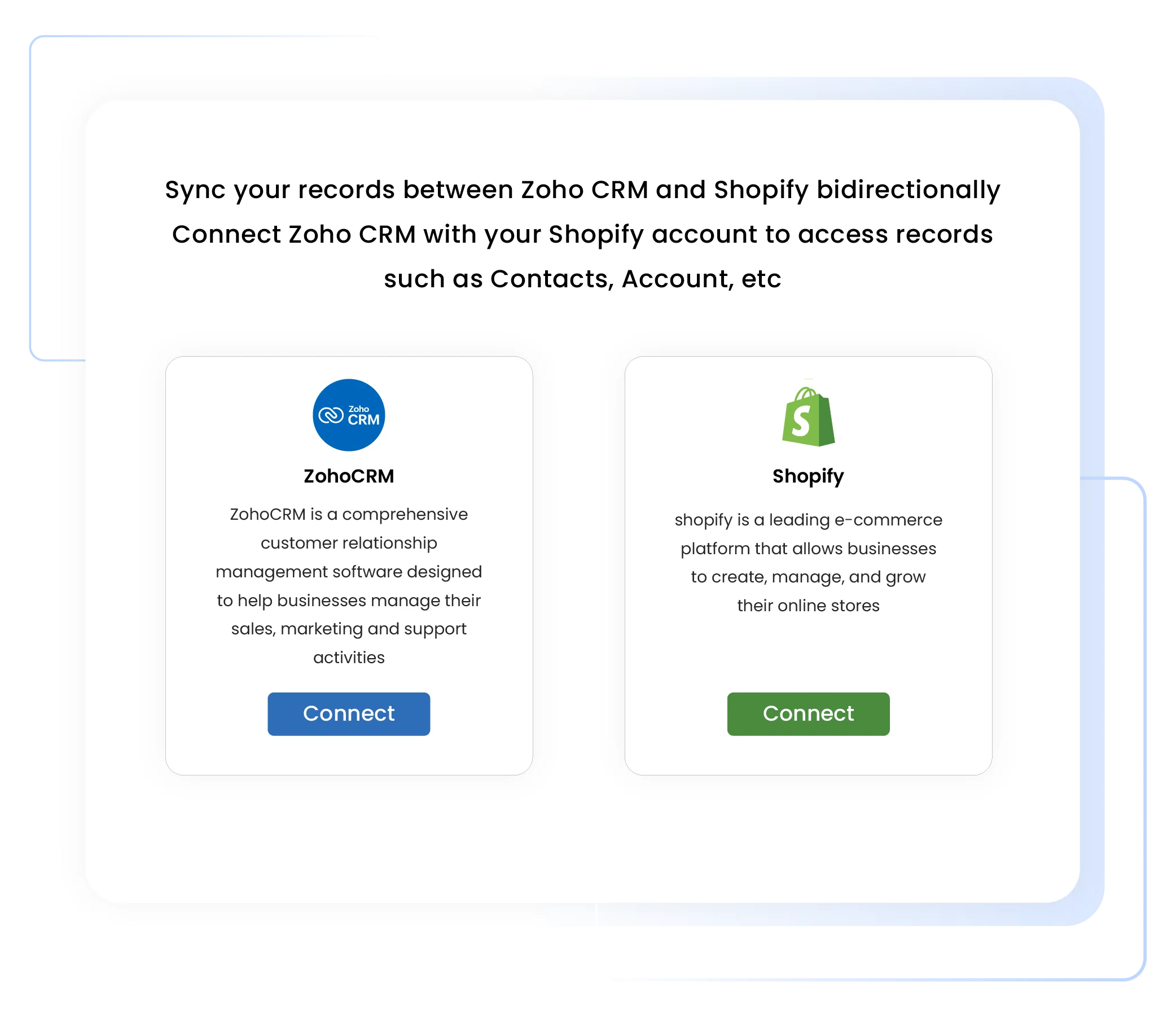
Install and Authorize Shopify

Set up the Shopify Integration for Zoho CRM in just a few minutes by installing the extension and securely authorizing your Shopify store.

  • Install the Shopify–Zoho CRM integration from Zoho Marketplace

  • Sign in securely to your Shopify store

  • Grant permission-based access to Zoho CRM

  • Complete the connection quickly with a no-code setup

Shopify-integration-for-zoho-crm-connect

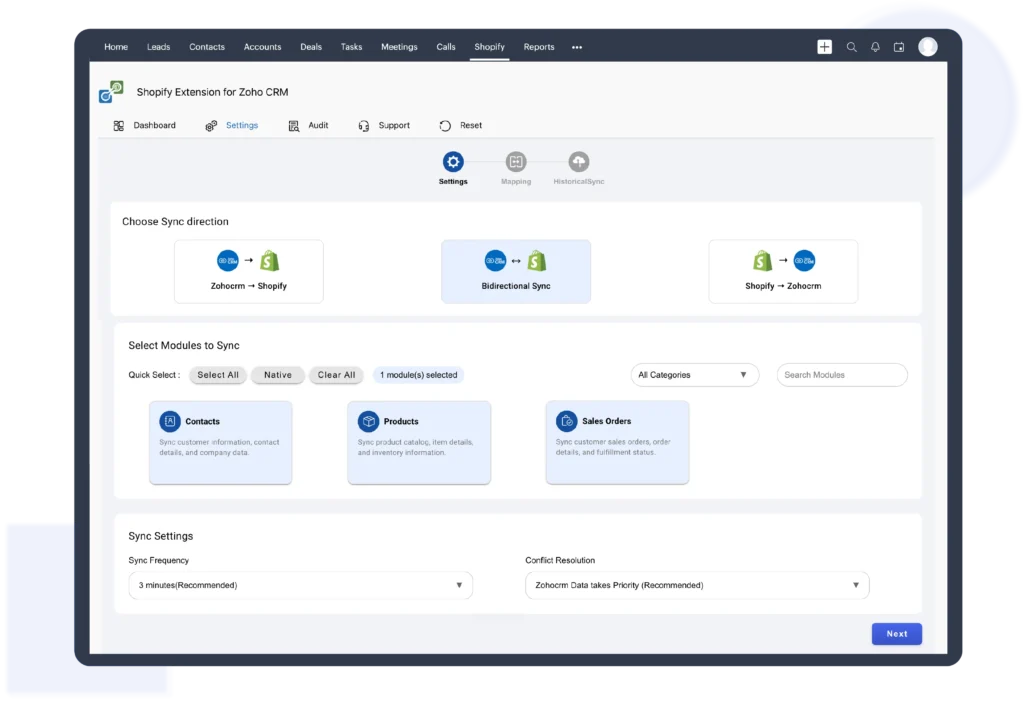
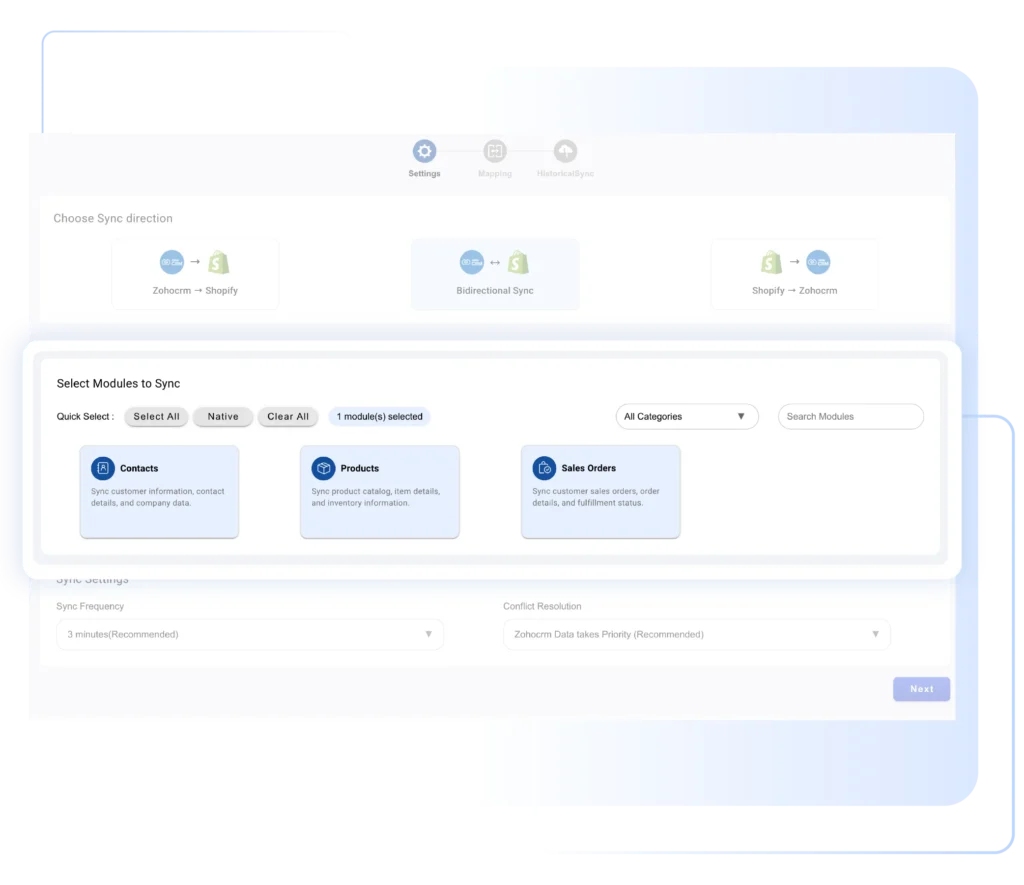
Configure Shopify Data Sync

Control how Shopify data flows into Zoho CRM by selecting what to sync and defining smart rules that keep your CRM accurate, organized, and up to date.

  • Choose which Shopify data to sync, including customers, orders, and products

  • Set sync rules for both registered and guest customers

  • Enable real-time synchronization for new and updated orders

  • Automatically prevent duplicate records inside Zoho CRM

shopify-integration-for-zoho-crm-bidirectional-sync-settings

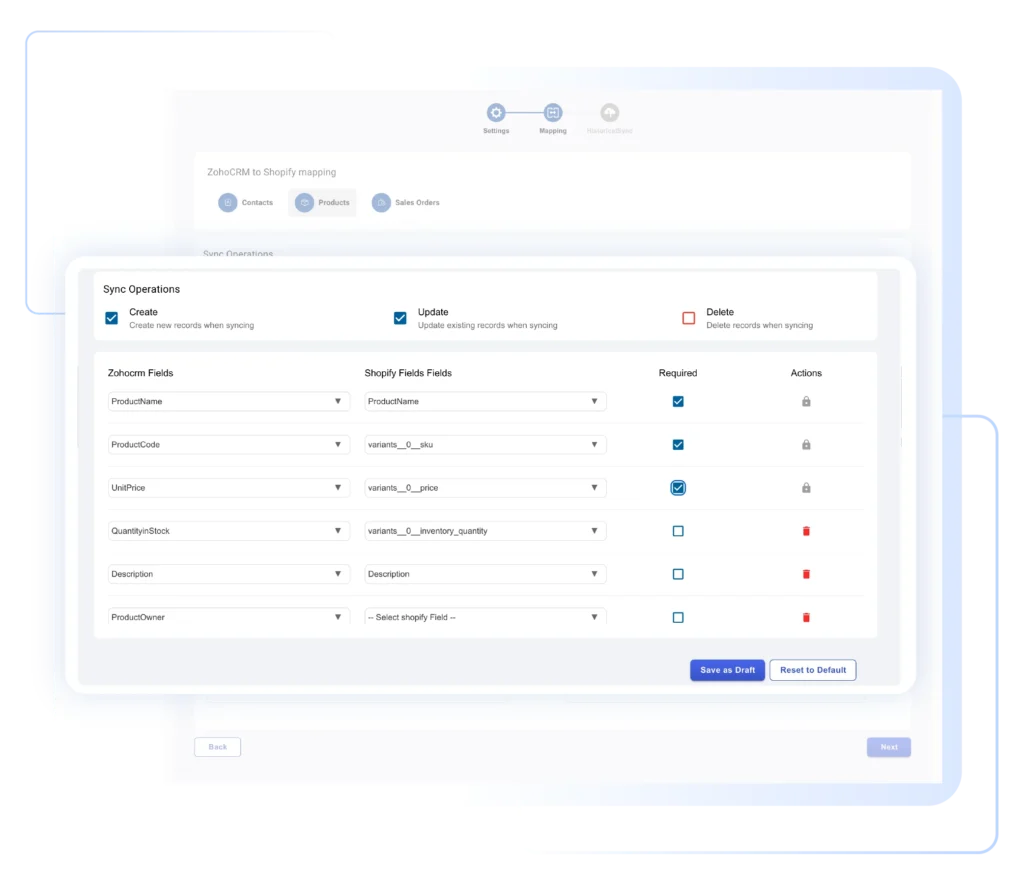
Map Shopify Data to Zoho CRM

Accurately map Shopify data to the right Zoho CRM modules to keep customer, order, and product information structured, consistent, and ready for sales workflows.

  • Map Shopify customers to Zoho CRM Contacts and Accounts

  • Map Shopify orders to Zoho CRM Sales Orders

  • Align products, pricing, and currency fields correctly

  • Ensure clean, well-structured CRM data across modules

shopify-integration-for-zoho-crm-product-field-mapping

Activate Automation and Go Live

Once setup is complete, activate automation and start syncing live Shopify data into Zoho CRM to power real-time workflows and scalable ecommerce operations.

  • Enable automated tasks and workflows triggered by Shopify orders

  • Start syncing live Shopify customer, order, and product data into Zoho CRM

  • Monitor sync status using built-in logs and reports

  • Scale seamlessly as order volume and business growth increase

shopify-integration-for-zoho-crm-sync-audit-dashboard

See How Shopify Integration for Zoho CRM Work

Every Shopify Order Becomes a Zoho CRM Sales Order

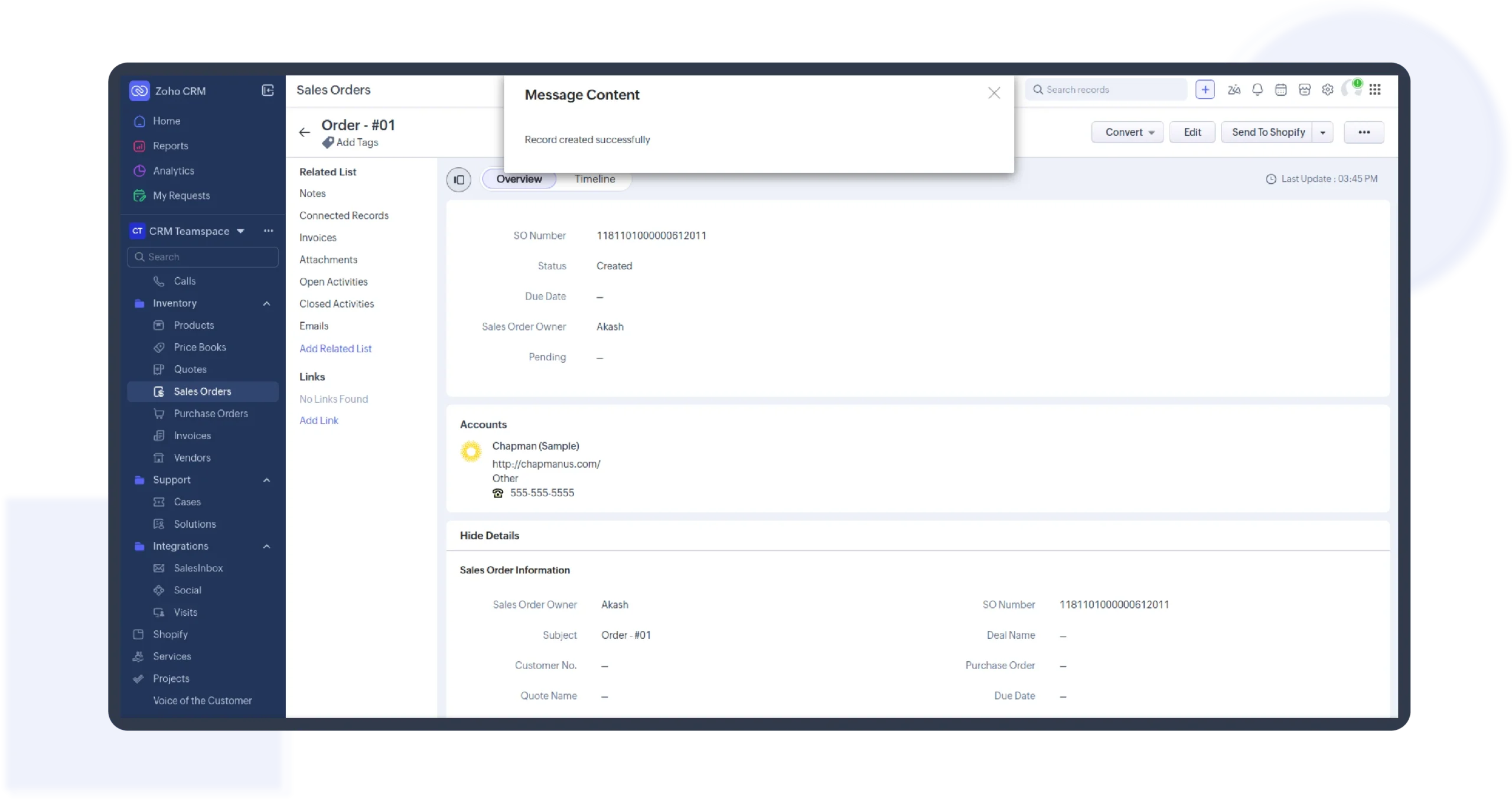
The moment a customer places an order in Shopify, a corresponding Sales Order is automatically created in Zoho CRM. Each record includes customer details, purchased items, pricing, billing and shipping addresses, and order status. When an order is fulfilled or shipped in Shopify, Zoho CRM updates instantly, keeping your sales and operations teams perfectly in sync.

Every-Shopify-Order-Becomes-a-Zoho-CRM-Sales-Order-scaled

Customers Synced Automatically, Context Preserved

Whether a shopper checks out as a registered user or a guest, the integration creates a complete Contact record in Zoho CRM. Customer profiles are enriched with email, phone number, address, and purchase history. Orders, products, and customer records stay linked, so every interaction inside Zoho CRM is backed by real Shopify data.

Customers-Synced-Automatically-Context-Preserved-scaled

Shopify Products remain Aligned with Zoho CRM

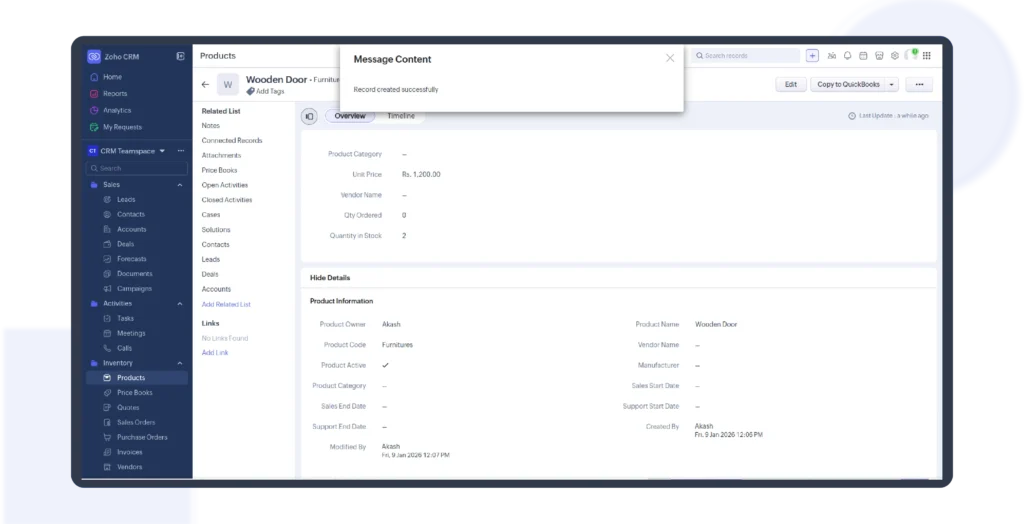
Products from Shopify are synced directly into the Products module in Zoho CRM. Each product record includes names, SKUs, prices, and descriptions. New products are created automatically, and existing ones are updated as orders flow in, ensuring product data remains accurate across systems without manual maintenance.

Shopify-Products-Stay-Aligned-with-Zoho-CRM-scaled

Payment and Shipping Details, Right Inside Zoho CRM

Track Shopify order fulfillment directly in Zoho CRM. View payment method, transaction details, order status (Unfulfilled, Partially Fulfilled, Fulfilled), shipment date, and tracking number all in one place. This shared visibility reduces follow-ups, eliminates manual checks, and keeps customer communication consistent.

Payment-and-Shipping-Details-Right-Inside-Zoho-CRM-scaled

Built for Global Commerce with Multi-Currency Support

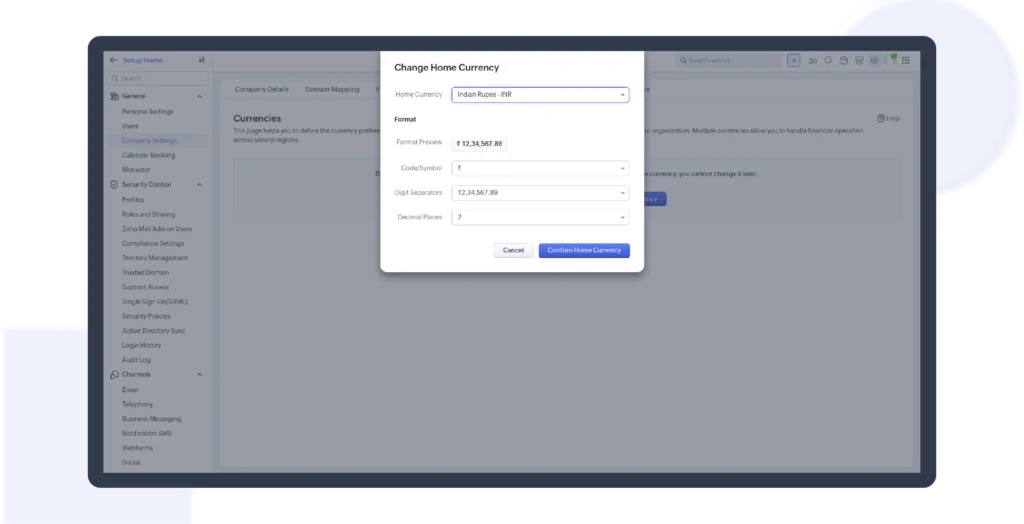
Selling internationally? The integration supports multi-currency Shopify orders, syncing values accurately into Zoho CRM. This makes it easier to track revenue, analyze performance, and manage global sales operations without currency mismatches. Perfect for e-commerce businesses scaling across regions.

Built-for-Global-Commerce-with-Multi-Currency-Support-scaled

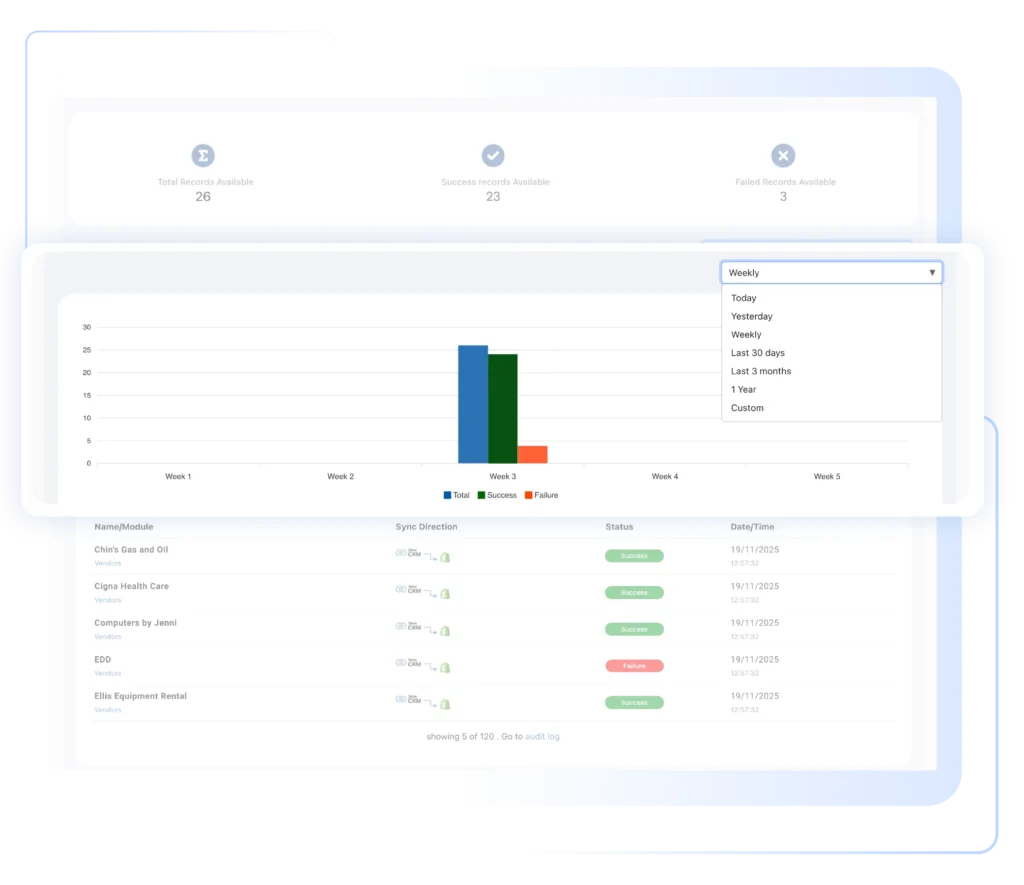
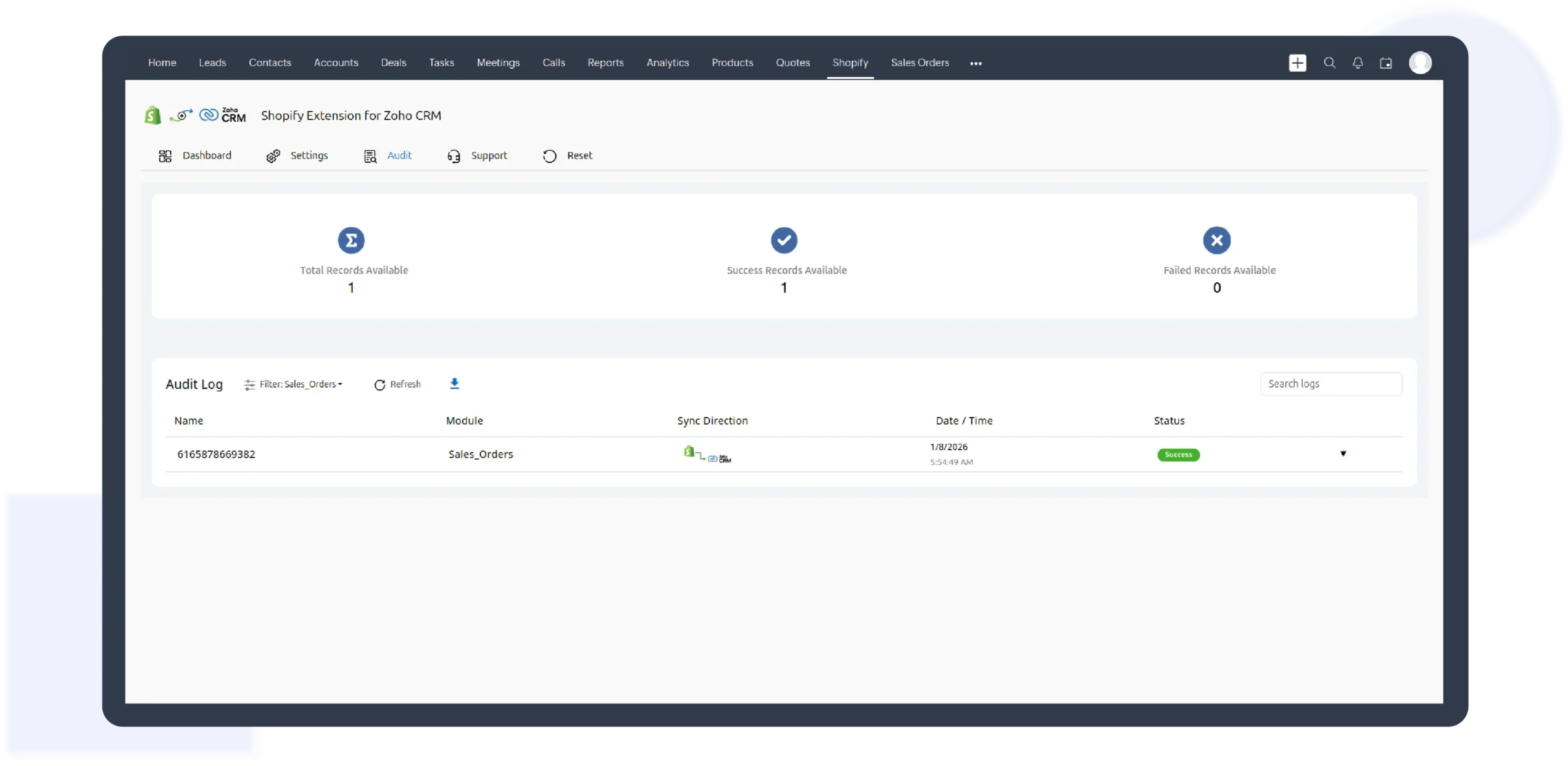
Full Sync Transparency with Detailed Logs

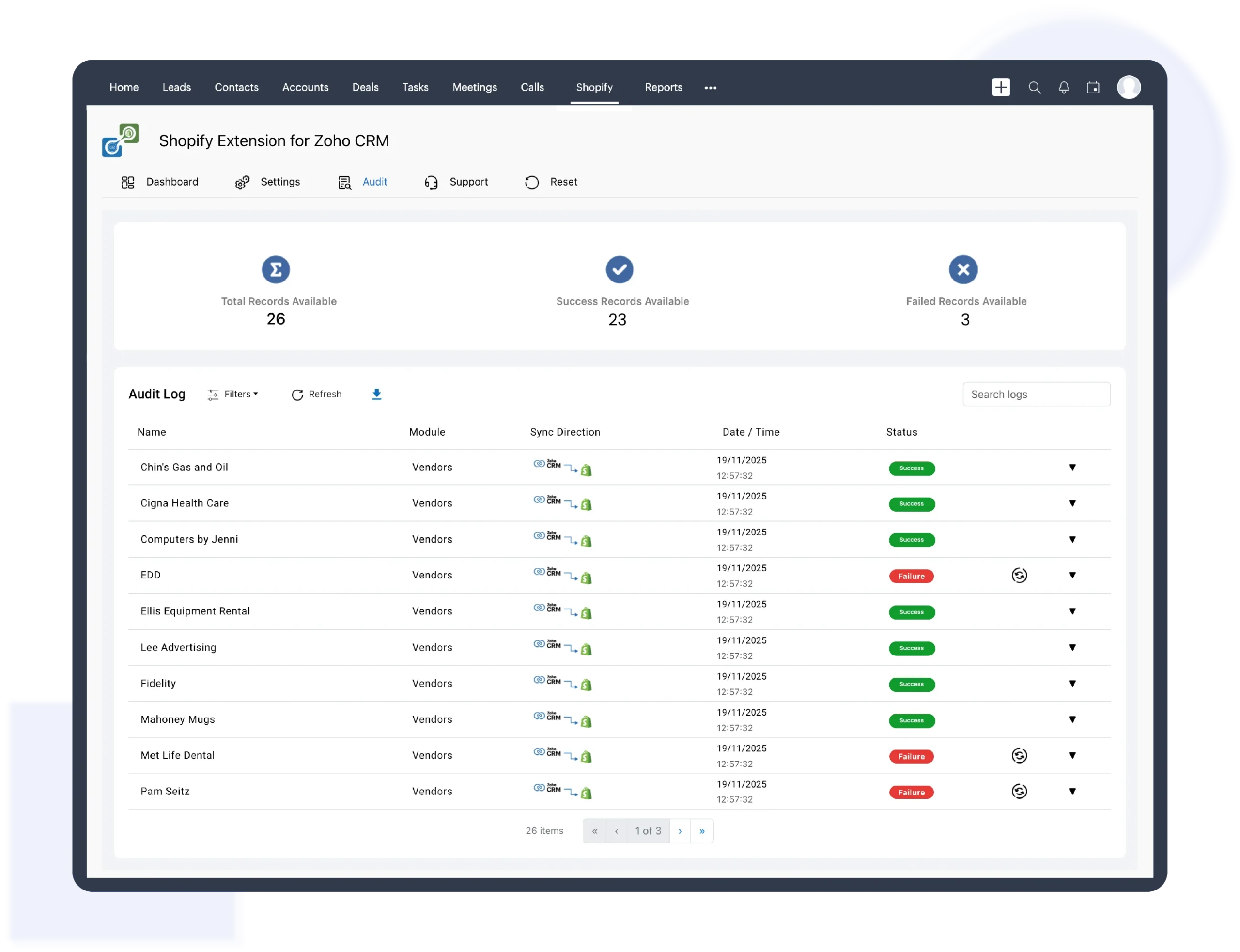
The built-in logging system captures both Shopify Integration for Zoho CRM sync activity and any errors that occur during data synchronization, helping you quickly understand what’s working and what needs attention. You can filter logs by Shopify store, CRM module, or success and failure status to pinpoint issues without guesswork. Each log record includes key details such as order ID, shop name, sync scope, status, and timestamp, providing you with full visibility and control over your Shopify integration performance across global operations.

Error-Logs-Sync-Monitoring-scaled

Pricing Plan

Zoho Shopify
Streamline Sales Process With Customer Interactions
$35 /Monthly
Zoho Shopify
Streamline Sales Process With Customer Interactions
$420 /Yearly

Need a Shopify Integration Built for Your Business?

Every e-commerce operation is different. If you need custom sync rules, advanced automation, or tailored workflows, our Zoho-certified developers can customize the Shopify Integration for Zoho CRM to match your business needs
Chat-with-Question

Got questions?

We're here to clear them up

The integration syncs Shopify customers (registered and guest), orders, products, payment details, shipping status, and multi-currency information directly into Zoho CRM modules.

Yes. New and updated Shopify orders, customers, and products are reflected in Zoho CRM almost instantly, ensuring accurate and up-to-date ecommerce data.

Yes. Built-in duplicate detection ensures contacts, accounts, and products are not duplicated, keeping your Zoho CRM clean and reliable.