
Mailchimp extension for Zoho CRM syncs contacts, audiences, and campaigns in real time, removes duplicates, boosts targeting, and gives sales teams clear email insights inside CRM worldwide securely without complexity.

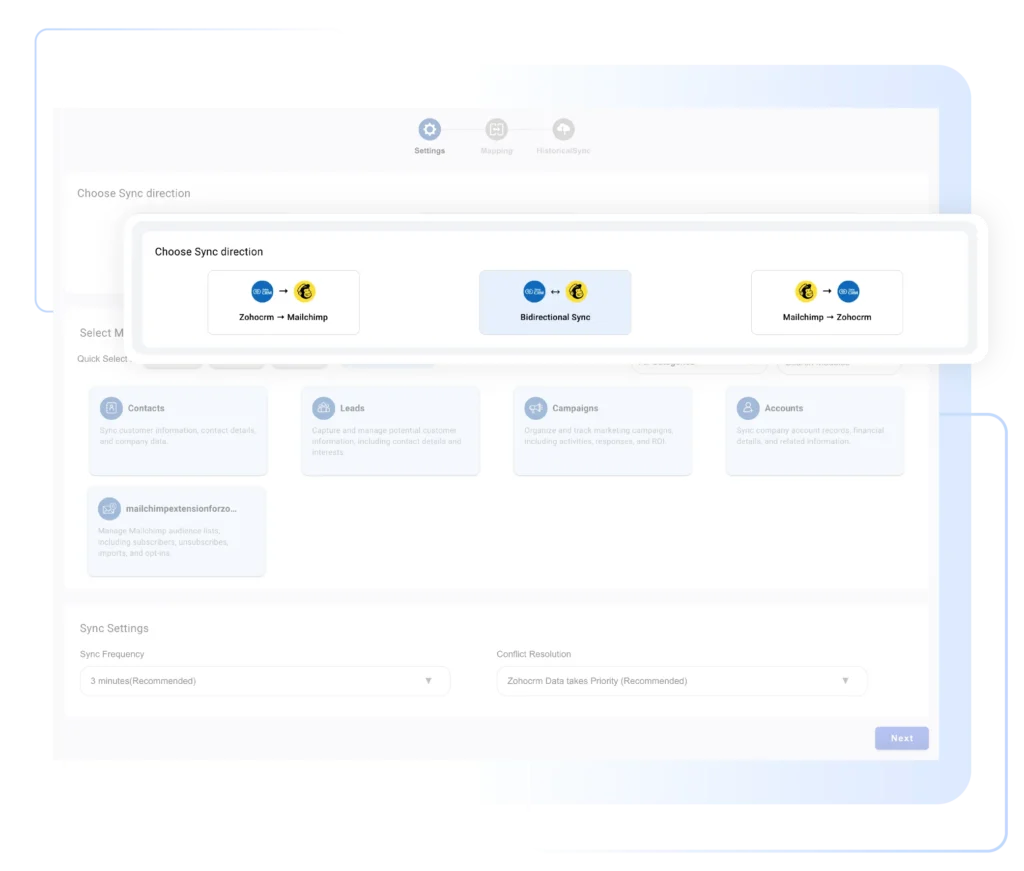
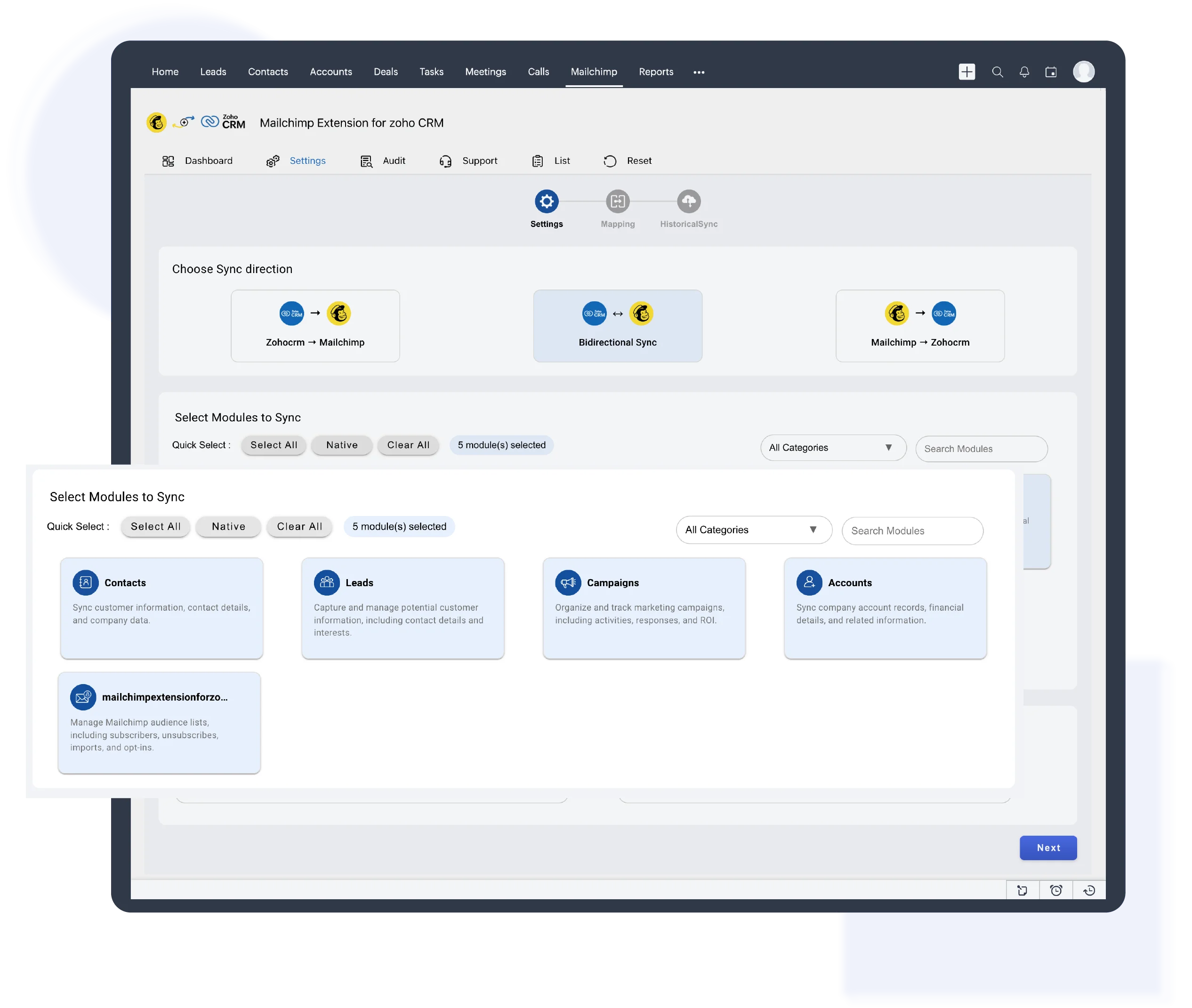
Sync contacts exactly the way your business works. Choose one-way or two-way sync between Mailchimp Extension for Zoho CRM to keep customer data accurate, clean, and always up-to-date.

Sync entire Mailchimp Audiences or specific campaign lists directly into Zoho CRM. Avoid clutter, reduce manual entry, and ensure your CRM only contains contacts that are actively engaged.

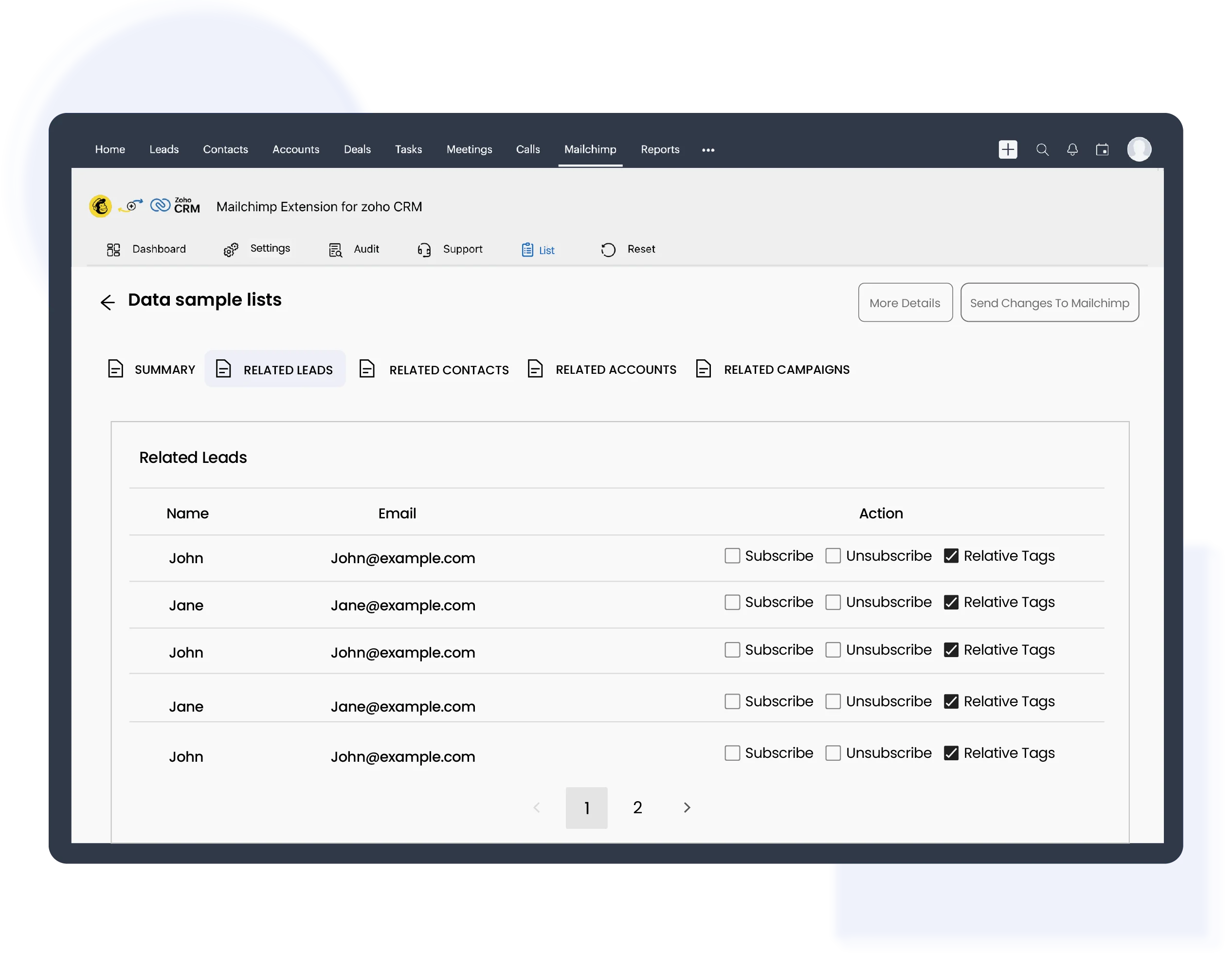
Manage subscriptions at scale. Bulk subscribe or unsubscribe to Mailchimp contacts directly from Zoho CRM, eliminating the need for platform switching and repetitive manual work for faster list management.
Prevent duplicate contacts and inconsistent records by syncing Mailchimp and Zoho CRM intelligently, ensuring a single source of truth for sales and marketing teams.

Align sales and marketing teams by sharing Mailchimp engagement data inside Zoho CRM, enabling better collaboration, smarter follow-ups, and faster deal conversions.

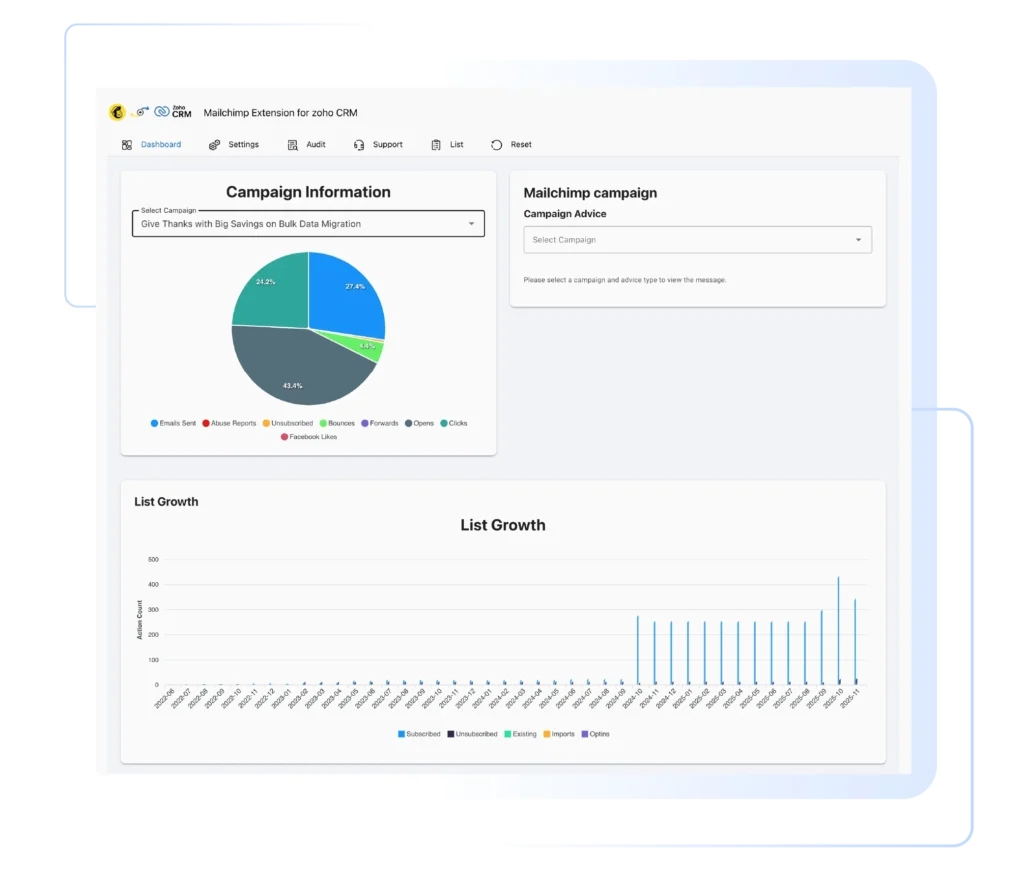
Give sales teams Mailchimp campaign performance insights inside Zoho CRM, tracking opens, clicks, and engagement history on every lead and contact for smarter, timely follow-ups.
Working with Smackcoders had its challenges initially, but as we improved the accuracy of our communication and clarified requirements, the team demonstrated a strong understanding and attentively implemented the development we needed. In the end, they stayed true to their word and delivered as promised.
Douglas Jaffe
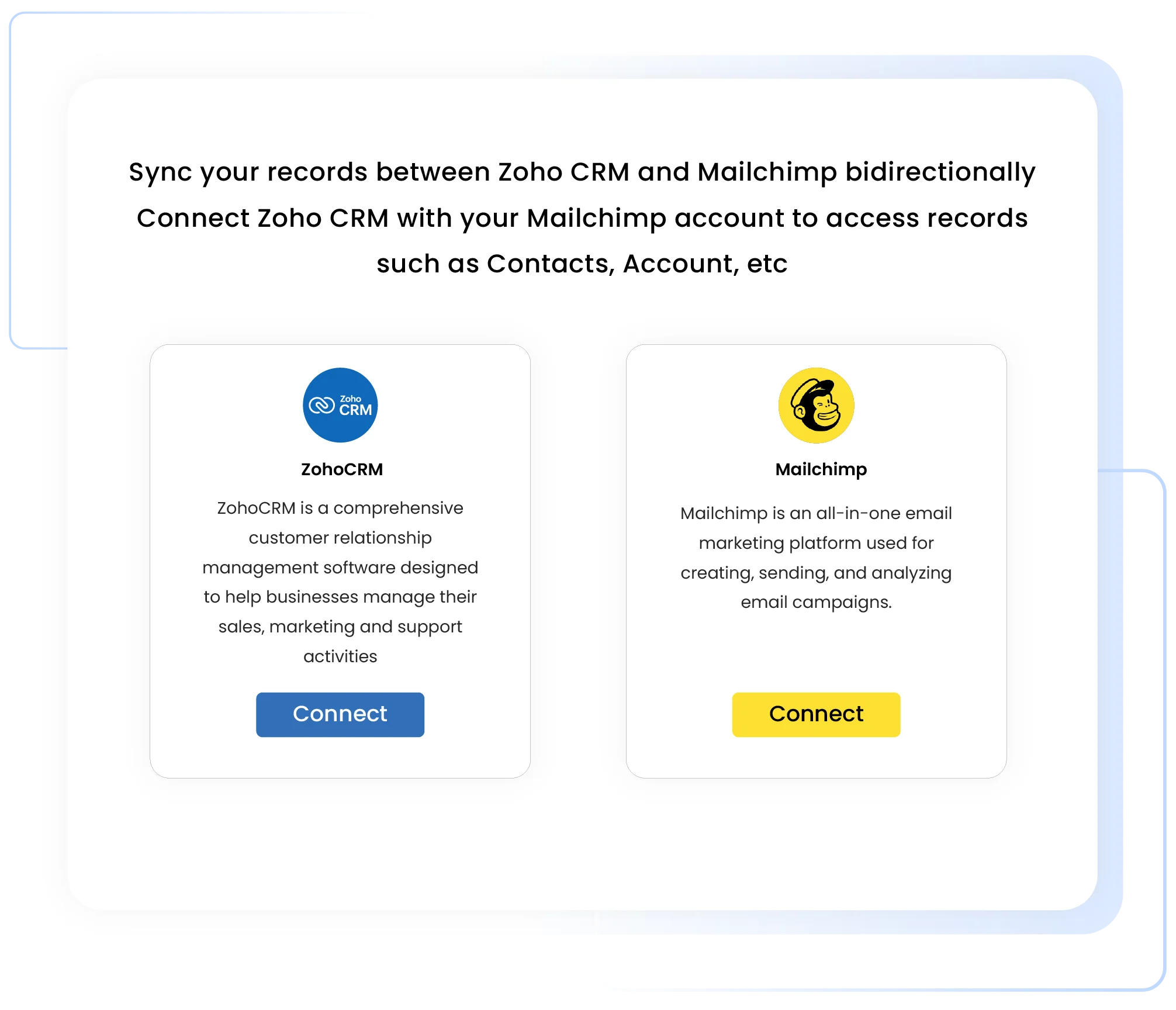
This setup enables seamless access to contacts, accounts, and campaign data, allowing smooth bi-directional synchronization with minimal configuration.
Install the Mailchimp extension from Zoho CRM Marketplace
Securely sign in to your Mailchimp account
Approve access to contacts and campaign data
Complete the connection in just a few minutes
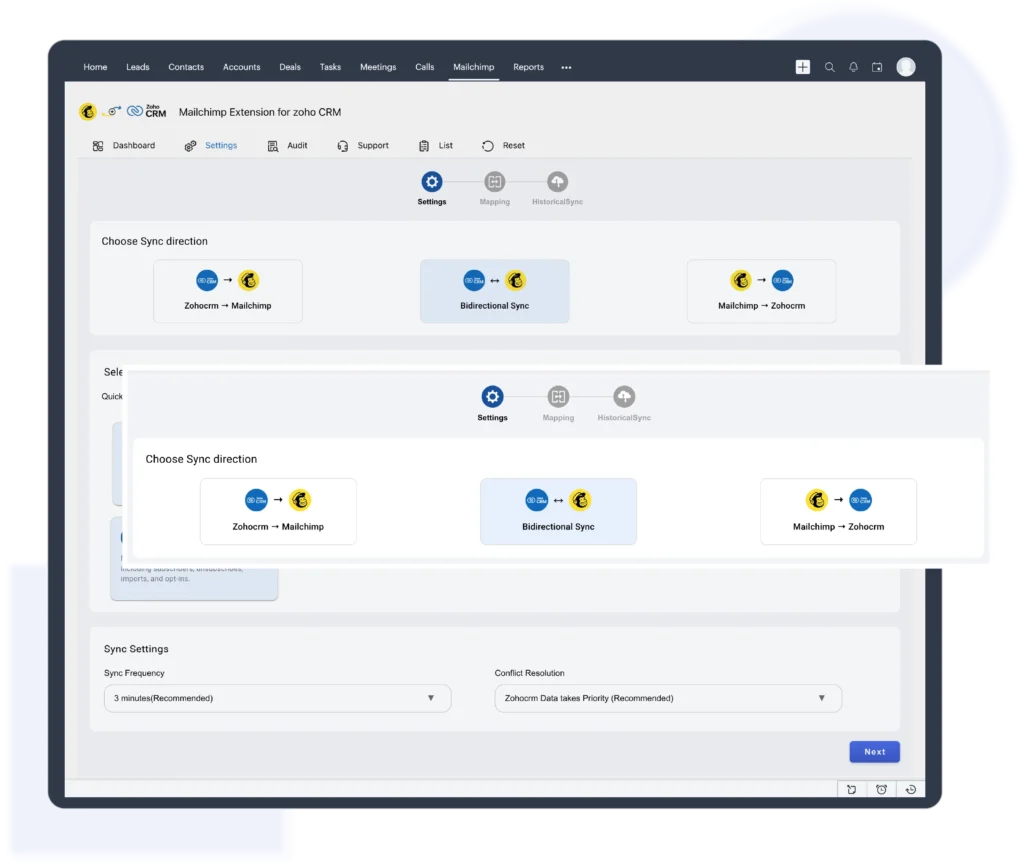
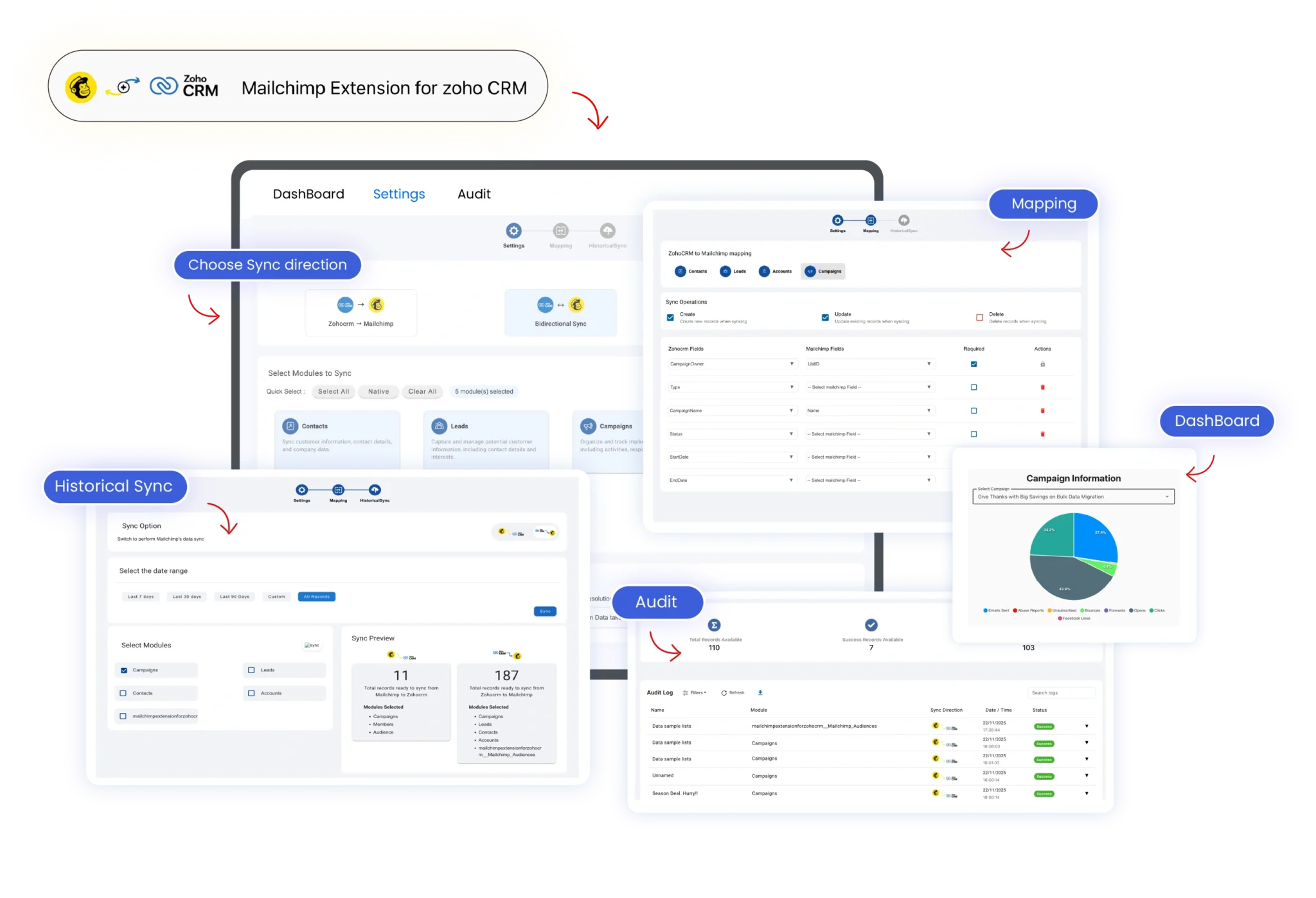
Choose how data syncs between Mailchimp and Zoho CRM, one-way or two-way, to control updates, avoid duplicates, and match your workflow.
Select one-way or two-way sync
Control how data moves between Mailchimp and Zoho CRM
Avoid duplicate or unwanted updates
Match the sync flow to your team’s workflow
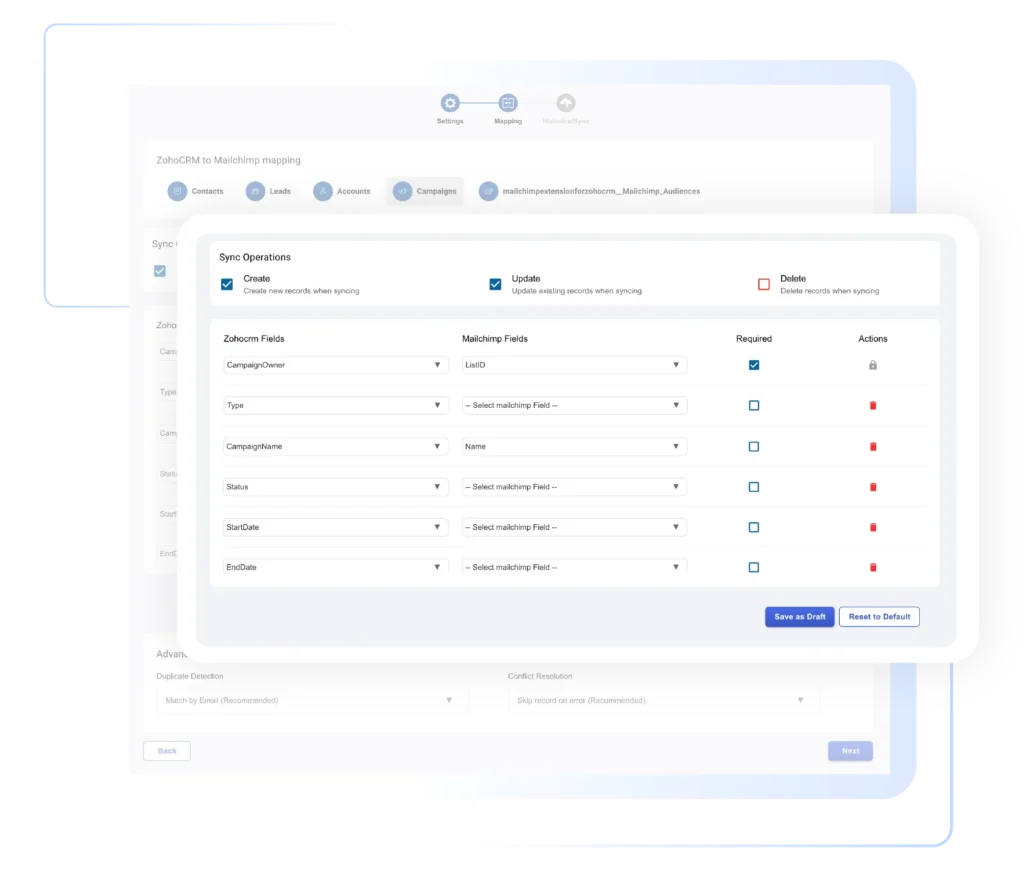
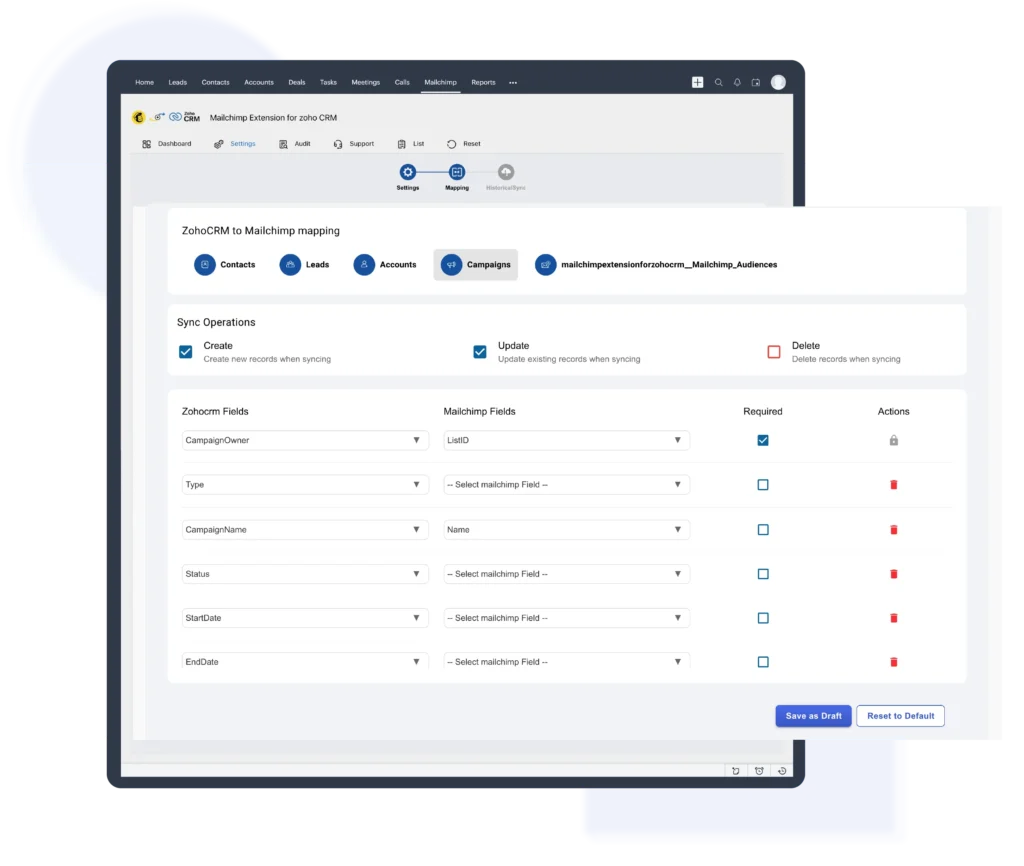
Easily map Zoho CRM fields with Mailchimp fields to keep your customer and campaign data accurate and consistent across both platforms.
Map contacts, audiences, and campaigns
Match Mailchimp fields with Zoho CRM fields
Ensure clean and accurate data synchronization
Maintain consistent customer information everywhere
Begin syncing your data instantly and gain clear visibility into Mailchimp campaign performance directly within Zoho CRM
Start syncing data instantly
View email opens and clicks inside Zoho CRM
Help sales teams follow up at the right time
Monitor campaign performance without switching tools
It gives you full control over how data moves between Mailchimp and Zoho CRM. You can sync data one way from Zoho CRM to Mailchimp or from Mailchimp to Zoho CRM, or enable bi-directional sync to keep both platforms updated in real time. The integration also supports syncing contact subscription statuses such as Subscribed, Unsubscribed, Cleaned, Pending, Archived, and Transactional, either for selected contacts or your entire database. This ensures accurate data, better compliance, and consistent communication, while eliminating manual updates and duplicate records across your sales and marketing systems.
It uses bi-directional contact synchronization to keep your customer data aligned at all times. Mailchimp contacts are automatically synced with Zoho CRM Leads or Contacts based on your setup, ensuring real-time updates across both platforms. This gives sales and marketing teams a single, unified view of customer information, making it easy to create new leads and contacts, keep records updated automatically, and track engagement without switching between tools or platforms.
It centralizes all your email marketing data in one place. Mailchimp email campaigns are automatically synced into the Zoho CRM Campaign module along with related contacts, eliminating the need for manual imports. This centralized setup improves reporting and analytics, keeps campaign data consistent across teams, and makes it easier for sales teams to track performance and understand how prospects engage with email campaigns directly from Zoho CRM.
It brings the right audience data into Zoho CRM with precision. You can sync entire Mailchimp audiences or specific campaign members directly into Zoho CRM using a dedicated Mailchimp Audience module. By syncing only engaged and relevant contacts, you reduce CRM clutter, run more targeted follow-ups, and improve lead nurturing and conversion outcomes. Built for global teams, this feature works reliably across regions and time zones, ensuring consistent audience data wherever your business operates.
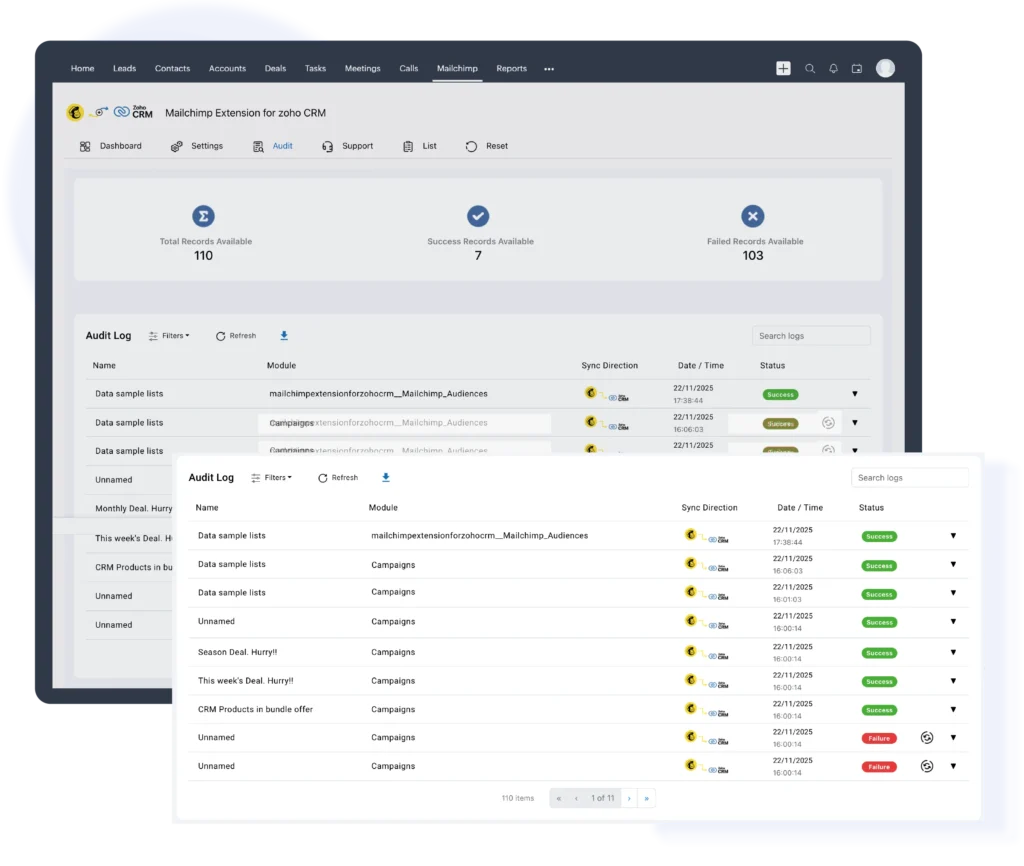
It provides full transparency and complete control over your data synchronization. Every sync activity is tracked automatically, allowing you to view success and failure records, monitor sync history, and filter logs by date range for quick troubleshooting and audits. This ensures complete visibility, better operational control, and enterprise-grade reliability for teams that depend on accurate, accountable data syncing.
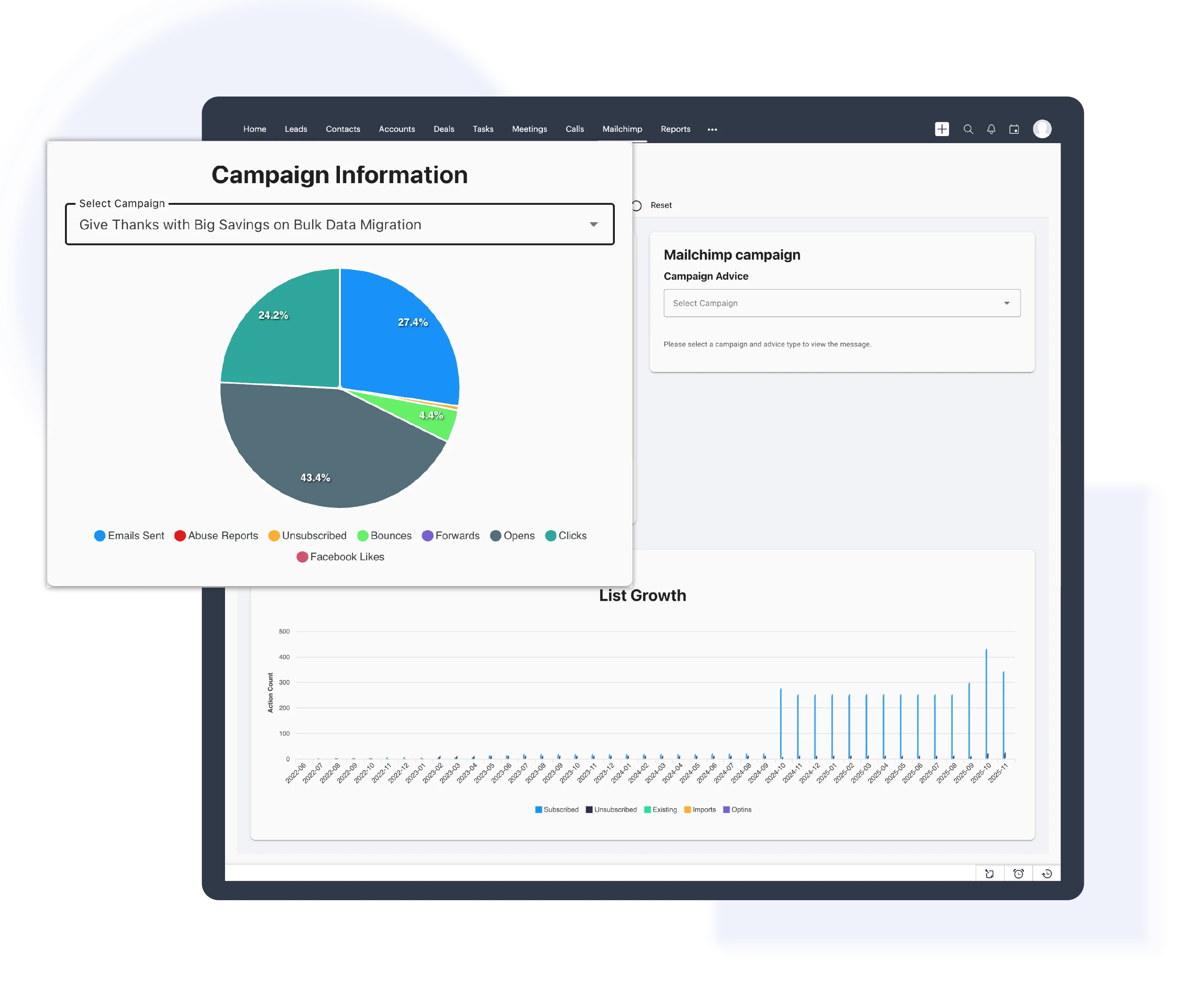
Analyze your Mailchimp campaign performance directly within Zoho CRM through a unified analytics dashboard. This view provides clear visibility into email engagement metrics such as opens, clicks, bounces, and unsubscribes, along with audience and list growth trends over time. By bringing Mailchimp campaign insights into Zoho CRM, teams can evaluate marketing impact faster and make informed follow-up decisions without switching between platforms.

We're here to clear them up

Yes. This Mailchimp integration with Zoho CRM works reliably across regions and time zones, making it ideal for businesses with global sales and marketing teams.
Yes. This Mailchimp integration with Zoho CRM allows you to sync entire Mailchimp audiences or only selected contacts and campaign members, helping keep your CRM clean and focused on engaged leads.
Yes. This Mailchimp integration with Zoho CRM uses secure authentication and follows both Zoho and Mailchimp security standards to protect your data during synchronization.
No. This Mailchimp integration with Zoho CRM runs efficiently in the background and does not impact Zoho CRM performance or user experience.
© 2026 | All Rights Reserved | Zeeyes Inc.