
Zoho CRM Xero Integration
Connect Zoho CRM and Xero in Minutes Get a 360° view of your customers, finances, and operations all in one place.
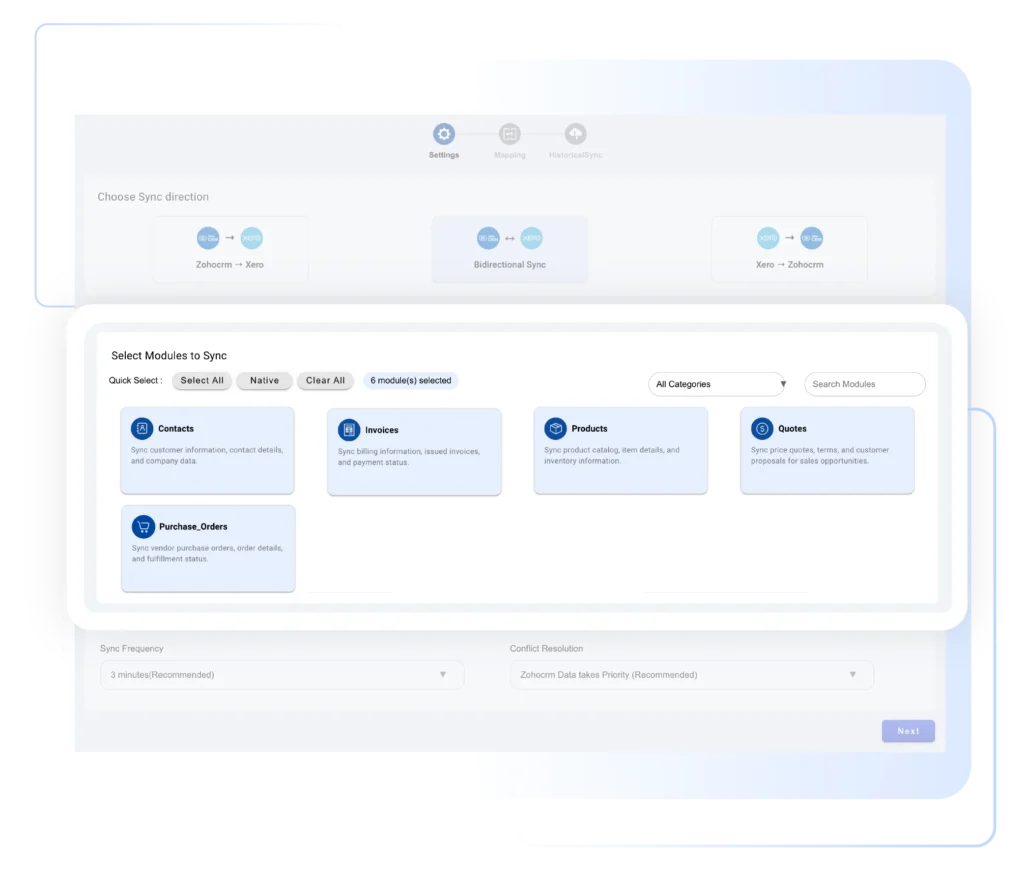
Bridge the gap between your sales and accounting teams with the Xero Bidirectional Integration for Zoho CRM. Seamlessly synchronize your Contacts, Accounts, Products, Invoices, Purchase Orders, and more across Zoho CRM and Xero — all without manual entry or duplication.
- Safe record sync between Zoho CRM and Xero. (there will be no loss of data)
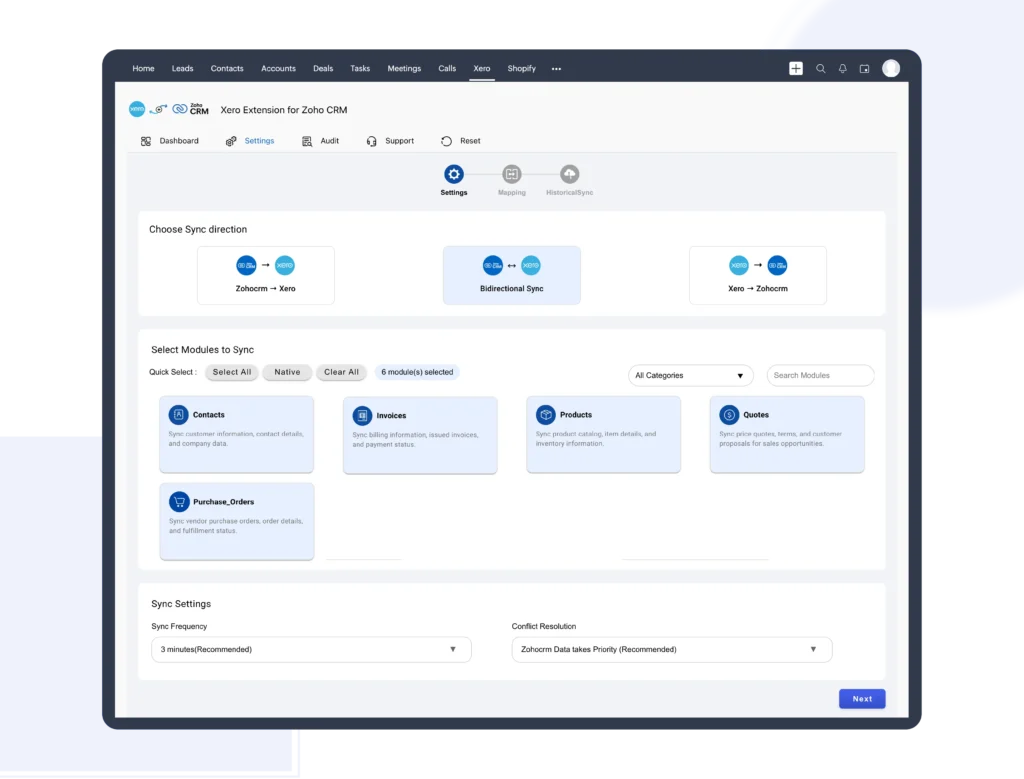
- Enable CRON scheduler to Sync records every three minutes by default. flexible to choose one minute and ten minutes based on your business needs.
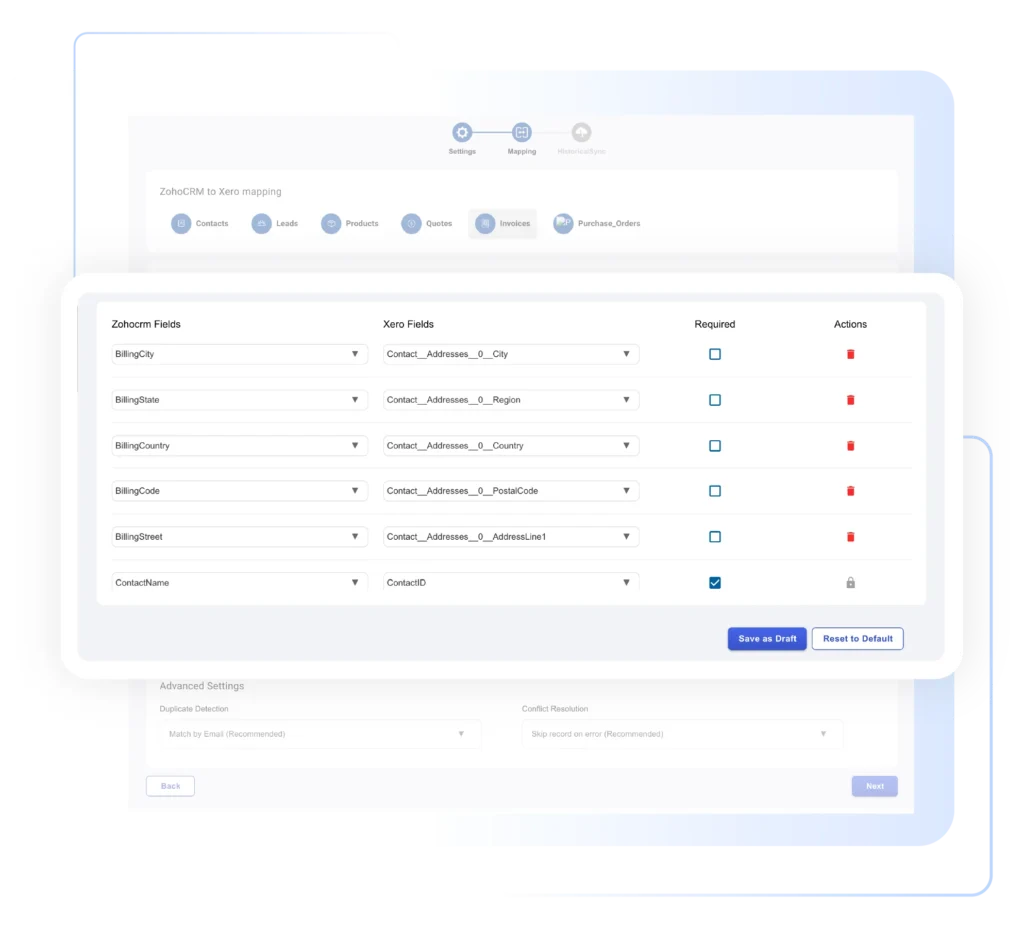
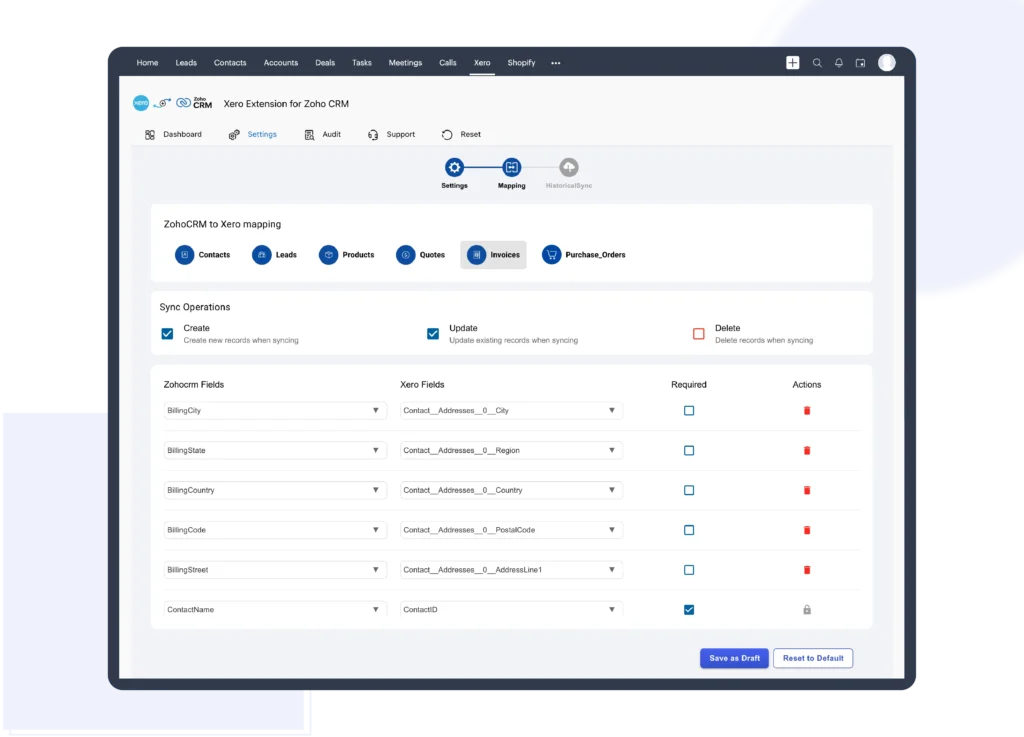
- Auto Mapping of CRM fields and Xero Fields for accrate record sync. Intuitive options to edit auto mapping or add new mapping for custom fields.
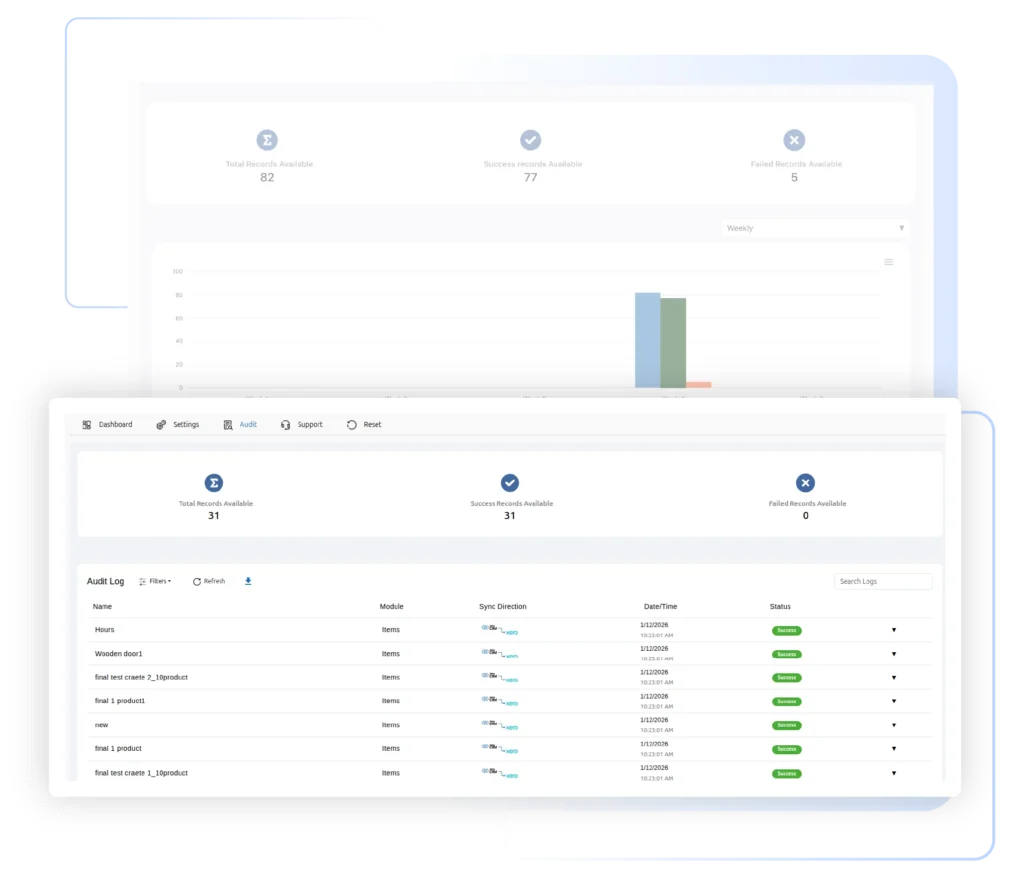
- Track all your synced records on Audit page.
- Resync the failed records on the Audit page itself. Also, download the JSON file on error records.
- Sync records instantly , once you save the records instantly with Onsave Sync.
- Seamless bulk records sync upto 500 records and easy to contact support for more record sync.
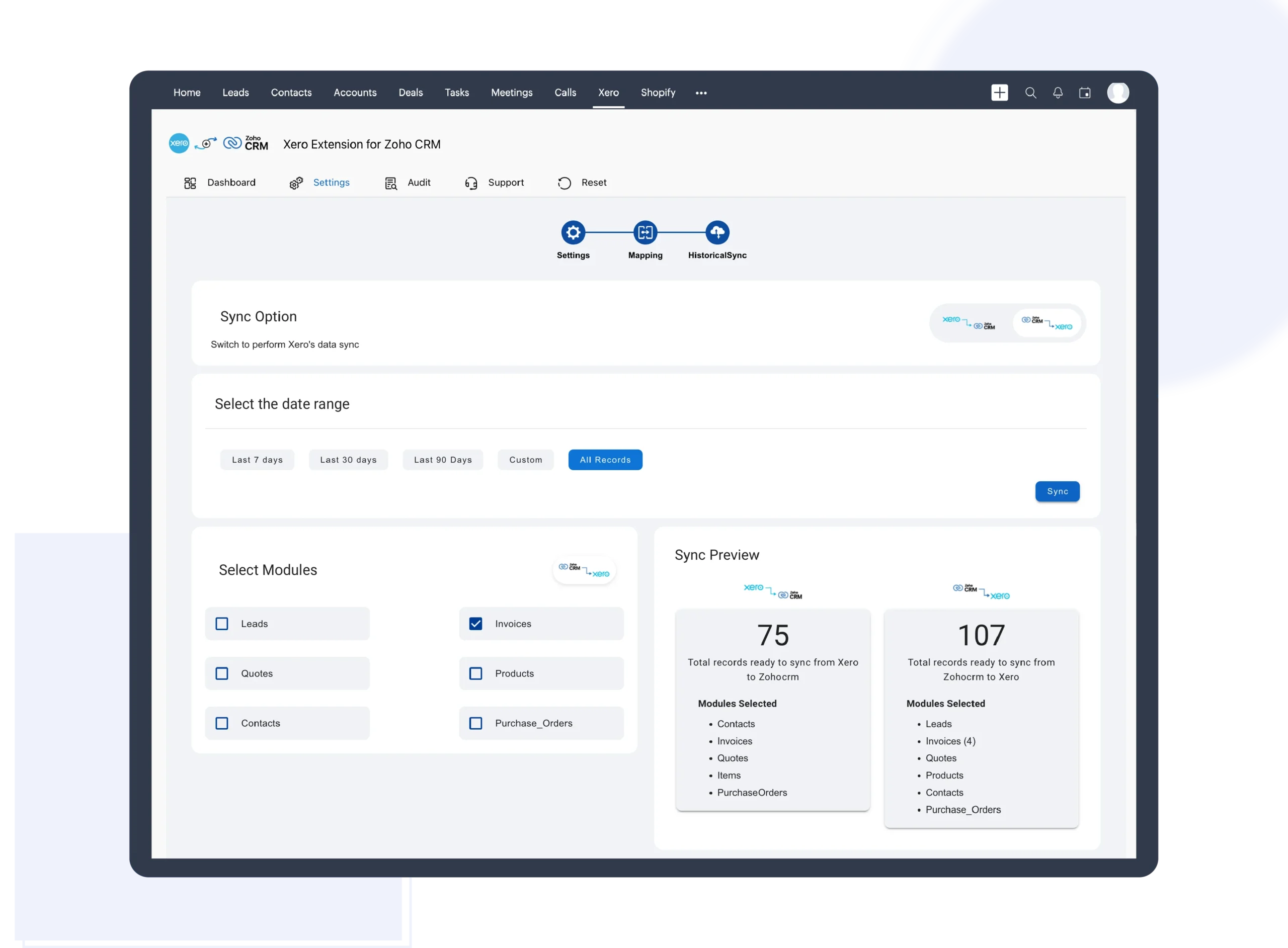
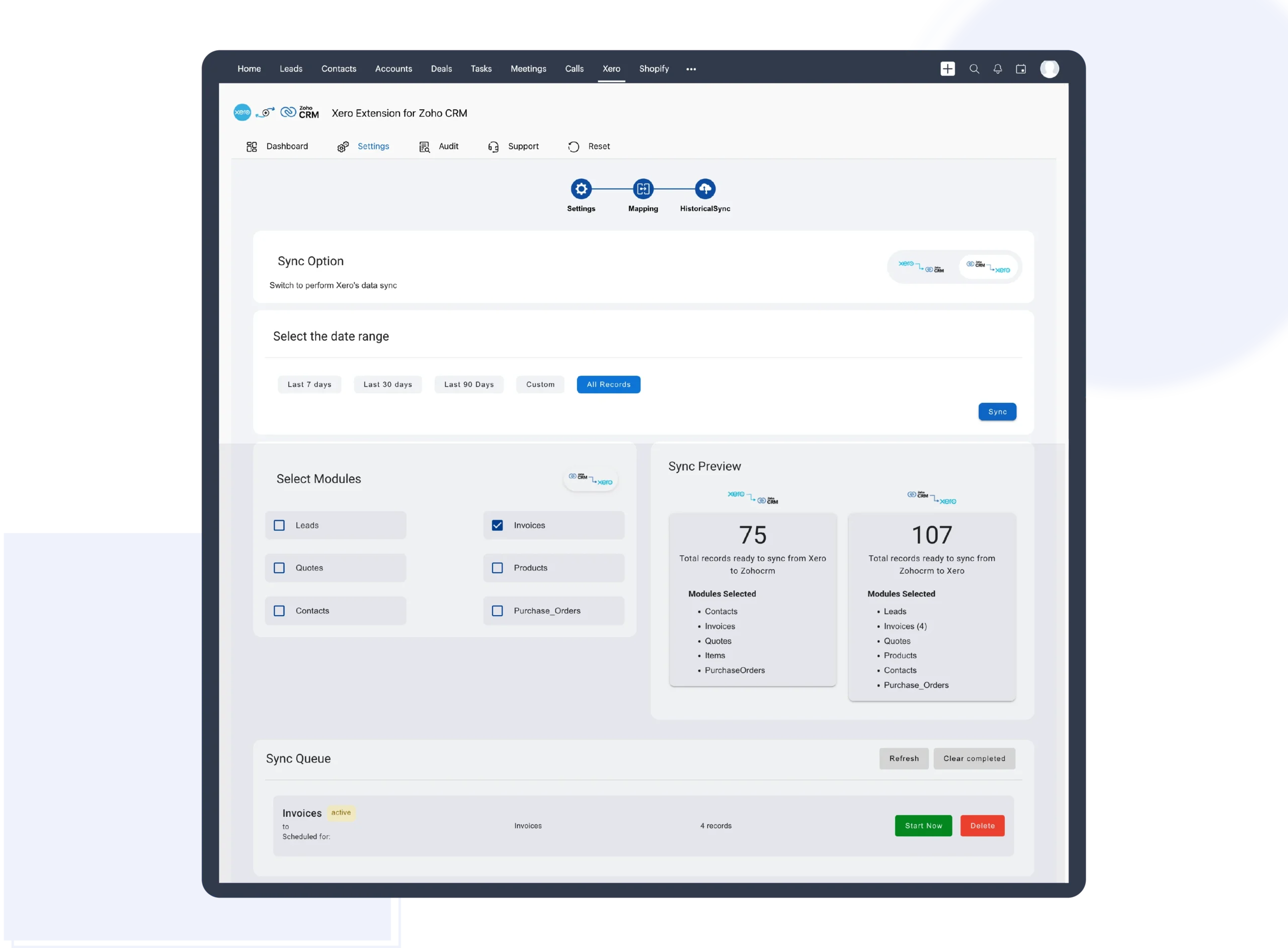
- Bring historical data in sync— fast, accurate, and disruption-free. Bulk record sync at predetermined time intervals.
Zoho CRM Xero Integration - Bidirectional Integration

Efficiently sync records from Zoho to Xero and Viceversa. It avoids Duplicates records and Dual data entry.

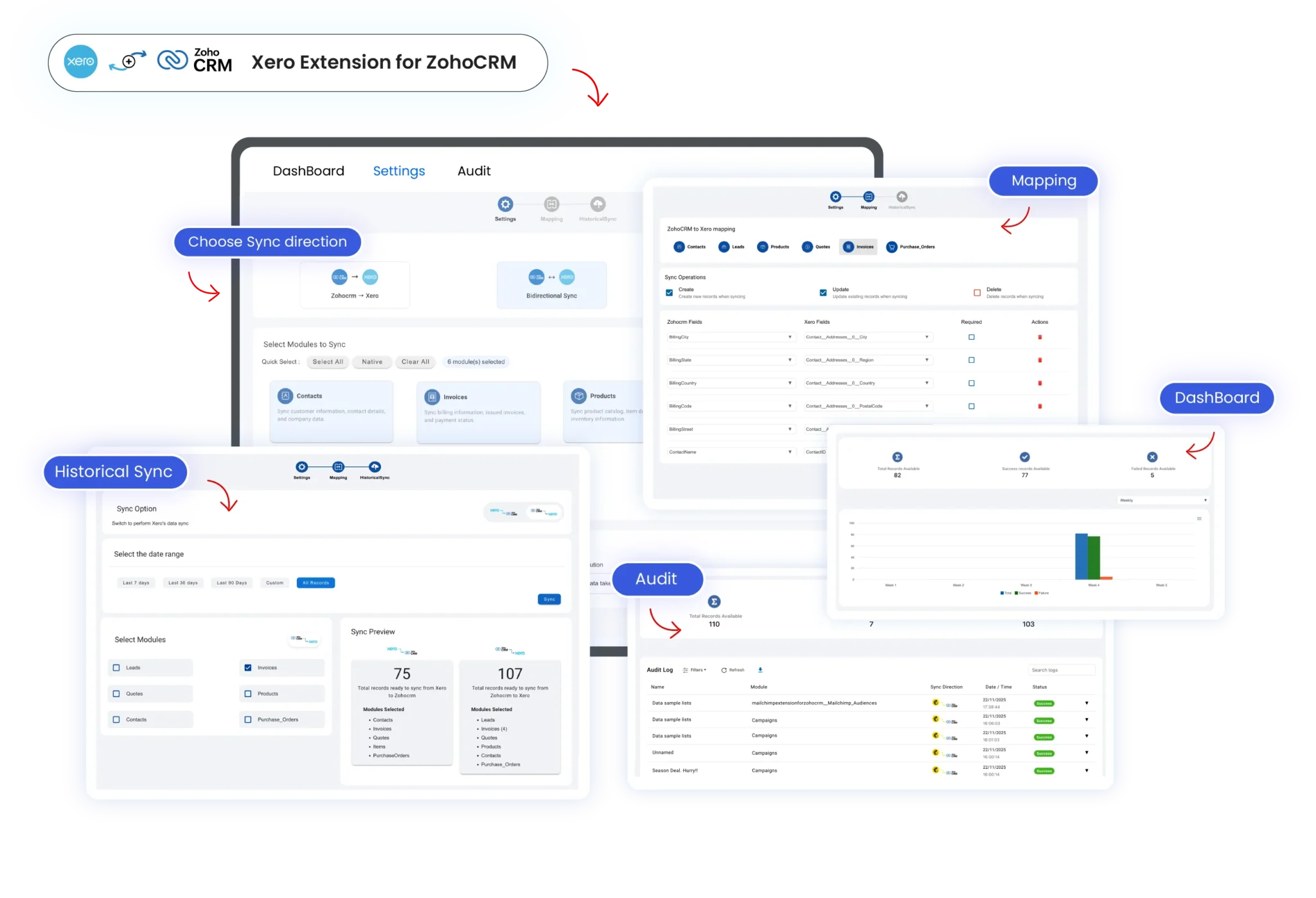
Map the appropriate Zoho field with the corresponding Xero field. Customize the mapped field by a simple drag-and-drop method.

Track every synchronization event between Zoho CRM and Xero in real time. Full transparency, total control on your synced records.
Video Tutorial
Video Description
Learn how to effortlessly sync records bidirectionally between Xero accounting software and Zoho CRM in our video tutorial. Starting with the installation of the Xero Bidirectional Integration for Zoho CRM from the Zoho Marketplace, we guide you through the setup process, including connecting Xero with the extension and authorizing access. Customize settings for seamless record synchronization, for instant record updates and configuring sync options for both Zoho CRM and Xero modules. Our video also demonstrates how to sync individual existing records with a single click and bulk sync records within specified time intervals. Explore the audit features to track sync statuses and easily manage record synchronization. For more information, visit our website or get the extension from the Zoho Marketplace.
Highlighted Features
- It can sync records like accounts, products, invoices, and Xero Accounts.
- The records from Zoho will be synced to Xero instantly once it was Save in the Zoho CRM
- Specify the time interval and sync records between the chosen period using Historical sync.
- Enable the CRON scheduler to sync records from Xero to Zoho automatically after every three minutes, one minutes, or ten minutes.
- Sync the already existing records from Zoho to Xero using Send to Xero Sync.
- Sync bulk records of any desired module and on desired directions
- Enable - disable the sync on creating, editing, and deleting the records on any module.
- Define how your data connects between Zoho CRM and Xero with effective field mapping.
- For Manual Sync, toggle the switch to the left side for Xero to Zoho Sync. And toggle the switch to the right side for Zoho to Xero Sync
- Auto filled mapping fields and easy to customize mapping. Easy to save the mapping template.
- Effective duplicate detection features by matching the records with the flexible options like email, or phone number.
- Flexible to choose the priority of records as primary source, in case of data conflicts on bulk data migration.
- Track all your sucess and failure sync statuses on one page.
- Resync the failed record sync from the audit page itself. Get your error log from the downloadable JSON file.
- Filter the log history to search for any particular record sync based on module name and sync direction.
- If the records failed to sync after three times, then it will be notified to the user via Notification.
- Fast Invoice sync makes your business more productive.
- Avoid duplicate records and makes the CRM data clean and updated.
- Avoid manual entries of data on both sides .
- User friendly dashboard helps for quick overview of record sync in pictorial format
- Easy and quick support on configuration or record sync, with inbuild support section of our extension.
Getting Started
- Get your Xero Bidirectional Integration for Zoho CRM from Zoho Marketplace.
- Flexible options to choose a free trial of 10 days or buy the extension directly.
- Utilize the Flexible subscription plan as a Monthly/ Yearly that best suits your business needs.
- To know more about the extension and how it works please refer to our documentation.
- Explore the complete walkthrough video or step-by-step guide on how to sync records with this extension.
Free Trial
ZOHO XERO
Streamline your accounts and sync customer data-
Sync Accounts /Customers, invoices
-
Sync Xero Accounts/ Accounts
-
Sync Products/ Items
-
Historical Record sync- Bidirectional
-
Automatic CRON Sync every 10 minutes
ZOHO XERO
Streamline your accounts and sync customer data-
Sync Accounts /Customers, invoices
-
Sync Xero Accounts/ Accounts
-
Sync Products/ Items
-
Historical Record sync- Bidirectional
-
Automatic CRON Sync every 10 minutes