
Zoho CRM QuickBooks Integration
Connect your Zoho CRM and QuickBooks Online accounts. Bridge the Gap Between Sales and Accounting Effortlessly Explore the seamless record synchronization between Zoho CRM and QuickBooks. Manage customer data, invoices, products, and more. While eliminating manual data entry and errors. With a unified view of financial and CRM data, this integration allows your team to operate more efficiently and make smarter business decisions.
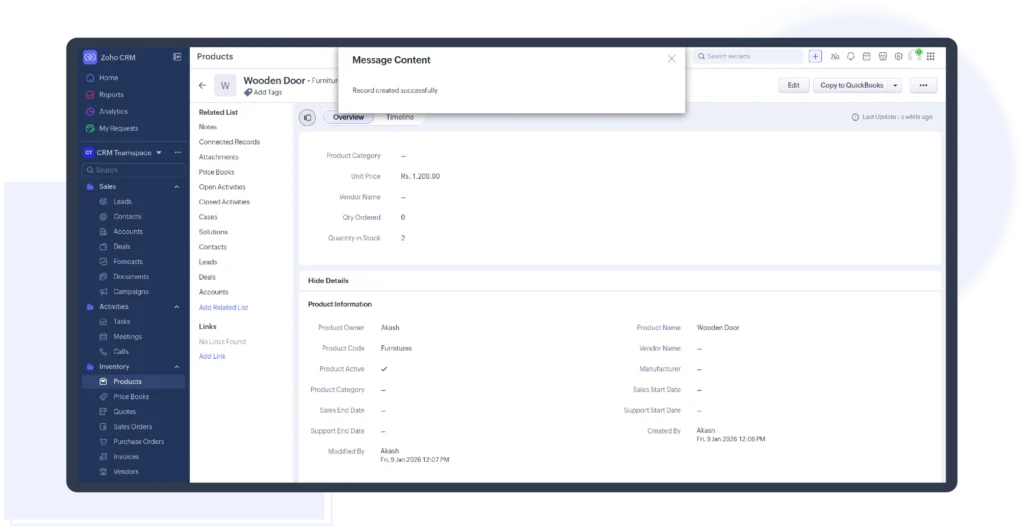
- Perform two-way sync of Contacts, Invoices, Products, Quotes, Sales Orders, Vendors, and Purchase Orders records between Zoho CRM and QuickBooks account.
- Securely synchronize your records between Zoho CRM and QuickBooks.
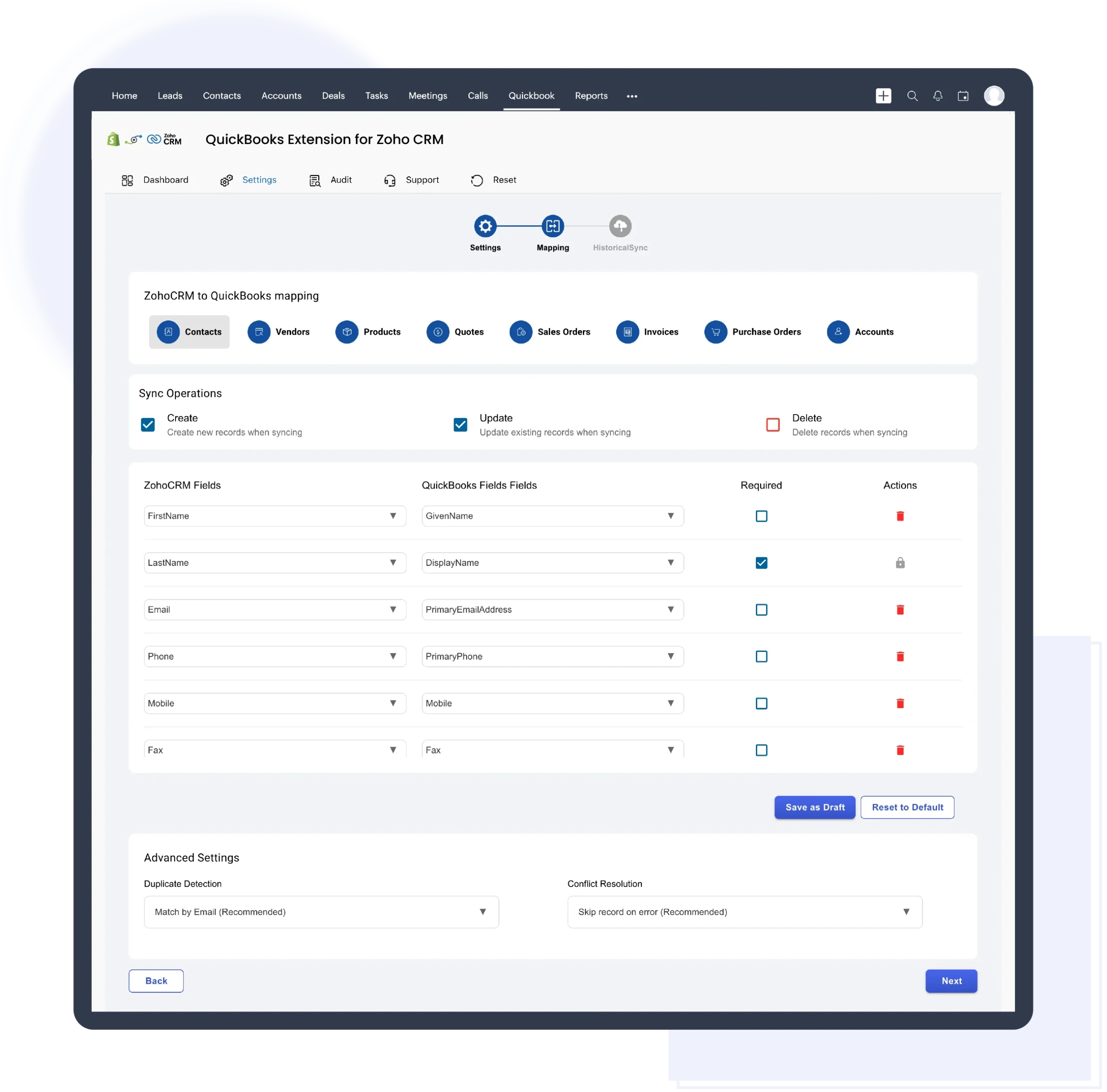
- Accurate auto mapping fields and flexible to edit and add mapping for custom fields.
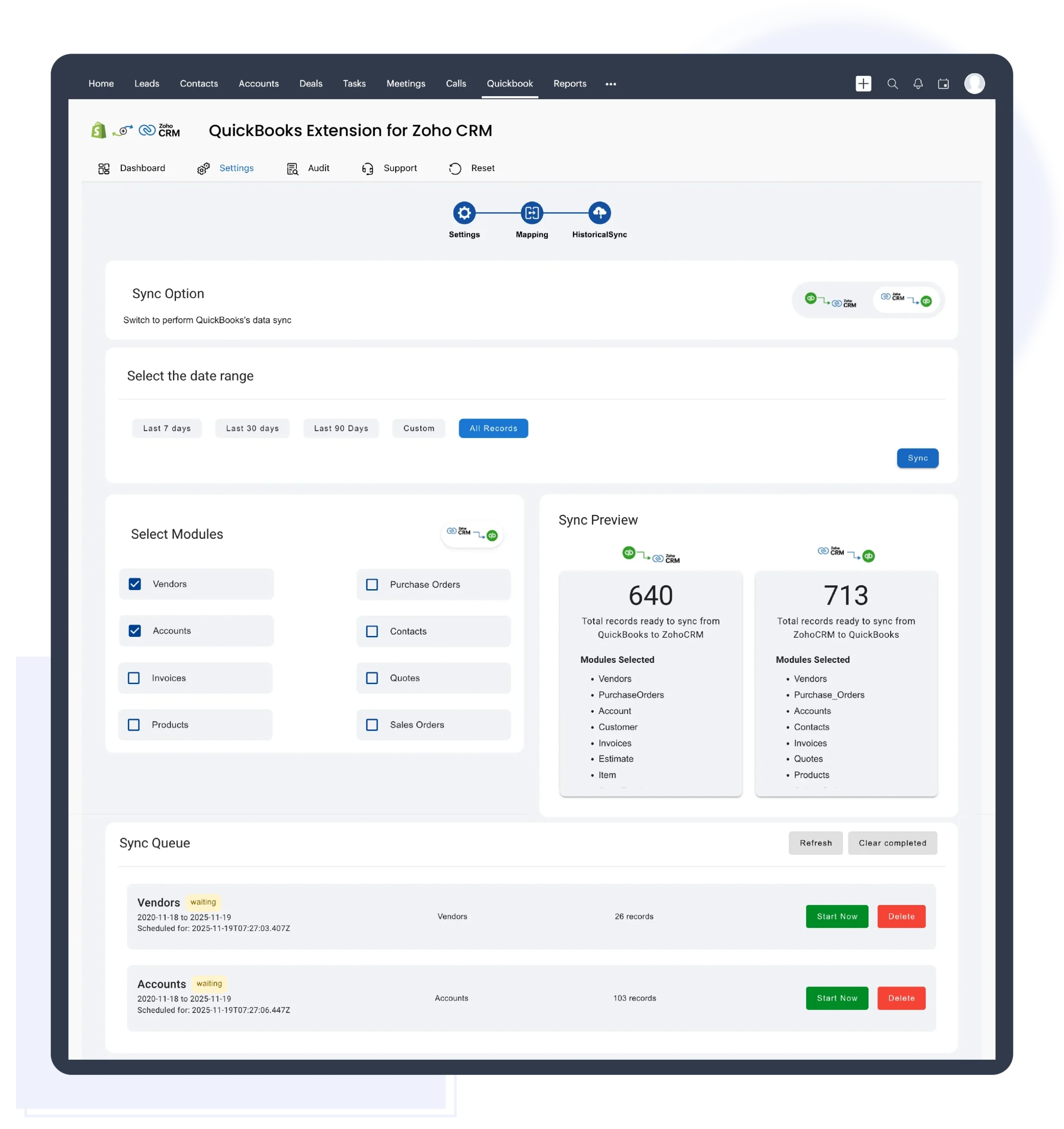
- Bulk record sync upto 500 records with specified time ranges
- Scheduler for synchronizing records at predetermined intervals such as every 3 minutes, or 1 minute or 10 minutes.
- Effective Bidirectional Sync between Zoho CRM and QuickBooks without the hassle of double entry.
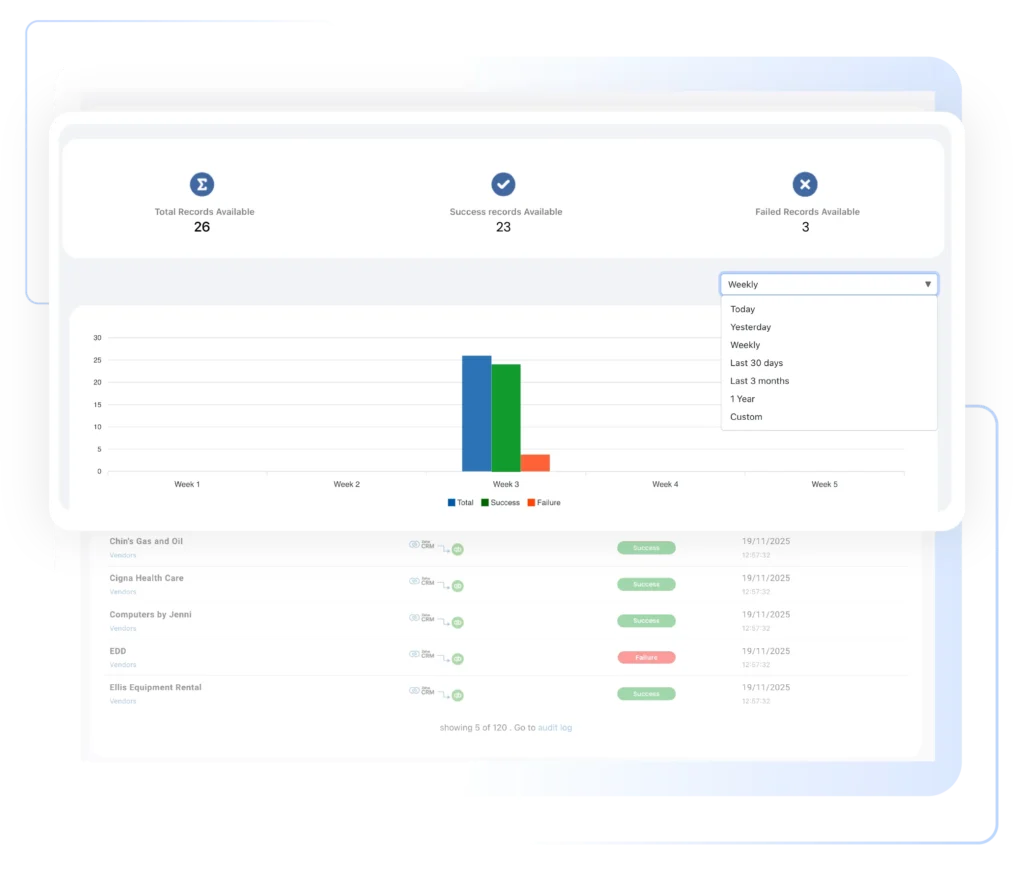
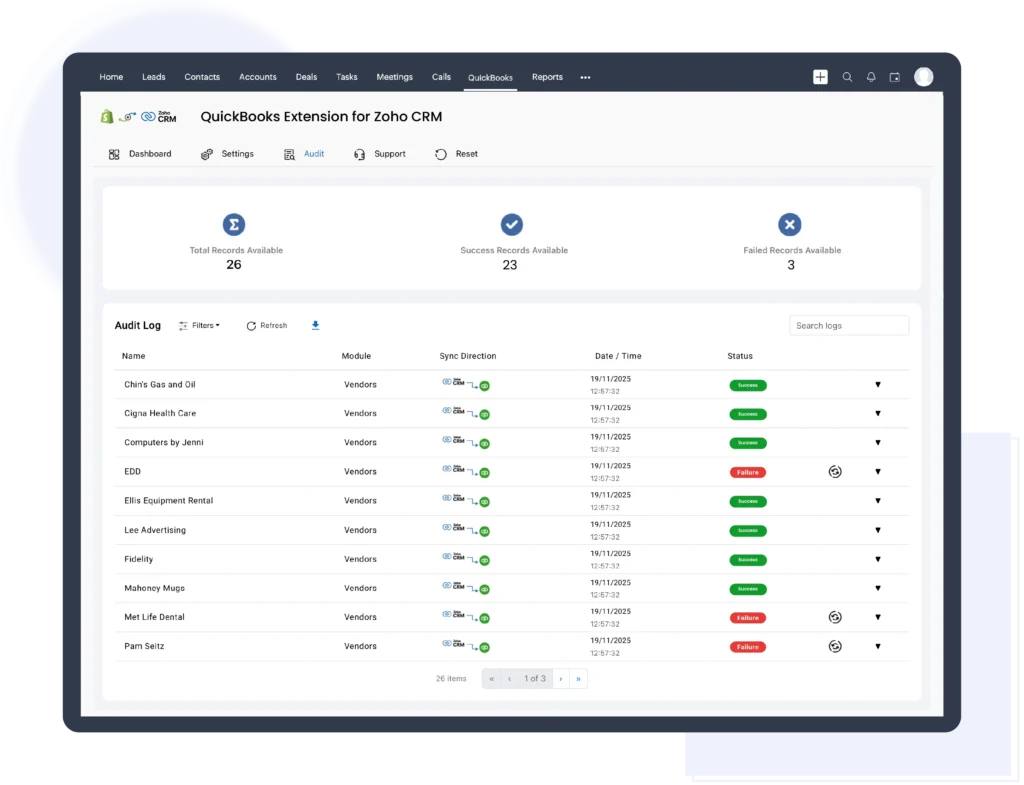
- Logs allows you to track all records that have been synced, along with the record synced statement.
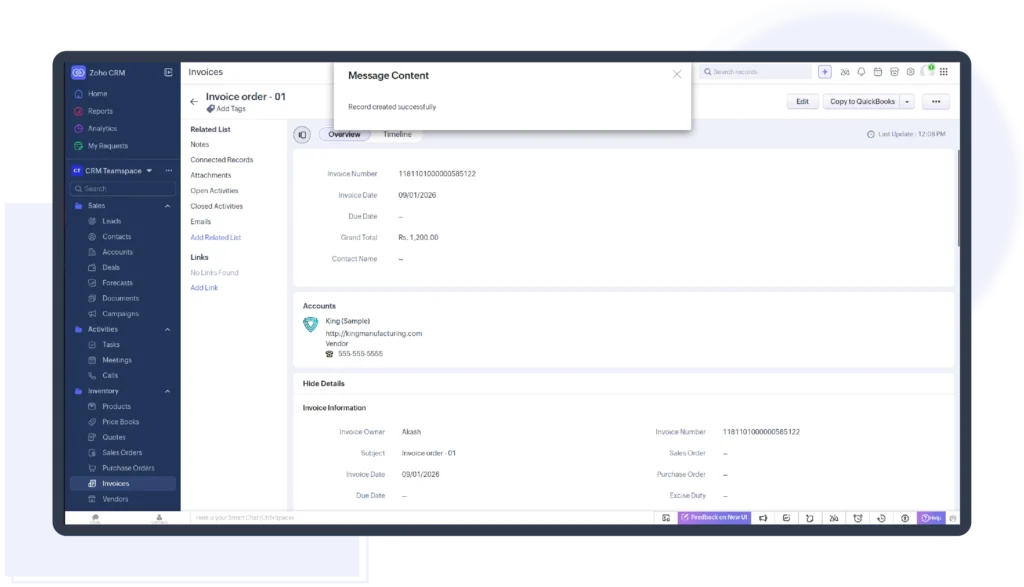
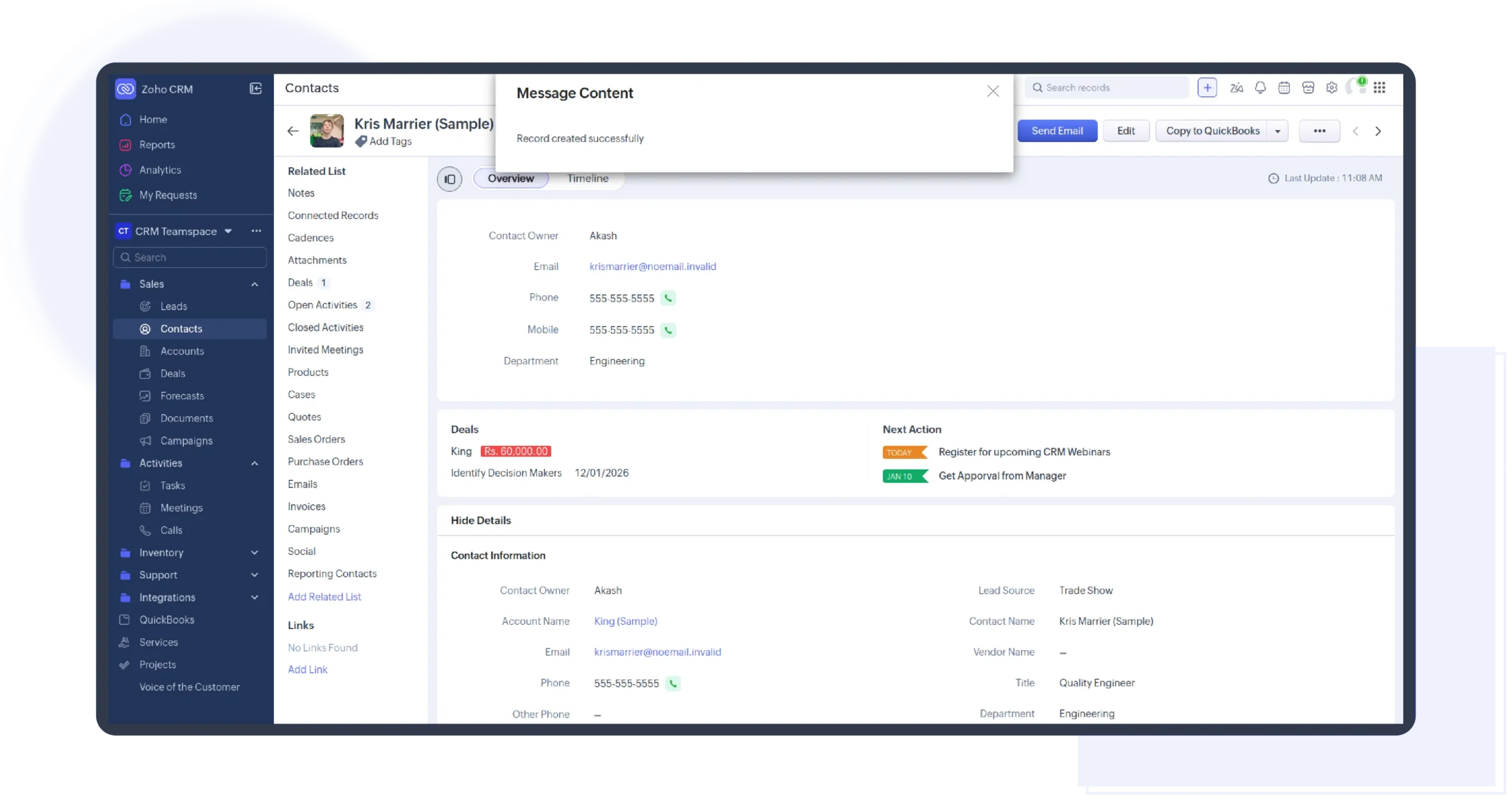
- Sync records instantly from Zoho CRM to QuickBooks.
- Real-Time Data Sync between Zoho CRM to QuickBooks. Sync contacts, invoices, purchase orders, products, and other important records in real-time.
- Smart Conflict Resolution.Flexible to choose which platform’s data takes priority in case of data conflicts.
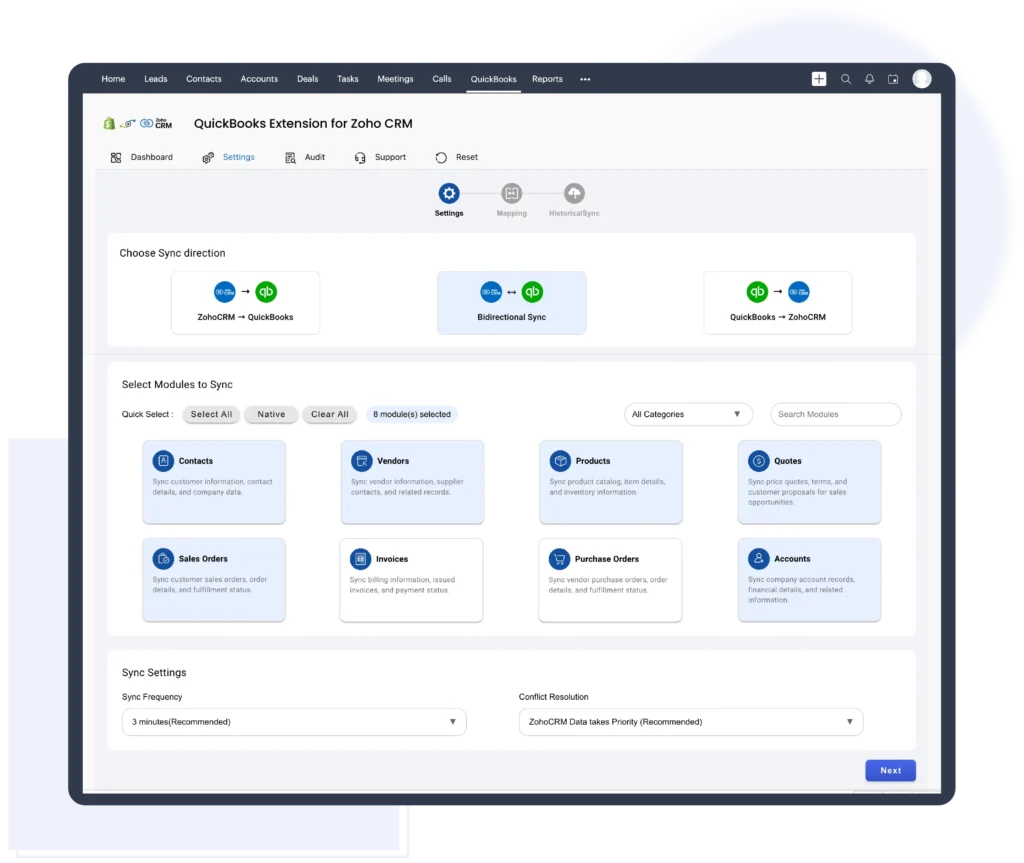
- Customizable Sync Settings.Control what data to sync and when to sync it, ensuring the integration works the way your business does
Integrate your Zoho CRM and QuickBooks Online

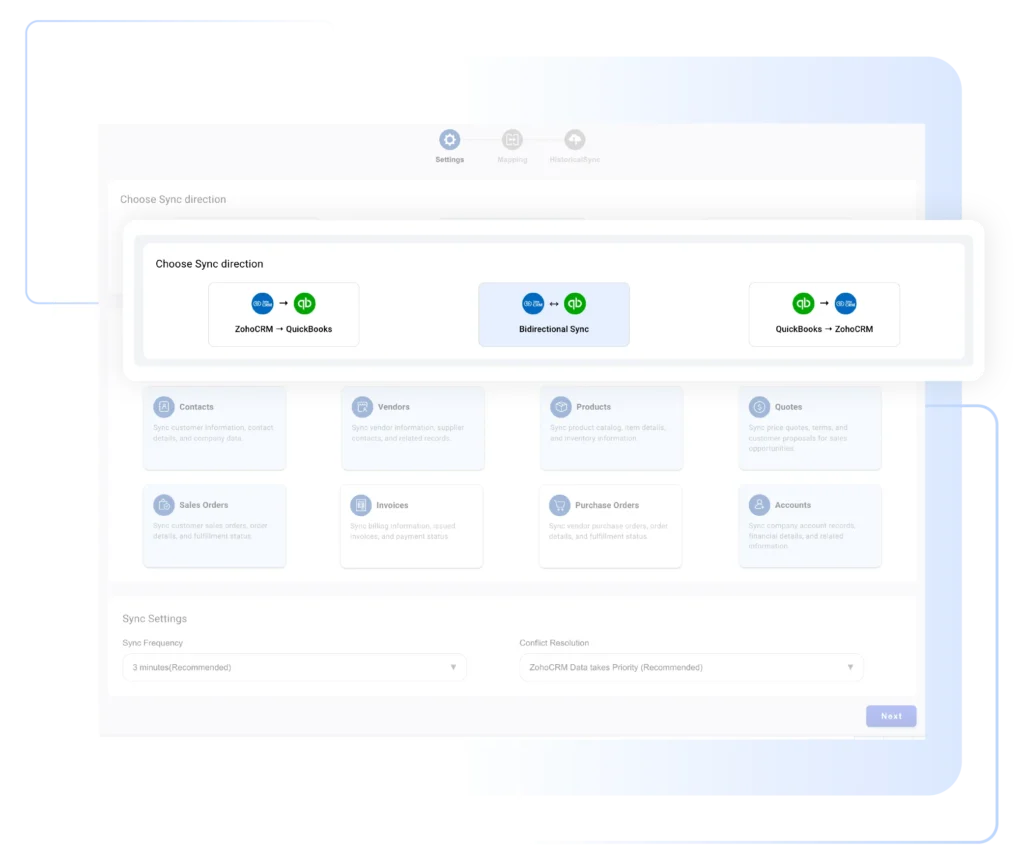
Synchronize records bidirectionally between Zoho CRM and QuickBooks Online.

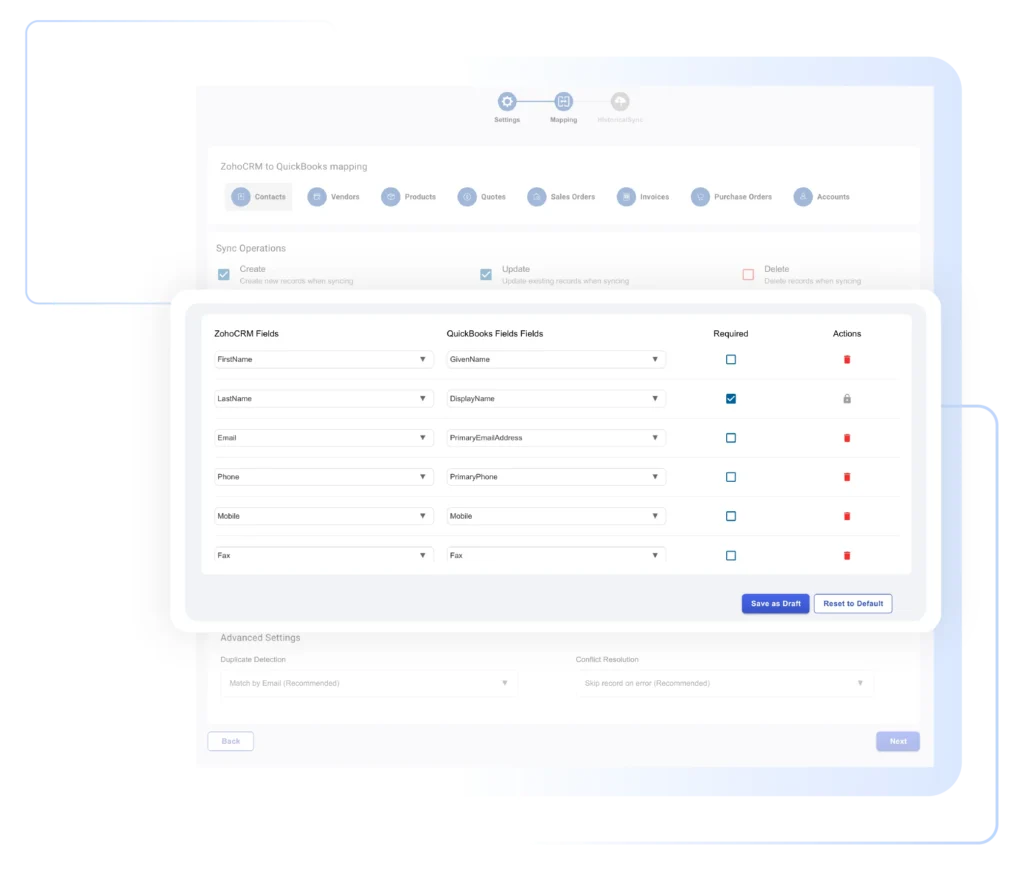
Zoho CRM and QuickBooks fields will be mapped according to their corresponding fields.

Using the Log, you can know the status of the data sync throughout the record history.
Video Tutorial
Video Description
Learn how to effortlessly integrate Zoho CRM and QuickBooks Online for seamless bidirectional record synchronization in our video. Start by installing the QuickBooks Extension from the Zoho Marketplace, then connect QuickBooks with Zoho CRM and authorize the integration. Customize settings to sync modules like contacts, accounts, products, and more. Enjoy the real time record sync by a smart and user friendly configuration. Customize the settings that best fits your business needs. Easily sync individual records or bulk sync historical data. With comprehensive audit page, it is east to monitor sync statuses. Also, you can view and download the JSON report to identify the root cause of the error. Simplify your workflow with this intuitive integration between Zoho CRM and QuickBooks Online.
Highlighted Features
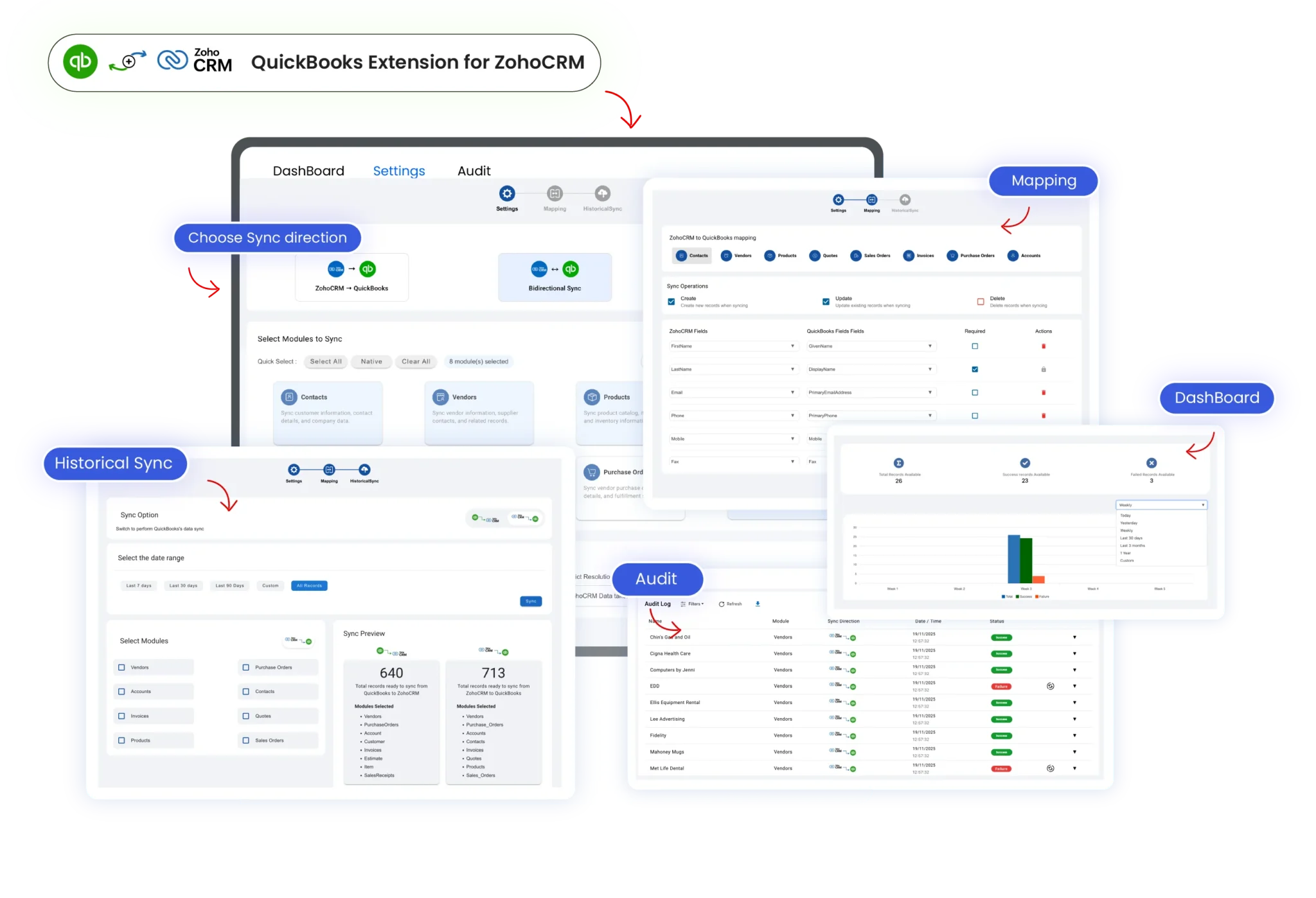
- Easily control how data flows between Zoho CRM and QuickBooks through the Settings page.
- Flexible to choose the sync direction and the modules to sync
- Integrate Invoices, Contacts, Accounts, Products, Quotes, Vendors, Purchase Orders, and Sales Orders to eliminate double-entry of information.
- Keep track of all records that have been synced in the log.
- Easy to choose your preferred platform priority as Zoho CRM or Quickbooks for data conflicts:
- Keep your customer information updated in Zoho CRM and QuickBooks.
- Efficient automapped fields for accurate data sync.
- Streamline your sales process with the right Invoices, Sales Orders and Contacts information.
- Set up Zoho CRM to send only selected records to QuickBooks. The extension gives you complete control over what records are transferred.
- Zoho CRM allows you to get the list of all related companies of QuickBooks.
- Streamline your workflow and eliminate double entry by eliminating duplicate records.
- Synchronize all your data periodically and resync the records that failed to sync because of network barriers.
- Perform sync in the background during off-peak hours so you can be more productive. You can configure sync frequency to send data between QB and Zoho.
- Perform bidirectional synchronization between QuickBooks and Zoho CRM.
- Through mapping, relate each field in each module to the right location in order to sync the data
- Maintain data consistency by avoiding dual manual entries and perform fast, secure data synchronization.
Free Trial
ZOHO QUICKBOOKS
Streamline your accounts and sync customer data-
Sync contacts/customers, invoices
-
Sync quotes, products and services
-
Sync sales orders/sales receipt records
-
Sync Purchase orders and Vendors
-
Historical records sync & logs to track
-
Automated cron sync every 3 mins
ZOHO QUICKBOOKS
Streamline your accounts and sync customer data-
Sync contacts/customers, invoices
-
Sync quotes, products and services
-
Sync sales orders/sales receipt records
-
Sync Purchase orders and Vendors
-
Historical records sync & logs to track
-
Automated cron sync every 10 mins