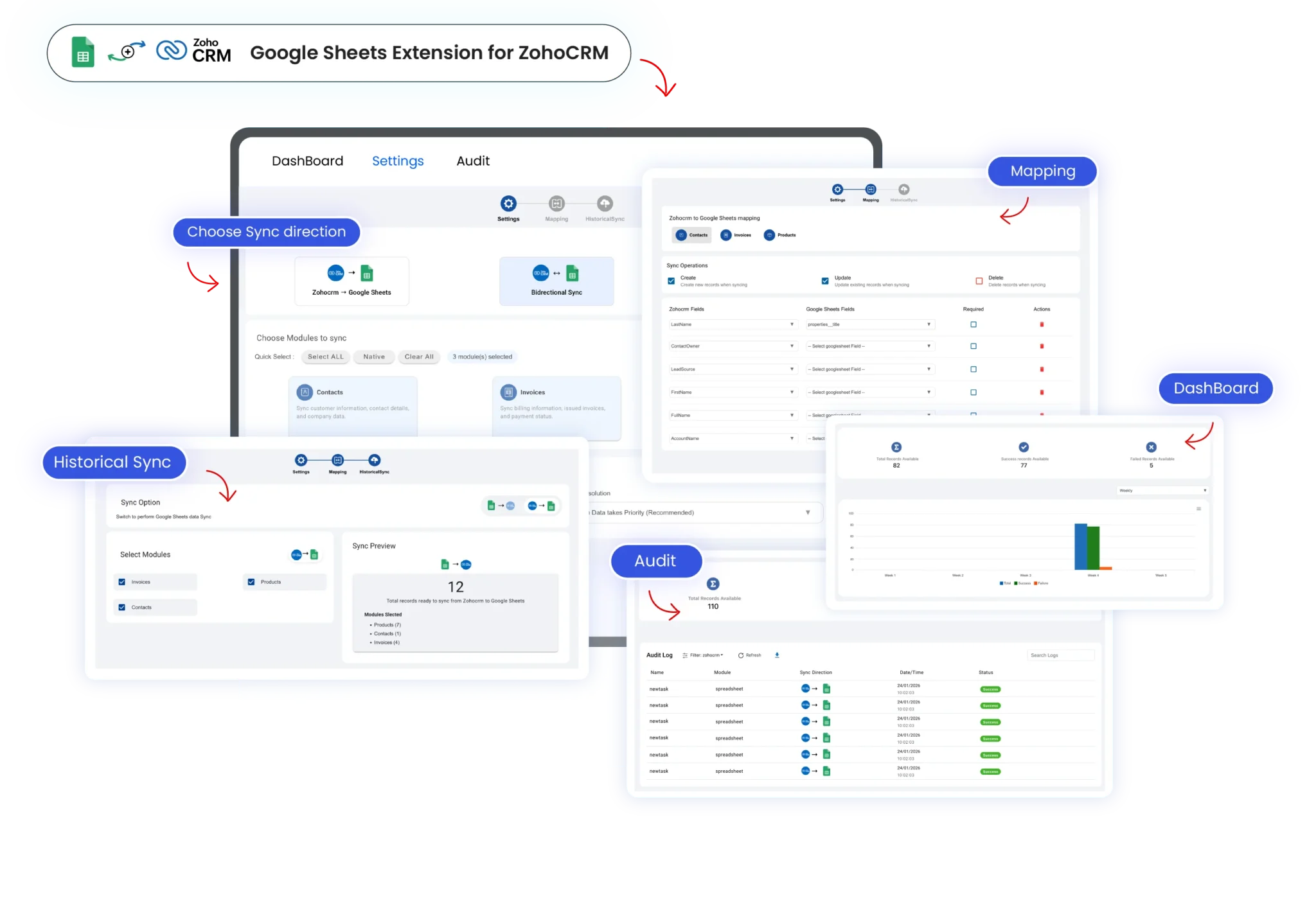

Google Sheets integration for Zoho CRM securely syncs spreadsheet data in real time, enabling no-code lead creation and updates, accurate field mapping, duplicate control, and scalable automation without Zoho Flow for global teams and worldwide businesses.

Eliminate manual data entry by automatically syncing Google Sheets with Zoho CRM in real time, helping sales teams focus on follow-ups and close deals faster

Maintain clean, consistent CRM data using accurate field mapping, duplicate control, and real-time synchronization between Google Sheets and Zoho CRM records
Convert spreadsheet rows into Zoho CRM leads and contacts instantly, accelerate response times, and keep sales pipelines updated without switching between tools

Use a secure, no-code Google Sheets Zoho CRM integration built for global teams, ensuring safe data access, reliable sync, and enterprise-ready performance

Apply conditions and workflows to control when Google Sheets data syncs with Zoho CRM, ensuring only relevant records are created or updated automatically

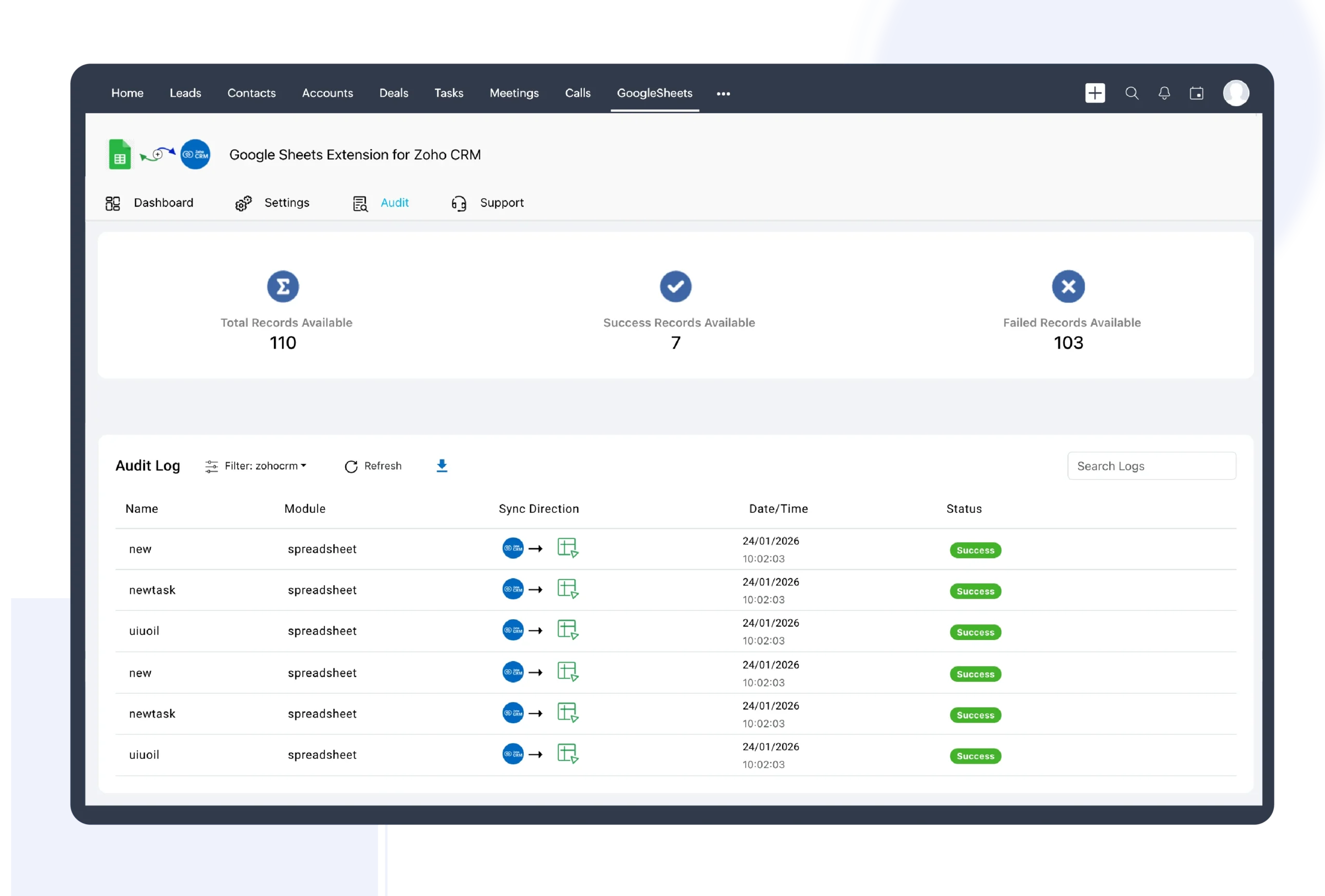
Track every Google Sheets to Zoho CRM update with detailed sync logs, success and failure statuses, and clear visibility for monitoring and troubleshooting
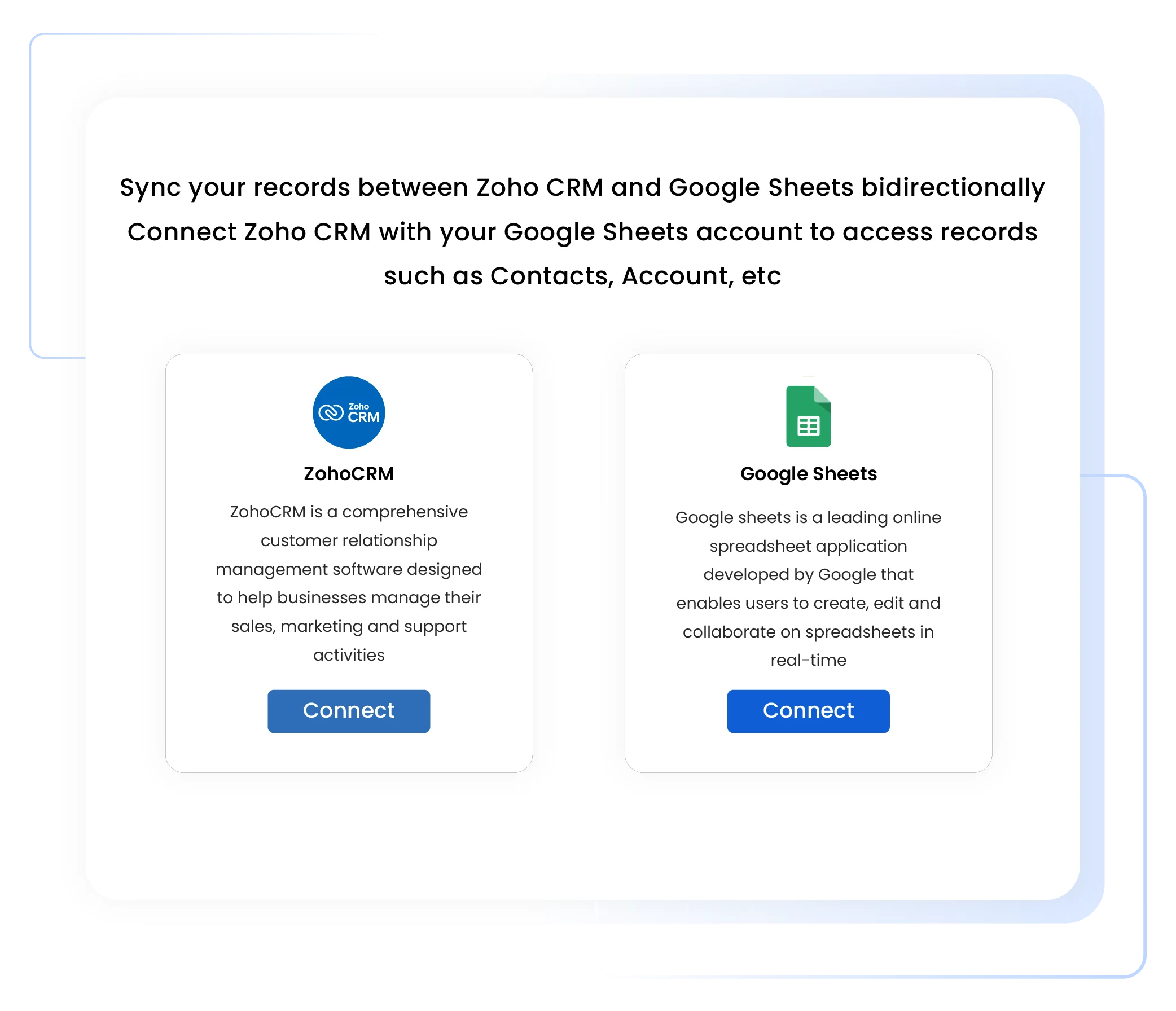
Install the integration and securely connect Google Sheets with Zoho CRM in just a few minutes.
Install the Google Sheets Integration from the Zoho Marketplace
Open the extension and sign in to your Google Sheets account
Securely authorize access between Google Sheets and Zoho CRM
Complete setup and get ready to sync data instantly
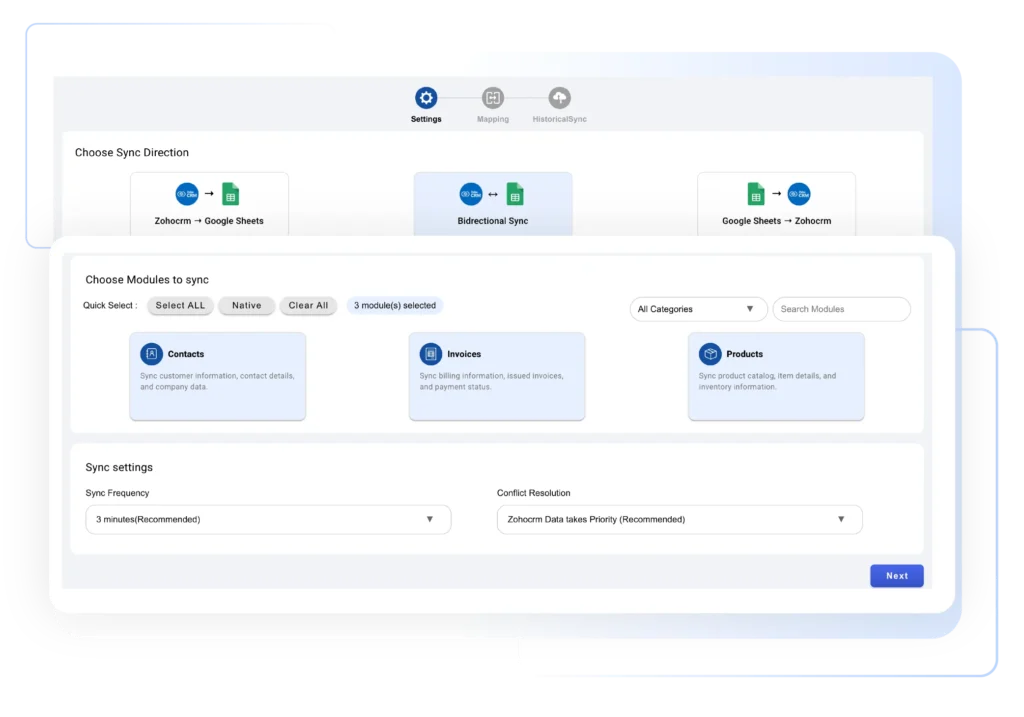
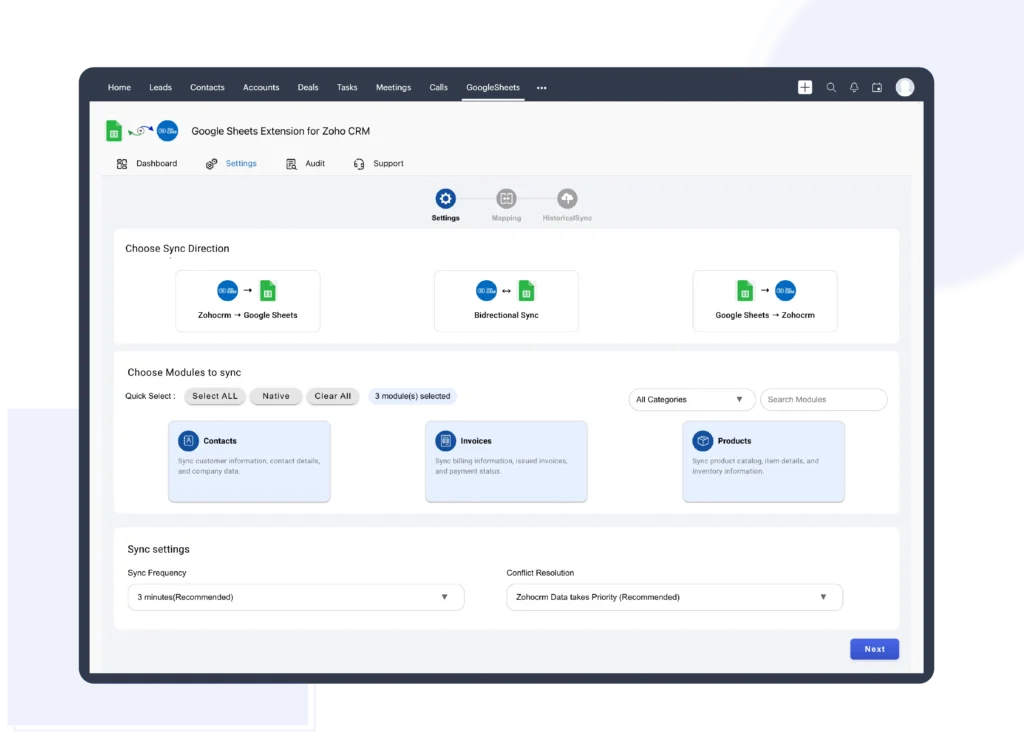
Decide where data should sync and how updates should flow between Google Sheets and Zoho CRM based on your business process.
Select the Zoho CRM module, such as Leads, Contacts, Invoices, or custom modules
Choose when and how CRM fields should update from Google Sheets
Define the workflow logic that controls data sync behavior
Create and save a new configuration for the selected workflow
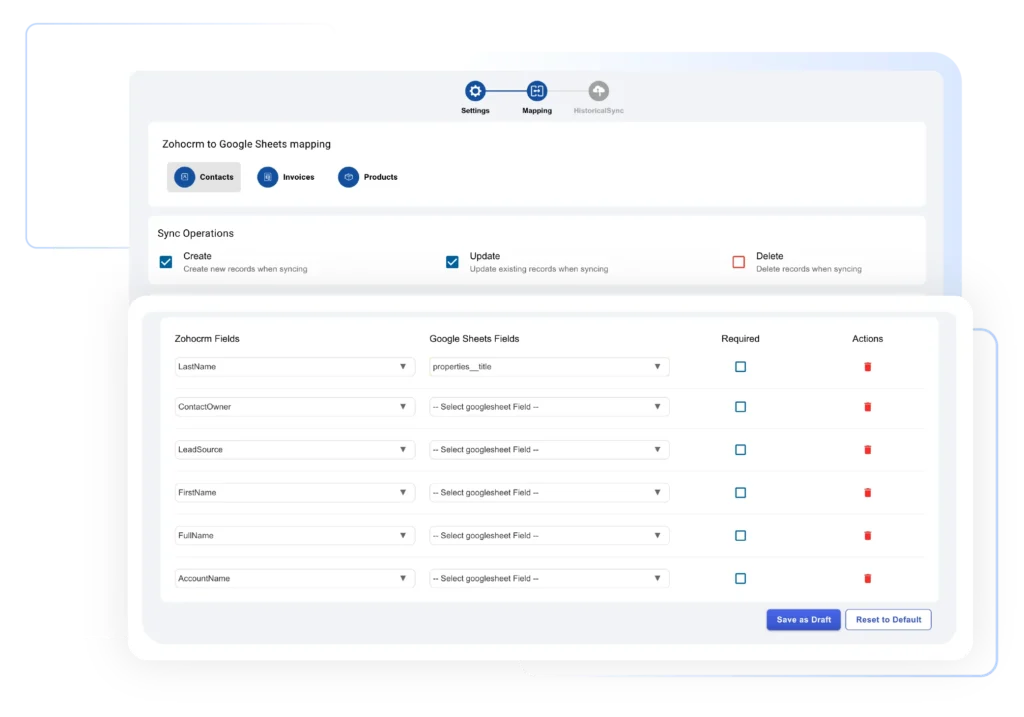
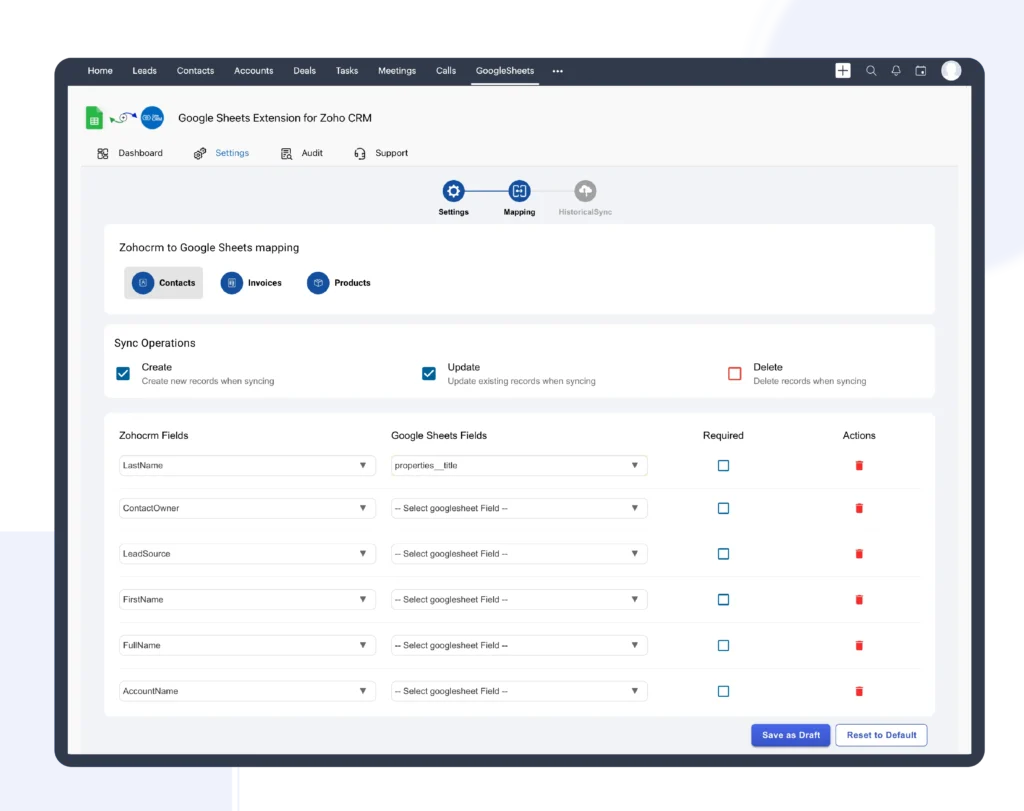
Control how data flows by mapping Google Sheets columns to Zoho CRM fields and defining how existing records should be identified and updated.
Map Google Sheet columns to the corresponding Zoho CRM fields
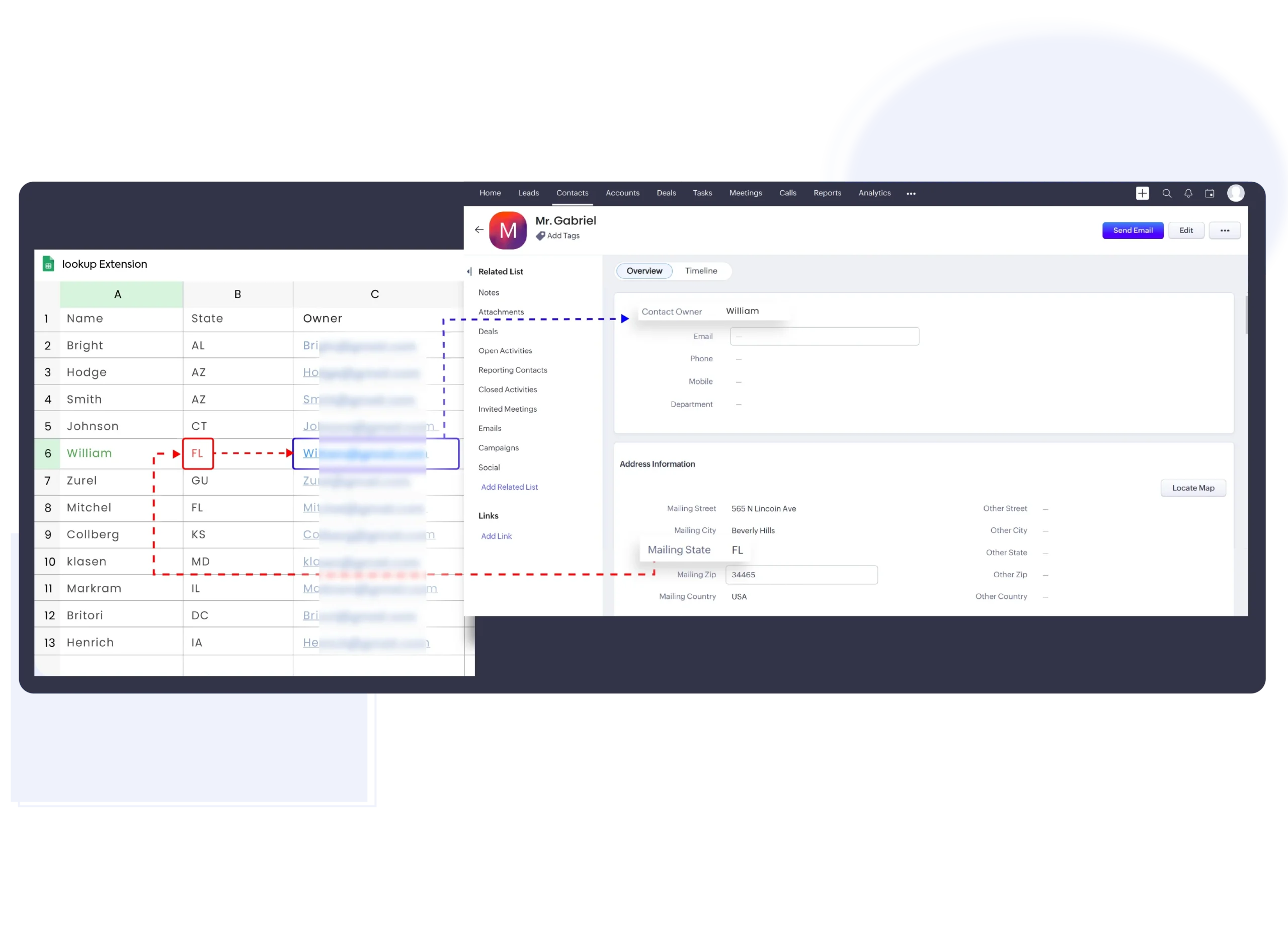
Select lookup fields to identify existing CRM records accurately
Configure updates within the same CRM module
Enable cross-module updates across multiple Zoho CRM modules
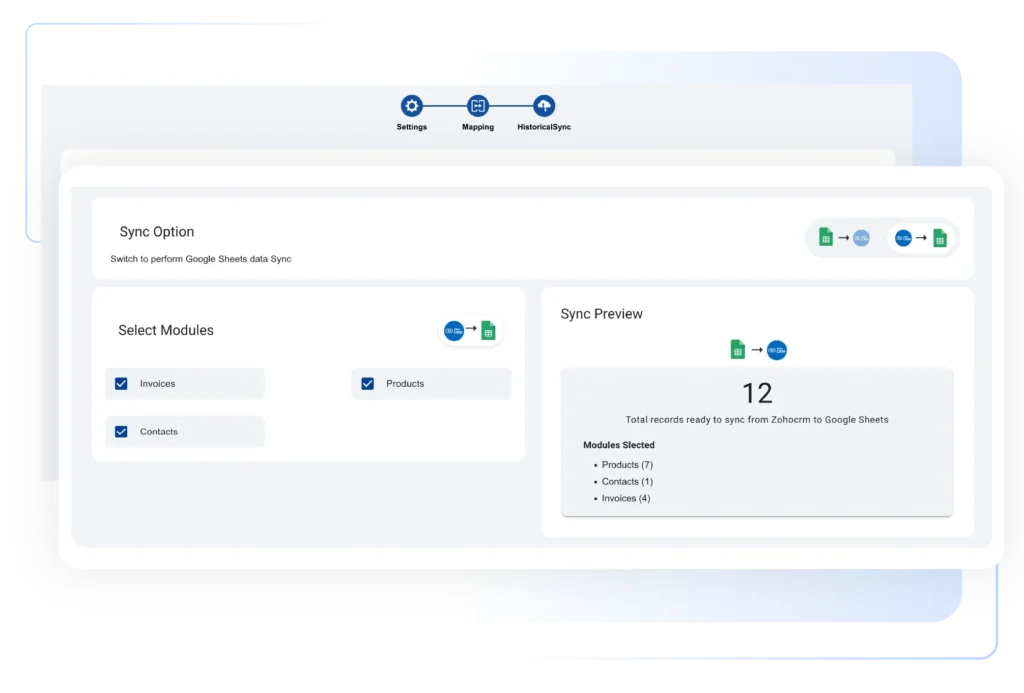
Let automation handle updates by syncing Google Sheets data with Zoho CRM automatically based on defined conditions and workflows.
Define conditions that trigger Zoho CRM updates from Google Sheets
Automatically create or update Zoho CRM records in real time
Apply automation rules without manual intervention
Track successful and failed updates using clear sync logs for easy troubleshooting
Automatically convert new Google Sheets rows into Zoho CRM leads with real-time synchronization. When data is added or updated in Google Sheets, the integration instantly creates or updates lead records in Zoho CRM. This Google Sheet integration with Zoho CRM ensures accurate field mapping, eliminates manual data entry, supports custom fields, and helps sales teams respond faster with always-updated lead information.
Keep Zoho CRM data accurate by updating existing records directly from Google Sheets. Match spreadsheet rows using lookup fields like email or phone number, and update CRM fields automatically. This no-code Google Sheets – Zoho CRM integration reduces duplicates, maintains data consistency, and enables teams to manage bulk updates, status changes, and record modifications efficiently without Zoho Flow.
Sync Google Sheets data with multiple Zoho CRM modules, including Leads, Contacts, Accounts, and custom modules. Configure workflows to control when records are created or updated based on spreadsheet conditions. This flexible Google Sheet integration with Zoho CRM allows businesses to centralize data management, streamline workflows, and scale CRM automation securely across teams and departments.
Ensure secure and reliable data sync between Google Sheets and Zoho CRM using authorized Zoho Marketplace integration. All updates are processed in real time with audit logs and error tracking for full visibility. This enterprise-ready Google Sheets – Zoho CRM integration supports global teams, protects sensitive CRM data, and delivers consistent performance without complex setup or coding.

We're here to clear them up
Yes. You can apply filters, conditions, and lookup rules to send only relevant rows from Google Sheets to Zoho CRM. This helps prevent unwanted data, duplicates, and incorrect record updates.
Absolutely. The integration uses Zoho OAuth authorization, follows Zoho Marketplace security standards, and encrypts data during transfer. It’s safe for global teams handling sensitive CRM and customer data.
Yes. You can connect multiple Google Sheets to a single Zoho CRM account by creating separate workflows. This allows you to manage leads, reports, and data sources across teams efficiently.
No. This is a fully no-code integration and works independently of Zoho Flow, making setup fast and simple for non-technical users.
© 2026 | All Rights Reserved | Zeeyes Inc.