
Todoist Extension for Zoho CRM

Todoist Extension for Zoho CRM enables seamless task management and real-time project synchronization. Sync tasks and records automatically, eliminate manual updates, and improve productivity with secure, bidirectional automation built for global teams and enterprise-scale workflows  

Todoist-extension-for-zoho-crm-scaled

Where Todoist Tasks Meet Zoho CRM Productivity

Seamless-Two-Way-Task-Sync

Seamless Two-Way Task Sync

Automatically sync tasks and projects between Zoho CRM and Todoist in real time, ensuring updates flow both ways without duplicates, delays, or manual follow-ups

CRM-Centric-Task-Management

CRM-Centric Task Management

Create, assign, and manage Todoist tasks directly inside Zoho CRM, helping sales and project teams act faster without switching tools or losing important context
Field-Map

Smart Field Mapping Accuracy

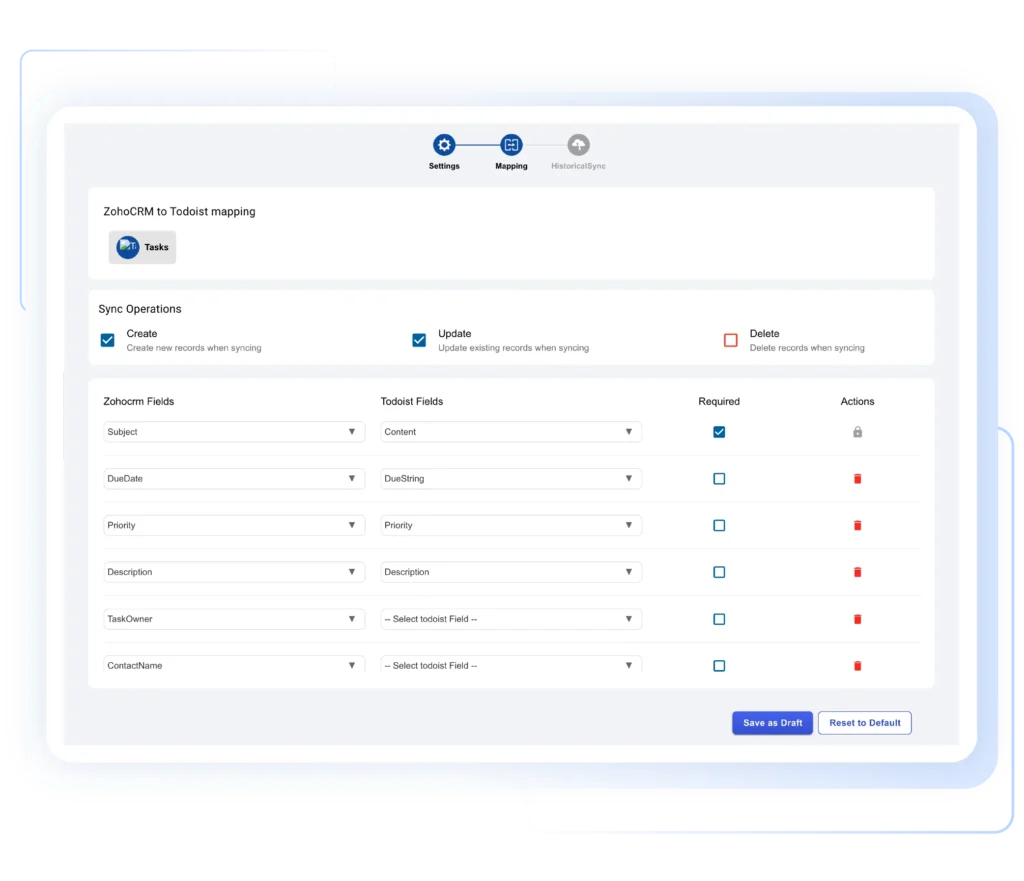
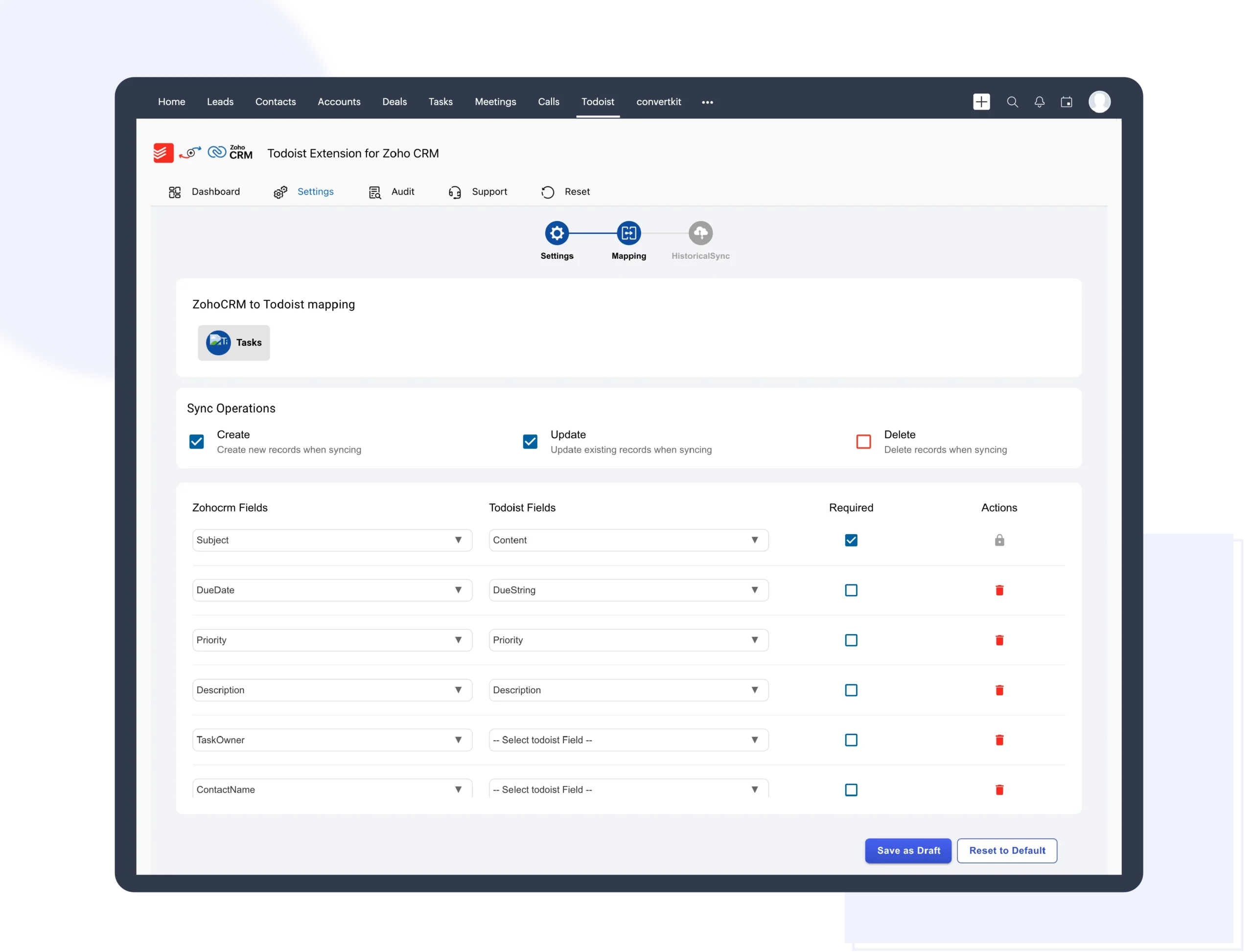
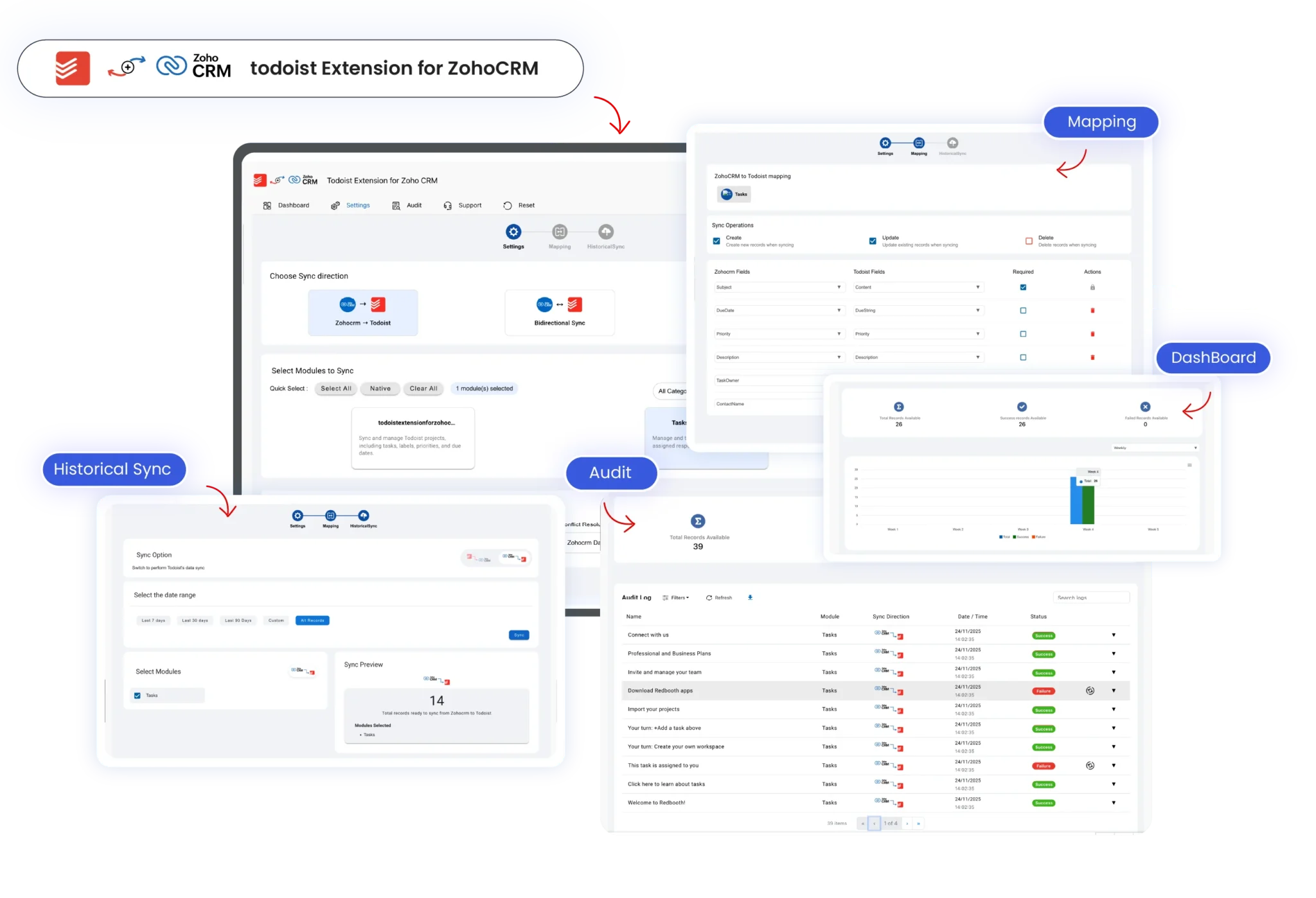
Zoho CRM and Todoist fields are auto-mapped for accuracy, with flexible custom field mapping to match your workflow and ensure clean, structured data synchronization

Real-Time-and-Scheduled-Sync-Control

Real-Time and Scheduled Sync Control

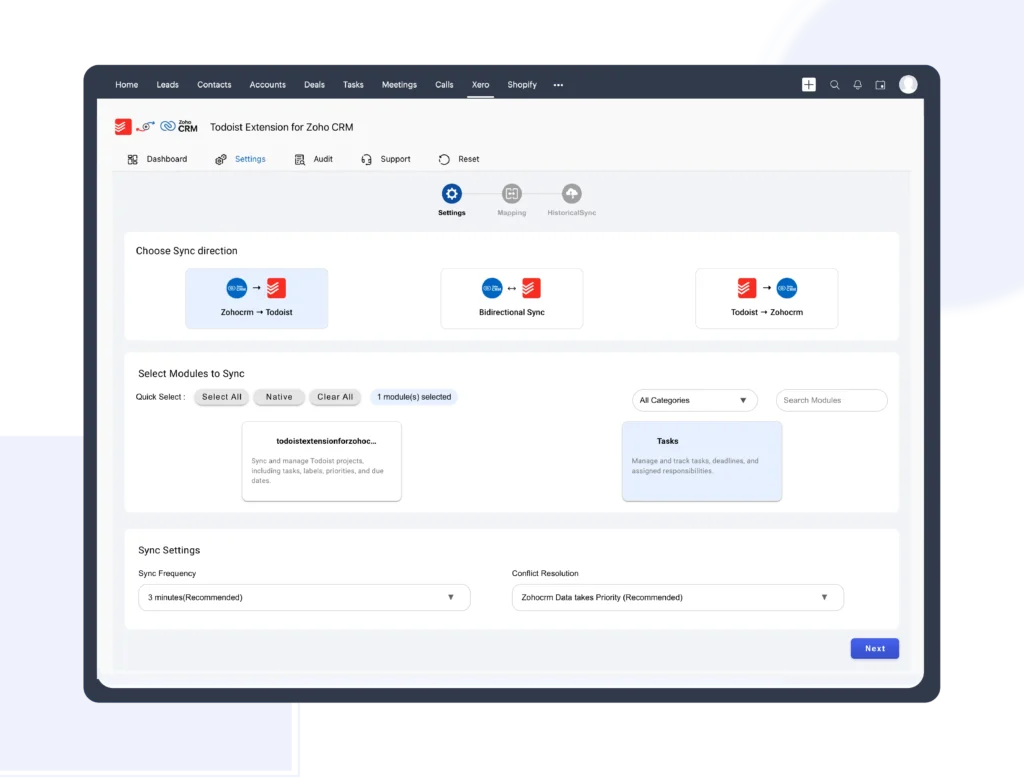
Trigger instant syncs or schedule automated cron syncs at defined intervals, giving you full control over when and how records stay updated across systems

Transparent-Sync-Logs-and-Audit-Trail

Transparent Sync Logs and Audit Trial

Track every synced record with detailed logs, success and failure status, and timestamps, building trust, accountability, and easier troubleshooting for teams and admins

Built-for-Scale-Speed-and-Adoption

Built for Scale, Speed, and Adoption

Designed for global teams, the integration reduces manual effort, improves follow-ups, increases productivity, and drives faster conversions with reliable, secure automation
Steps to Connect Todoist extension for Zoho CRM in a minute

Install the Integration

Install the Todoist extension from the Zoho CRM Marketplace to begin the integration

  1. Add the extension directly inside Zoho CRM
  2. Approve required permissions securely
  3. No coding or technical setup required
  4. Quick installation with guided onboarding
Install-the-Extension

Connect Your Todoist Account

Authorize your Todoist account to enable secure data synchronization

  1. Sign in using your Todoist credentials
  2. Establish a secure, encrypted connection
  3. Enable two-way sync for tasks and projects
  4. Ensure safe data exchange between platforms
Connect-Your-Todoist-Account

Configure Sync and Field Mapping

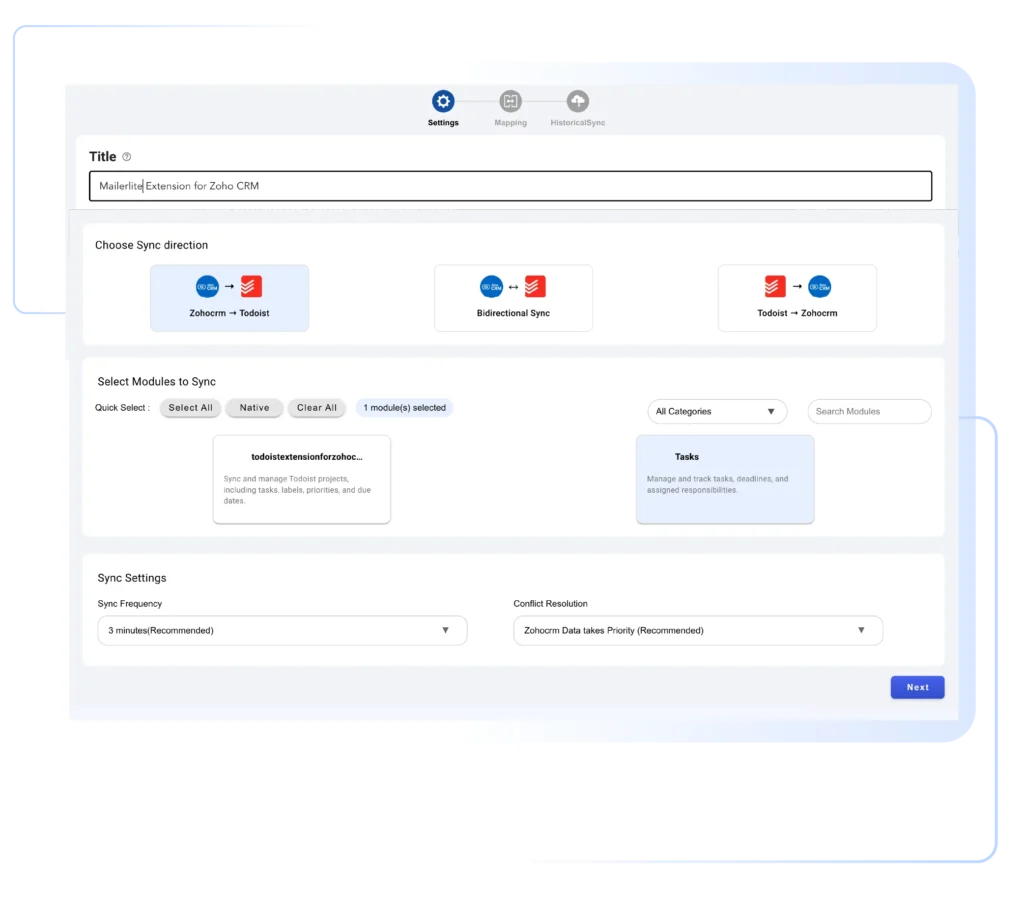
Customize how data is synced between Zoho CRM and Todoist

  1. Automatically map standard CRM and Todoist fields
  2. Add custom field mapping based on your workflow
  3. Choose real-time, on-save, or scheduled sync
  4. Enable or disable project and task syncing
Configure-Sync-and-Field-Mapping

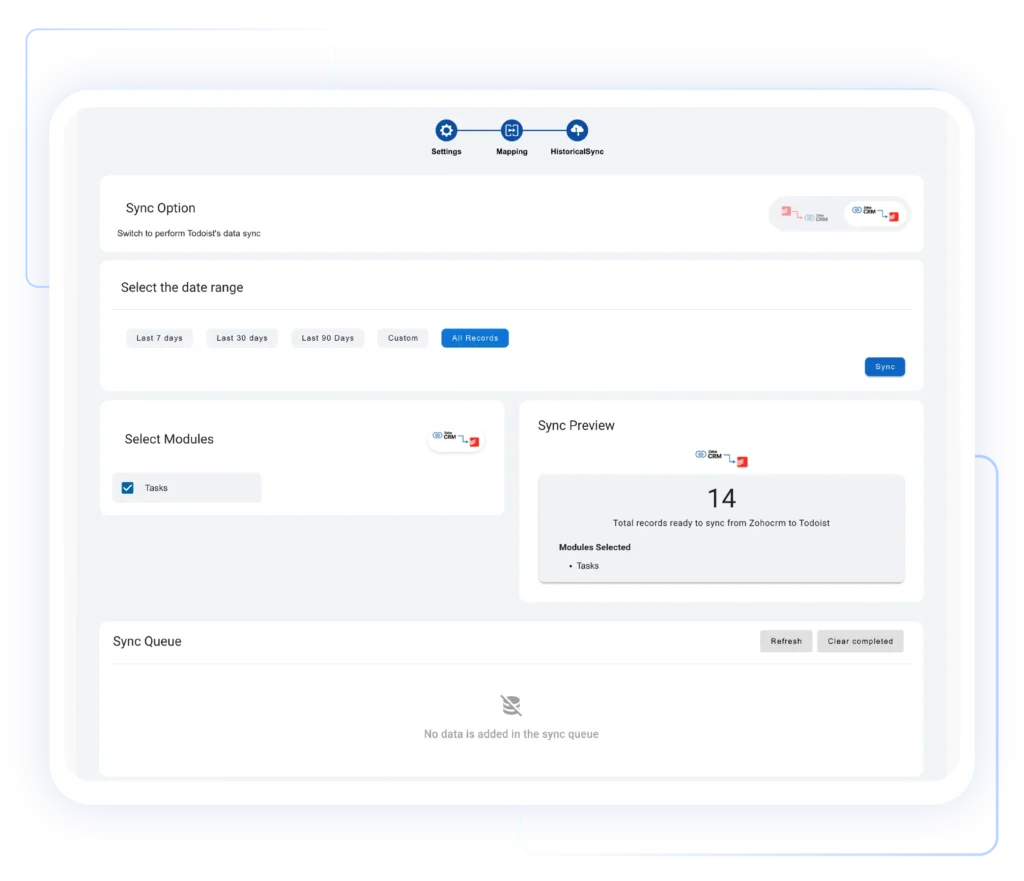
Start Sync and Monitor Activity

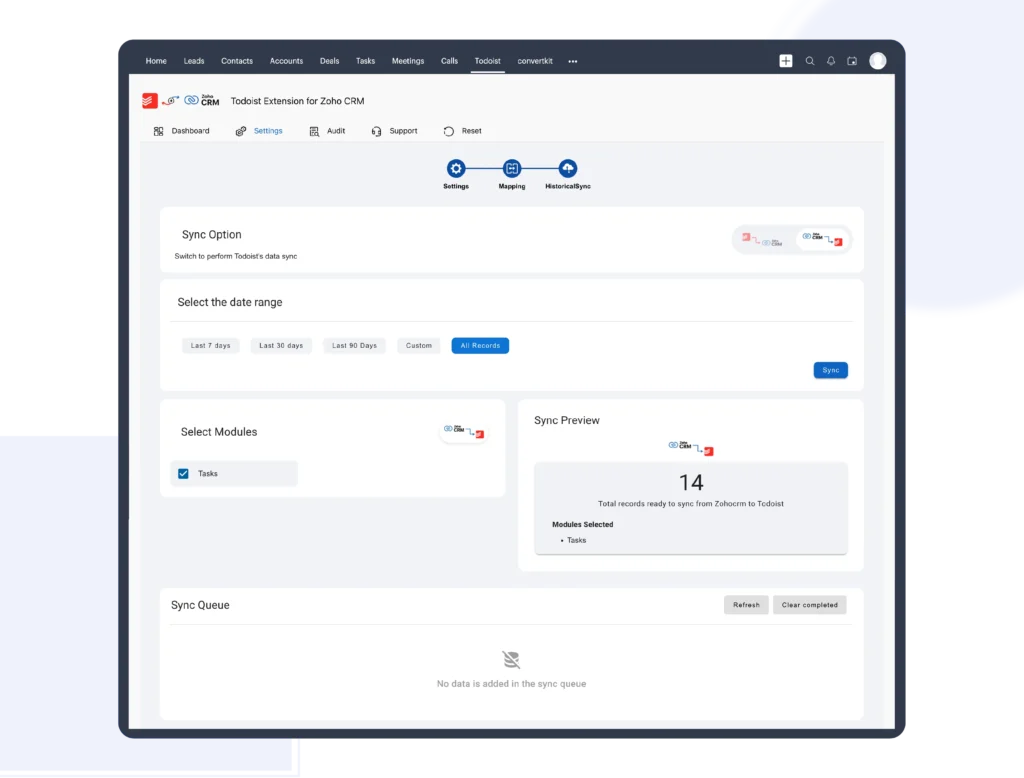
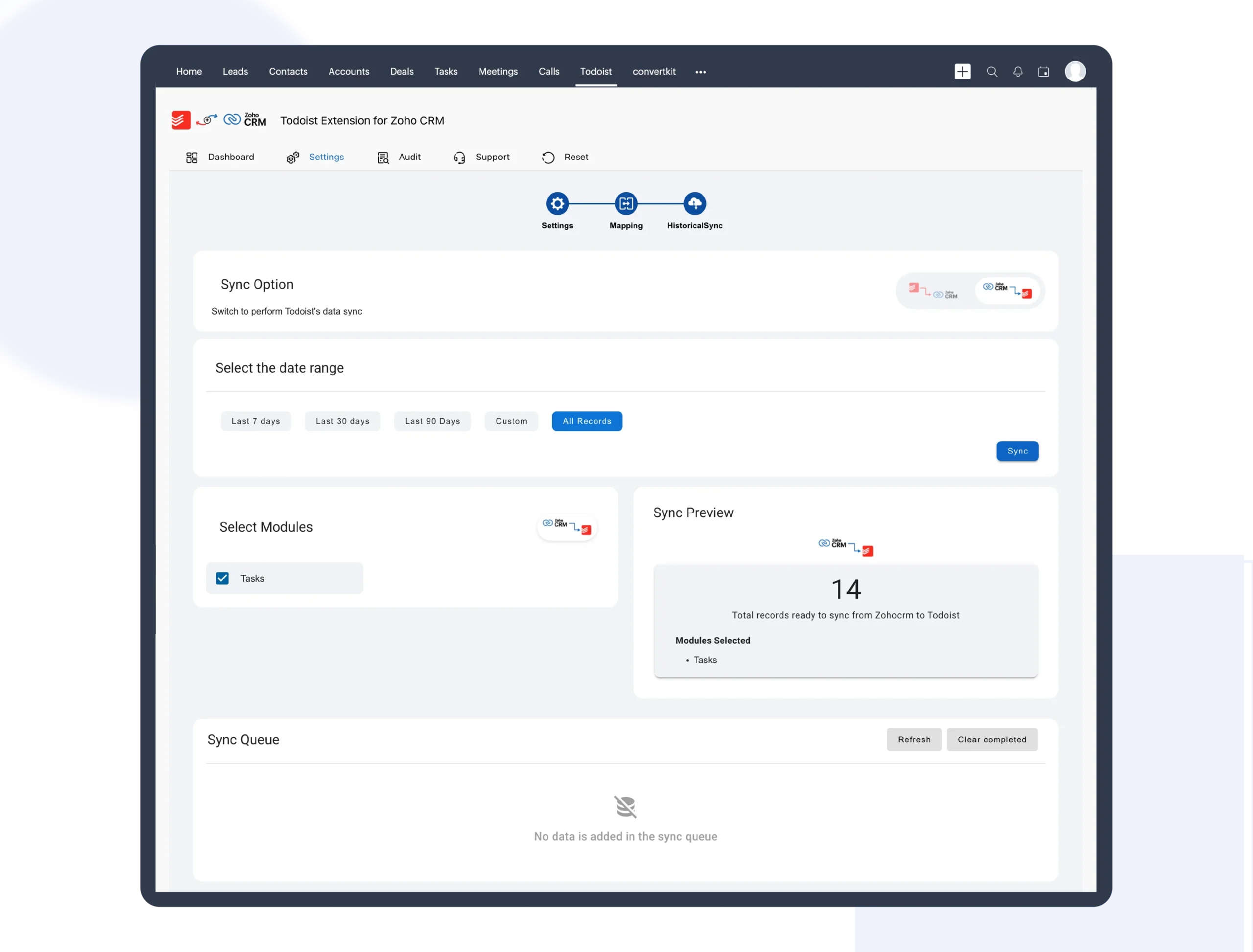
Begin syncing records and monitor sync status in real time

  1. Sync selected or all records instantly
  2. View detailed sync logs and record history
  3. Track successful and failed sync operations
  4. Maintain data accuracy and operational visibility
Start-Sync-and-Monitor-Activity

Todoist Meets Zoho CRM for Faster Task Execution

Action-Driven CRM Meets Focused Task Management

When Zoho CRM integrates with Todoist, your CRM becomes an action engine. Every lead, deal, or customer record can instantly turn into a clear, actionable task. This ensures follow-ups never slip through the cracks and teams always know the next step to take, without relying on reminders, spreadsheets, or manual tracking across multiple tools

Action-Driven-CRM-Meets-Focused-Task-Management-scaled

Real-Time Sync That Eliminates Manual Updates

Todoist and Zoho CRM stay perfectly aligned through real-time, two-way synchronization. Any task update, due date change, or project modification is reflected instantly in both systems. This removes the need for duplicate data entry and prevents outdated information. Teams can trust that what they see in Zoho CRM or Todoist is always accurate, current, and reliable, improving execution speed and reducing costly mistakes

Real-Time-Sync-That-Eliminates-Manual-Updates-scaled

Flexible Sync Control Built for Real Workflows

Not every team works the same way, and this integration respects that. Users can choose what to sync, when to sync, and how records behave. Enable real-time sync, on-save sync, or scheduled cron sync based on operational needs. Control project-level and task-level syncing independently, ensuring your workflow stays efficient without unnecessary data movement or system overload

Flexible-Sync-Control-Built-for-Real-Workflows-scaled

Productivity That Scales Across Global Teams

By combining Zoho CRM’s customer intelligence with Todoist’s task execution power, teams work faster and smarter no matter where they’re located. Manual effort is reduced, follow-ups happen on time, and collaboration improves naturally. The result is a scalable system that supports growing teams, higher workloads, and consistent performance without adding complexity or administrative burden

Productivity-That-Scales-Across-Global-Teams-scaled

Pricing Plan

Todoist for Zoho CRM
Streamline task management and CRM workflows
$10 /Monthly
Todoist for Zoho CRM
Streamline task management and CRM workflows
$100.80 /Yearly

Ready to Start Managing Zoho CRM Tasks Smarter with Todoist?

Connect Todoist extension for Zoho CRM in minutes and turn customer records into actionable tasks. Eliminate manual updates, improve follow-ups, and keep your sales and project teams moving faster every day
Chat-with-Question

Got questions?

We're here to clear them up

Yes. The integration supports secure two-way synchronization. Tasks and project updates made in Zoho CRM automatically reflect in Todoist, and changes in Todoist sync back to Zoho CRM, ensuring data consistency across both platforms at all times

Absolutely. You can choose to sync specific projects or tasks, enable or disable syncing for tasks and projects independently, and decide when syncing happens, in real-time, on-save, or scheduled cron syncbased on your workflow needs

Yes. Default Zoho CRM and Todoist fields are auto-mapped for quick setup. You can also configure custom field mapping to align the integration with your unique business processes and ensure accurate, structured data synchronization 

Security is a priority. The integration uses secure authorization and encrypted data transfer. Only permitted records are synced, and all activities are logged, helping you maintain compliance, transparency, and full control over your data

This extension is ideal for sales teams, project managers, and operations teams that rely on Zoho CRM for customer data and Todoist for task execution. It’s especially useful for teams that need fast follow-ups, real-time task visibility, and improved productivity