
Kit Extension for Zoho CRM

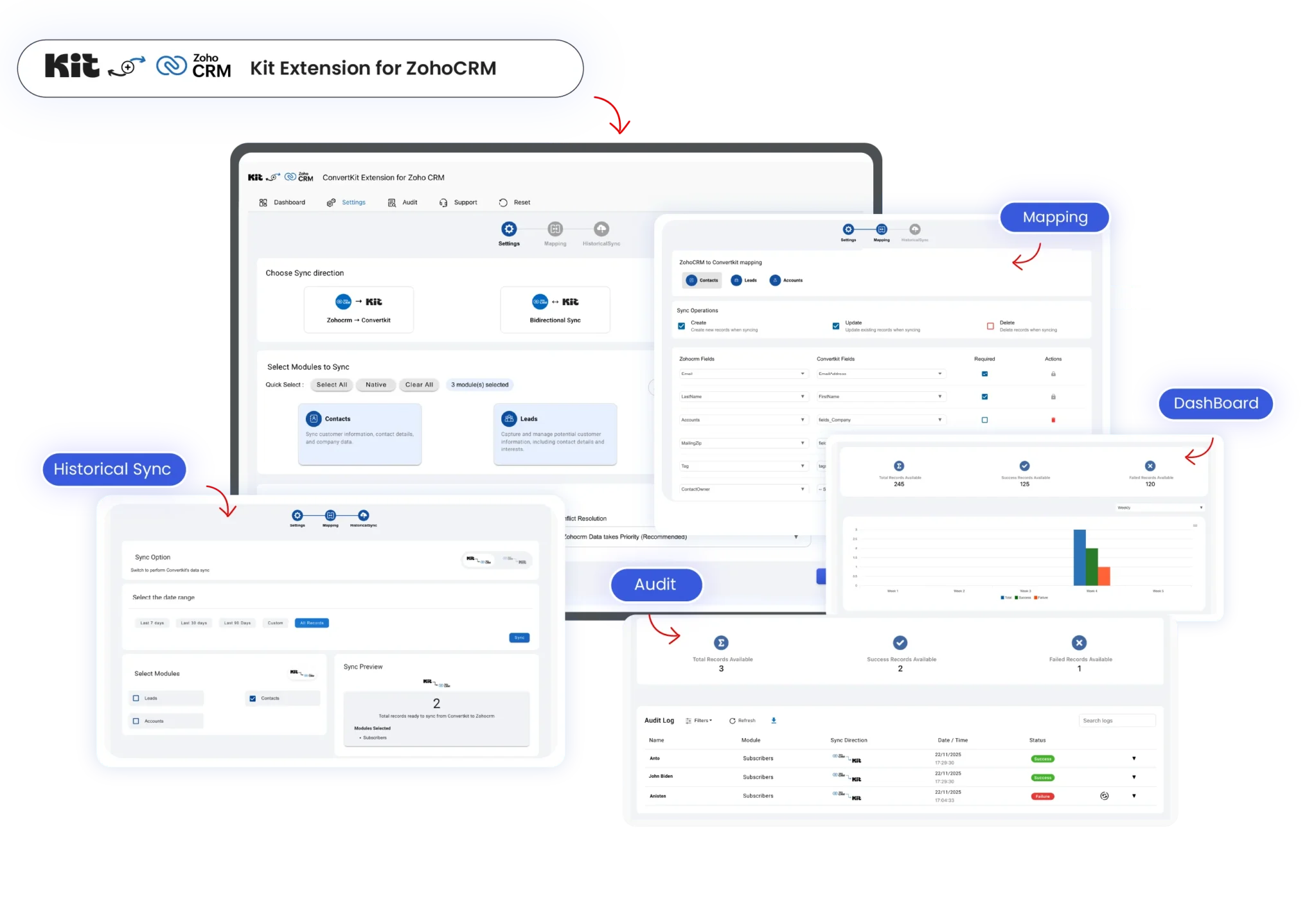
Built for growing businesses worldwide, the Kit Extension for Zoho CRM keeps your email marketing and CRM perfectly in sync. It removes manual effort, prevents data gaps, and gives you a reliable, real-time customer view so you can focus on meaningful engagement, smarter automation, and scalable growth that actually converts 

Kit-integration-for-zoho-crm-scaled

Key Benefits of Smart Kit Zoho CRM Extension

Real-Time-Bidirectional-Sync

Real-Time Bidirectional Sync

Keep Kit and Zoho CRM perfectly aligned with automatic two-way sync. Every contact, tag, and list update reflects instantly, ensuring accurate data and zero manual follow-ups

One-Unified-Customer-View

One Unified Customer View

Bring all Kit subscriber data into Zoho CRM for a single, complete customer profile. Understand behavior better, personalize outreach, and close more deals with confidence

Zero-Manual-Data-Entry

Zero Manual Data Entry

Say goodbye to duplicate work. The Kit Zoho CRM extension automates contact updates, list changes, and tag syncing, saving hours while reducing costly human errors

Flexible-Sync-Control

Flexible Sync Control

Choose what syncs and how it syncs. Enable one-way or two-way data flow, select modules, and control deleted records to match your exact business workflow

Smarter-Segmentation-and-Targeting

Smarter Segmentation and Targeting

Sync tags and lists seamlessly to create high-intent segments. Run personalized email campaigns and CRM follow-ups that convert better with always-updated, behavior-driven data
Audit-Logs-and-Error-Transparency

Audit Logs and Error Transparency

Track every sync in real time with detailed logs. Instantly identify failures, resync records, and maintain full visibility, building trust, accuracy, and long-term scalability
How to Connect Kit with Zoho CRM in Minutes

Install the Kit Extension

Visit Zoho Marketplace, search for Kit Extension for Zoho CRM, and install it in your Zoho CRM account

  1. Go to Zoho Marketplace and search for Kit Extension for Zoho CRM
  2. Click Install and choose the Zoho CRM account
  3. Accept required permissions to proceed and finish installation within seconds
Install-the-Kit-Extension

Connect your Kit Account

Authorize access to allow secure data sharing between Kit and Zoho CRM without exposing sensitive information 

  1. Open the Kit extension inside Zoho CRM
  2. Sign in to your Kit email marketing account
  3. Authorize secure access between both platforms

  4. Confirm successful account connection
Connect-Your-Kit-Account

Configure Sync and Field Mapping

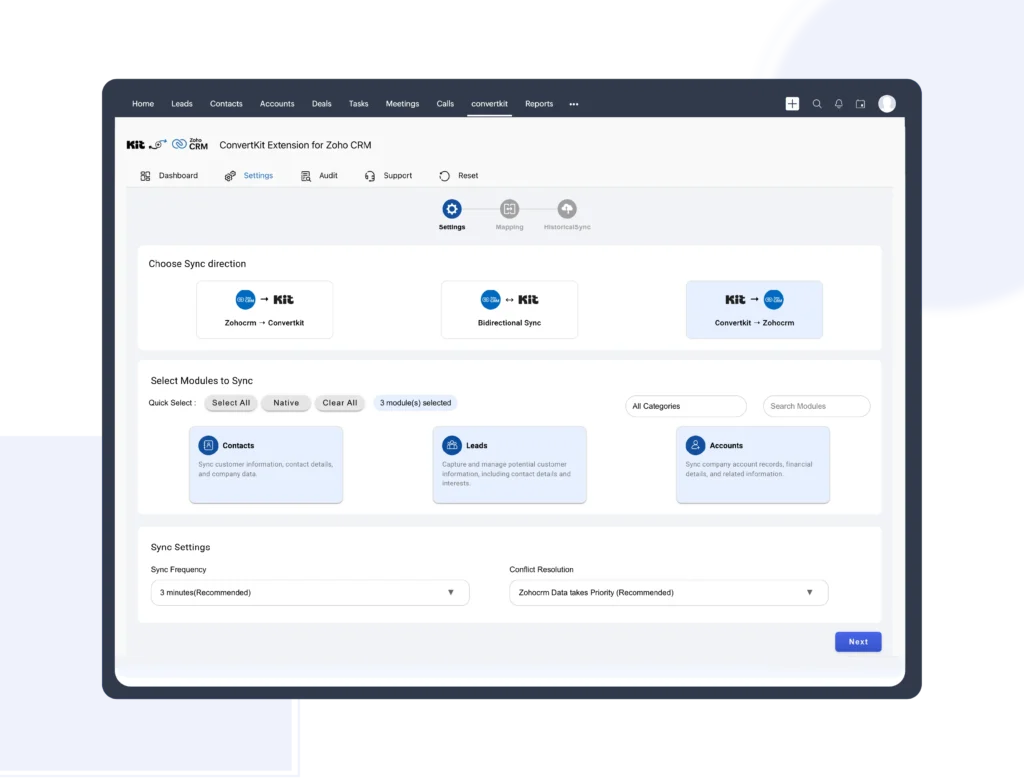
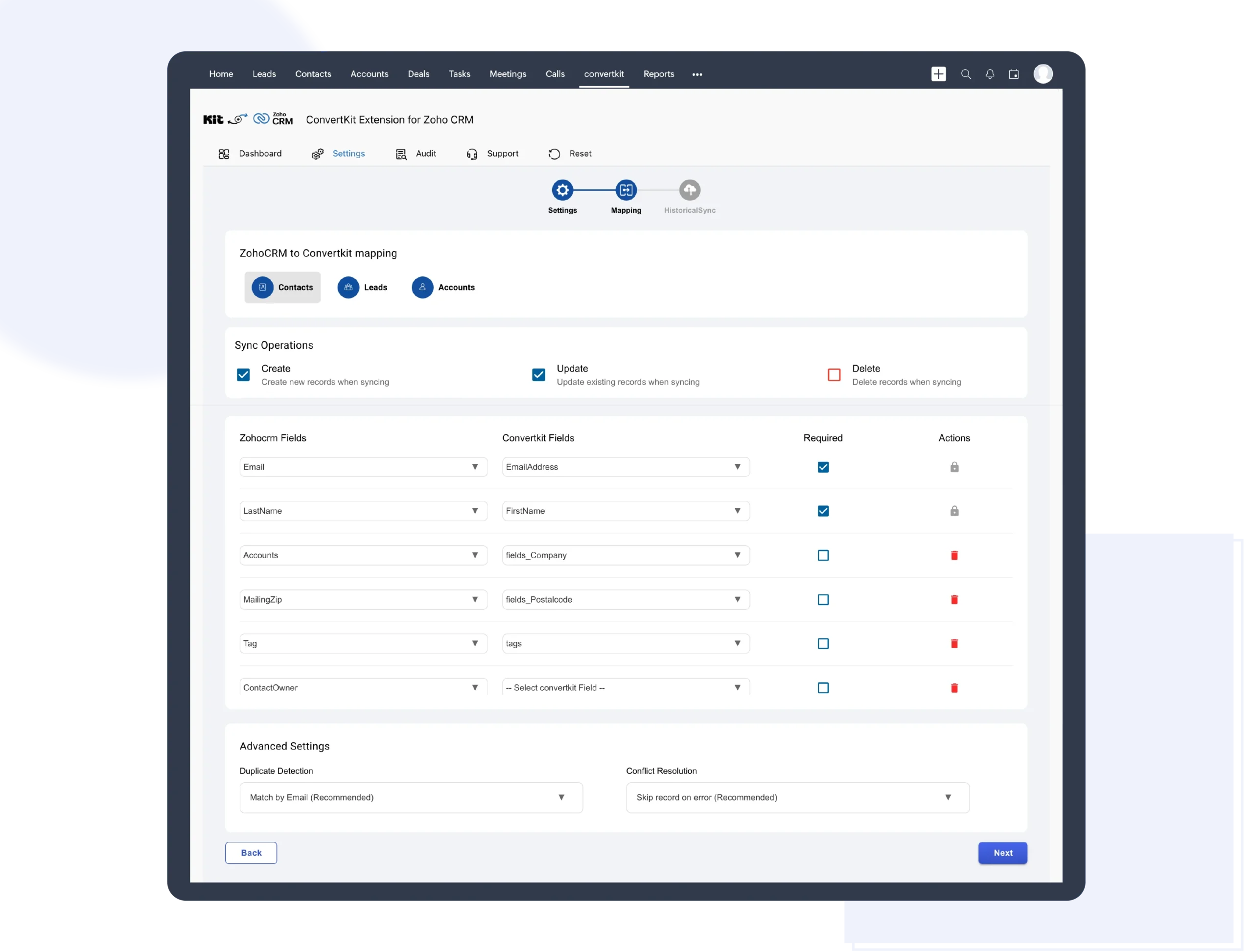
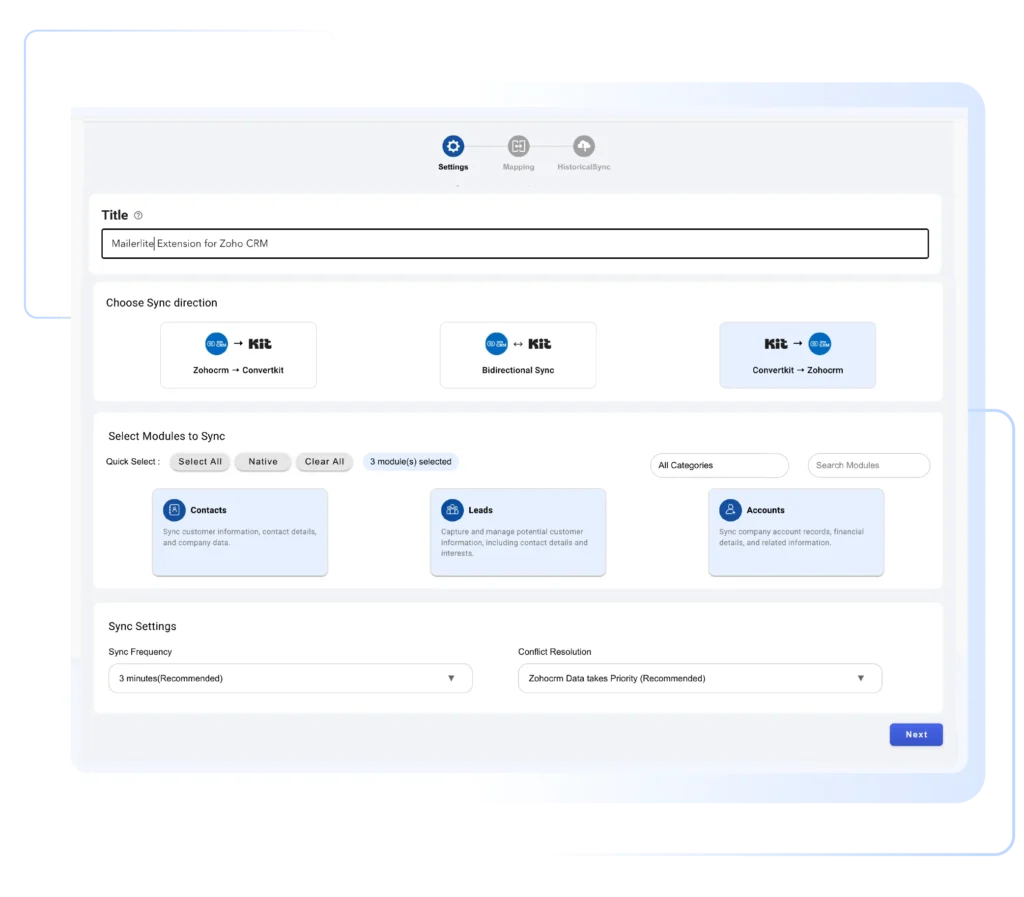
Choose modules such as Leads or Contacts, set up one-way or two-way sync, and map Kit fields to Zoho CRM fields using the drag-and-drop interface 

  1. Select Zoho CRM modules like Leads or Contacts
  2. Choose one-way or two-way sync preference
  3. Map Kit fields to Zoho CRM fields easily
  4. Save settings based on your workflow
Configure-Sync-and-Field-Mapping

Enable Sync and Monitor Activity

Turn on sync to start automatic updates every 10 minutes. Use the sync log dashboard to monitor status, fix errors, and resync records instantly 

  1. Enable automatic sync from the settings panel
  2. Data syncs every 10 minutes in real time
  3. Track sync status from the audit log
  4. Resync failed records with one click
Enable-Sync-and-Monitor-Activity

See Why Kit Extension for Zoho CRM Works Better Together

Flexible Data Synchronization

The Kit Extension for Zoho CRM gives you full control over how data syncs between platforms. Choose one-way or bidirectional sync for contacts, subscribers, lists, and tags. Every update flows automatically, helping you maintain clean, compliant, and consistent customer data without duplicate records or manual intervention, perfect for scalable email marketing and CRM workflows 

Flexible-Data-Synchronization

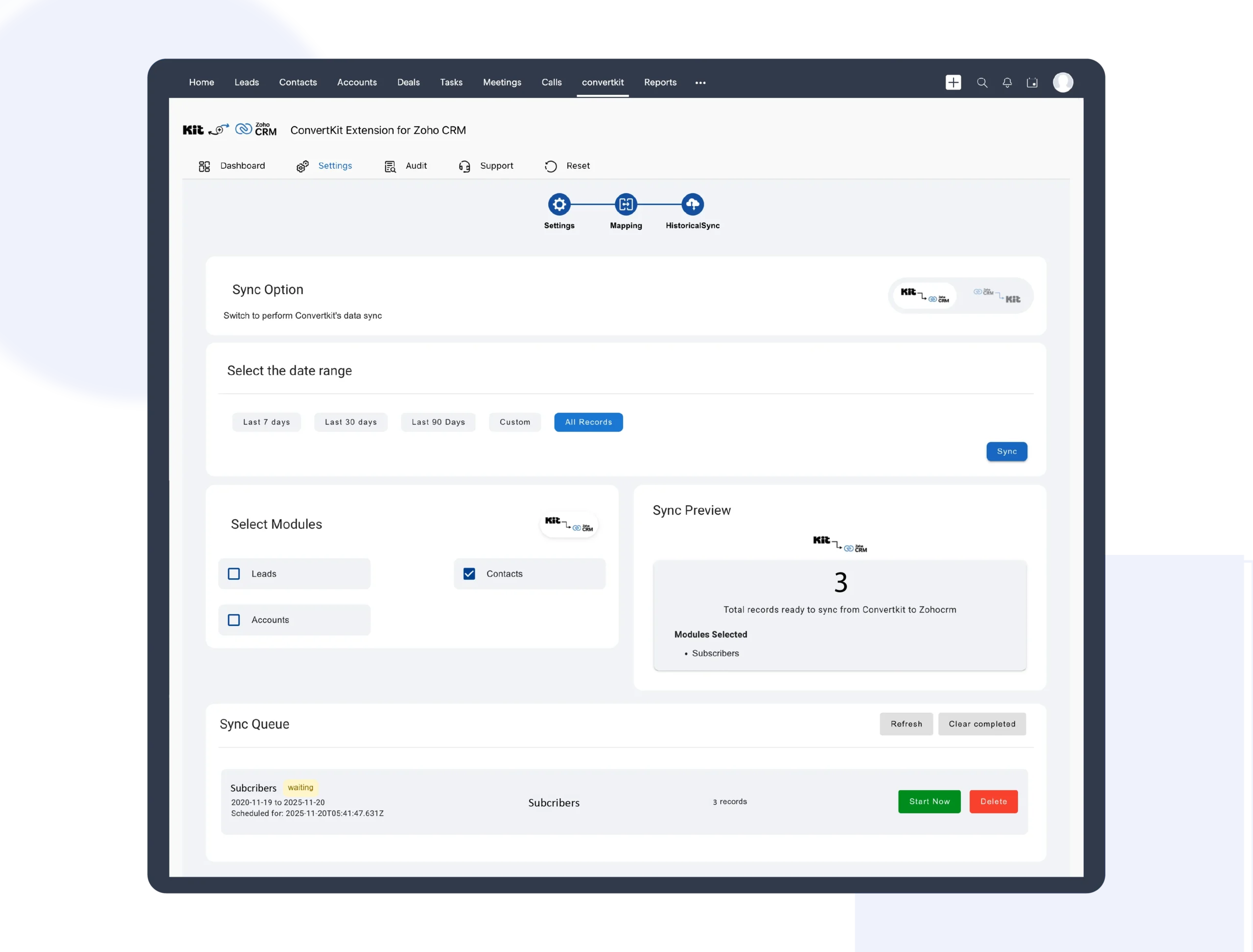
Sync Zoho CRM Leads and Contacts with Kit

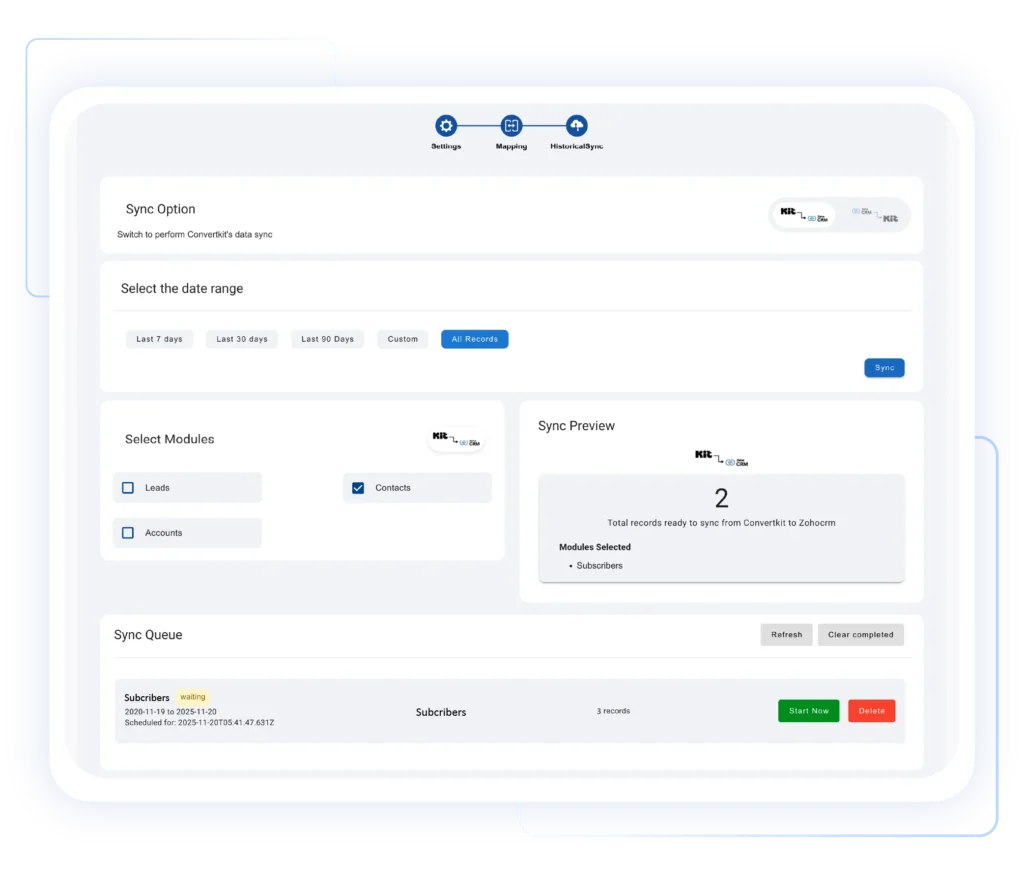
Automatically sync Zoho CRM leads and contacts directly with Kit subscribers in real time. New records, updates, and status changes are reflected instantly, ensuring your email campaigns always target the right audience. This integration bridges marketing and sales data, improves lead nurturing, and enables faster follow-ups using accurate, up-to-date customer information across both systems

Sync-Zoho-CRM-Leads-and-Contacts-with-Kit-scaled

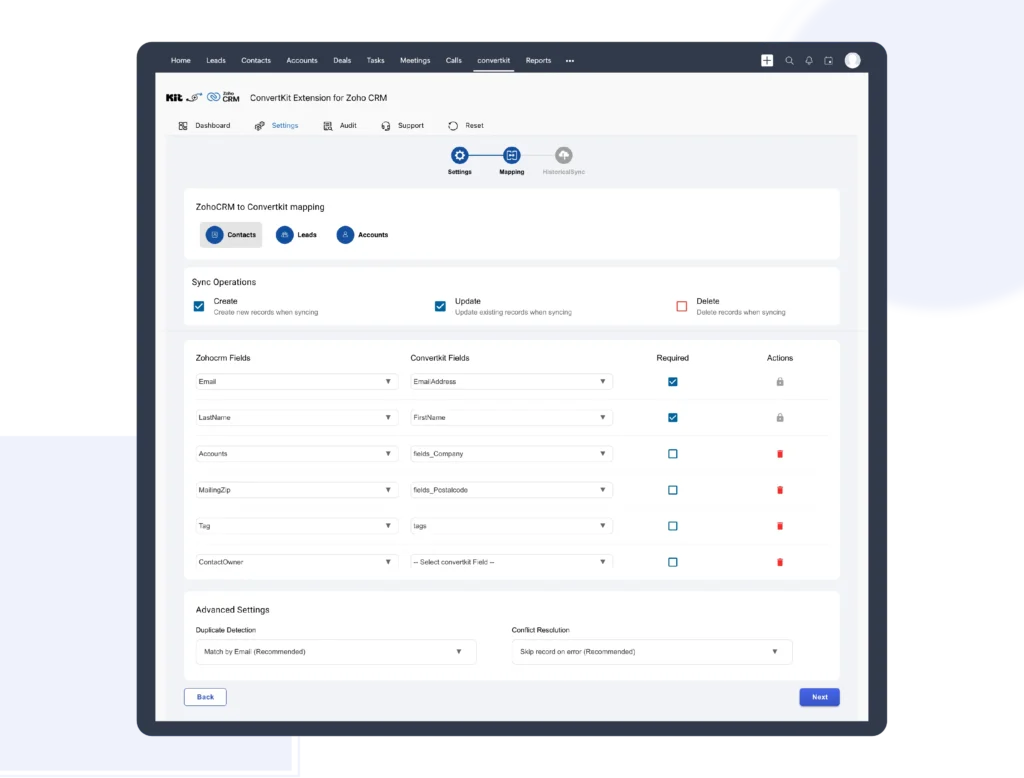
Advanced Field Mapping for Accurate Data

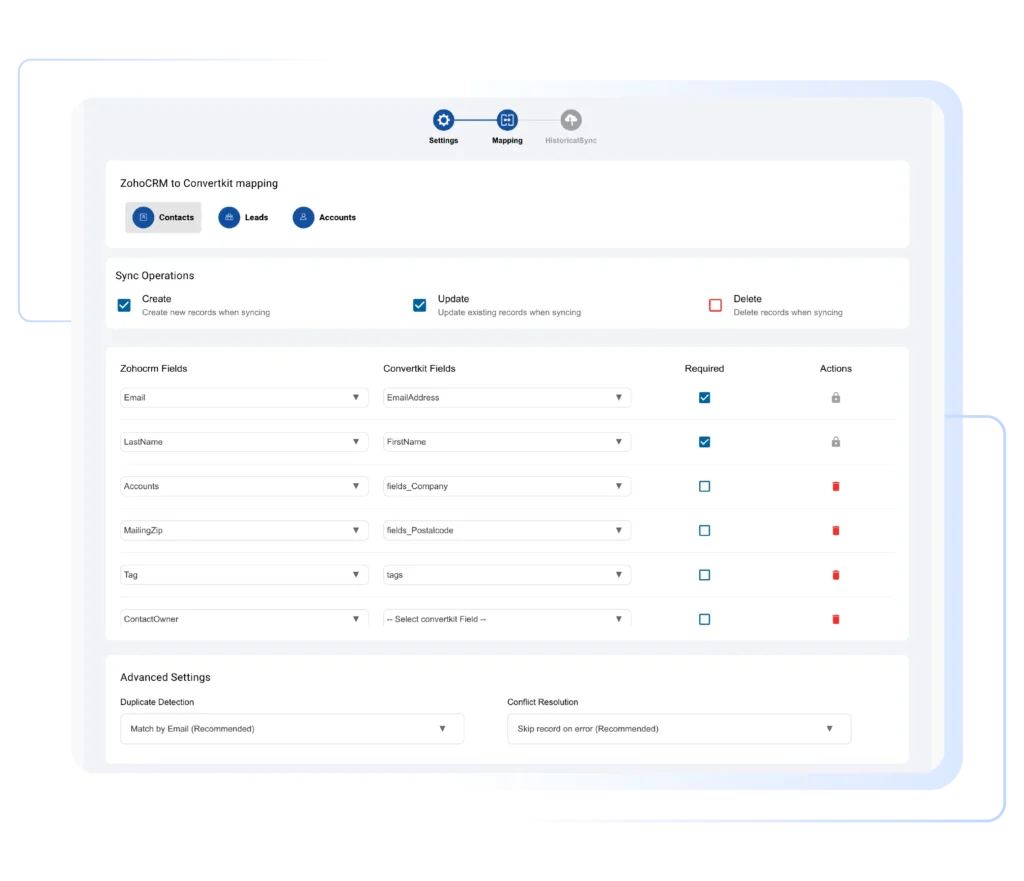
With advanced field mapping, you can align Kit fields perfectly with Zoho CRM fields using an intuitive drag-and-drop interface. Customize mappings based on your business needs to ensure precise data transfer. This prevents mismatched information, improves segmentation accuracy, and allows teams to personalize communication using reliable, structured customer data synced across platforms 

Advanced-Field-Mapping-for-Accurate-Data-scaled

Sync Campaign Activity and Engagement Insights

Track Kit email engagement directly inside Zoho CRM for better visibility and smarter decisions. Subscriber activity, tag updates, and list changes stay synced automatically, helping teams understand customer behavior clearly. With real-time sync and detailed audit logs, you gain actionable insights that drive targeted campaigns, stronger engagement, and higher conversion rates globally

Sync-Campaign-Activity-and-Engagement-Insight-scaled

Pricing Plan

Zoho Kit Extension
Sync subscribers and email activity effortlessly

$10 /Monthly
Zoho Kit Extension
Sync subscribers and email activity effortlessly

$120 /Yearly

Ready to Connect Kit with Zoho CRM?

Sync smarter, eliminate manual work, and turn real-time data into better engagement. Customize the Kit Extension to match your workflow and start converting faster, without complexity
Chat-with-Question

Got questions?

We're here to clear them up

Yes. You can enable one-way or two-way sync between Kit and Zoho CRM. This ensures updates made in either platform, contacts, tags, or lists are reflected accurately based on your selected sync rules 

Data sync runs automatically every 10 minutes. This near real-time synchronization ensures your marketing campaigns and CRM follow-ups always use the most recent and accurate customer information 

Absolutely. The extension offers advanced, drag-and-drop field mapping. You can align Kit fields with Zoho CRM fields based on your business needs, ensuring clean data, better segmentation, and personalized communication

Yes. The Kit Extension intelligently syncs records to minimize duplicates across both platforms. Combined with audit logs and sync controls, it helps maintain a clean, reliable CRM and email marketing database