Trello integration for Zoho CRM unifies CRM records and Trello boards with real-time, two-way sync, automating deals, tasks, and follow-ups to boost collaboration, visibility, productivity, and scalable execution worldwide for teams.

Sync Zoho CRM Leads, Contacts, and Deals with Trello boards in real time, enabling seamless task management, accurate data synchronization, and a single source of truth.

Automatically create Trello boards and cards from Zoho CRM stages and records, turning your sales pipeline into a visual workflow with zero manual setup.

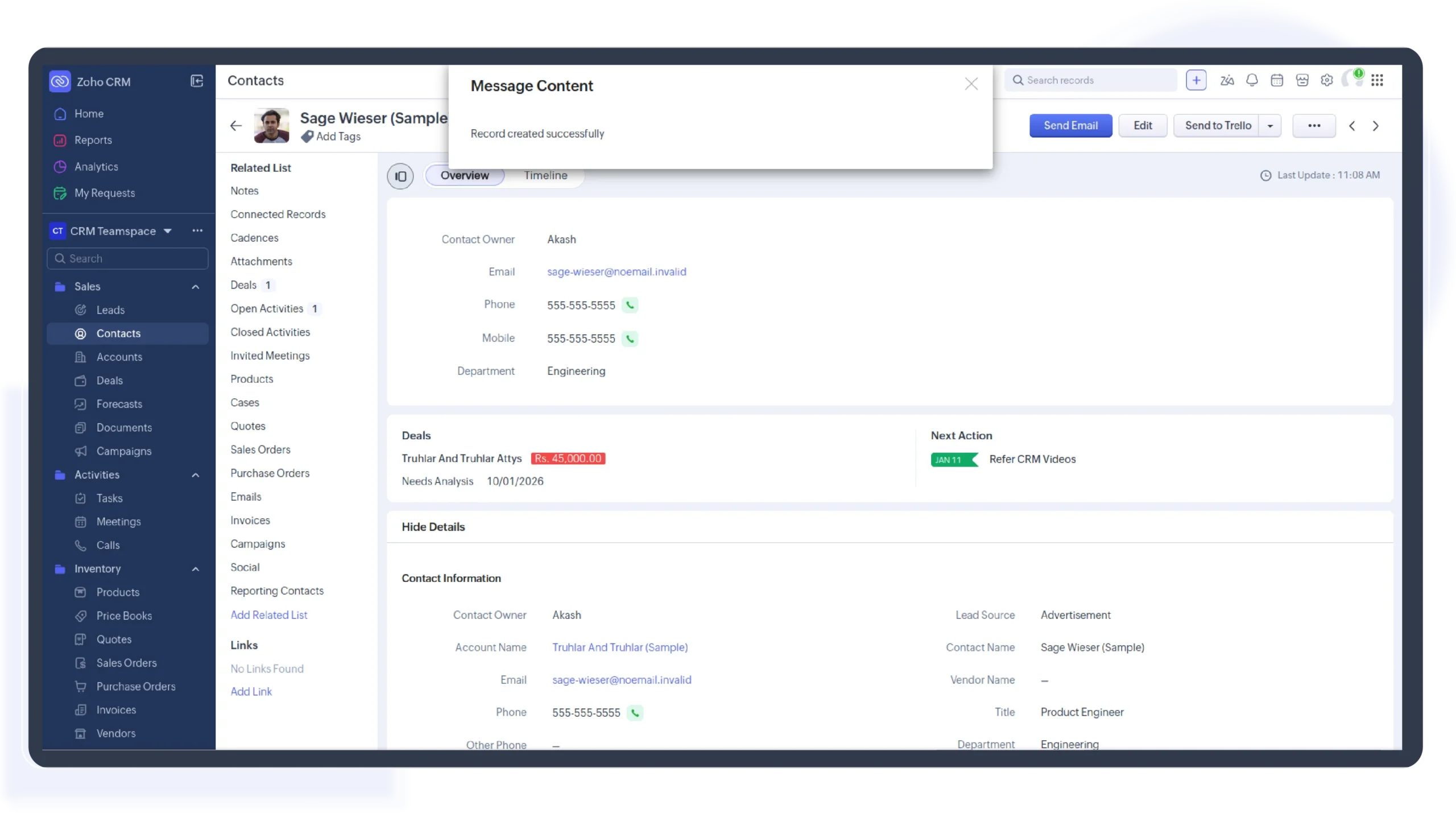
View and manage Trello cards directly within Zoho CRM records, keeping tasks, ownership, and progress tied to customer context for focused, accurate deal execution.

Track task status, ownership, and progress across teams in Trello, giving sales leaders real-time visibility into execution health alongside Zoho CRM pipeline performance.

Instantly reflect Trello card movements, comments, and status changes inside Zoho CRM, ensuring sales and delivery teams always work with the latest execution updates.

Handle high-volume deals and tasks with scalable Trello–Zoho CRM automation, supporting cross-functional teams, complex workflows, and fast-moving sales operations without performance gaps.
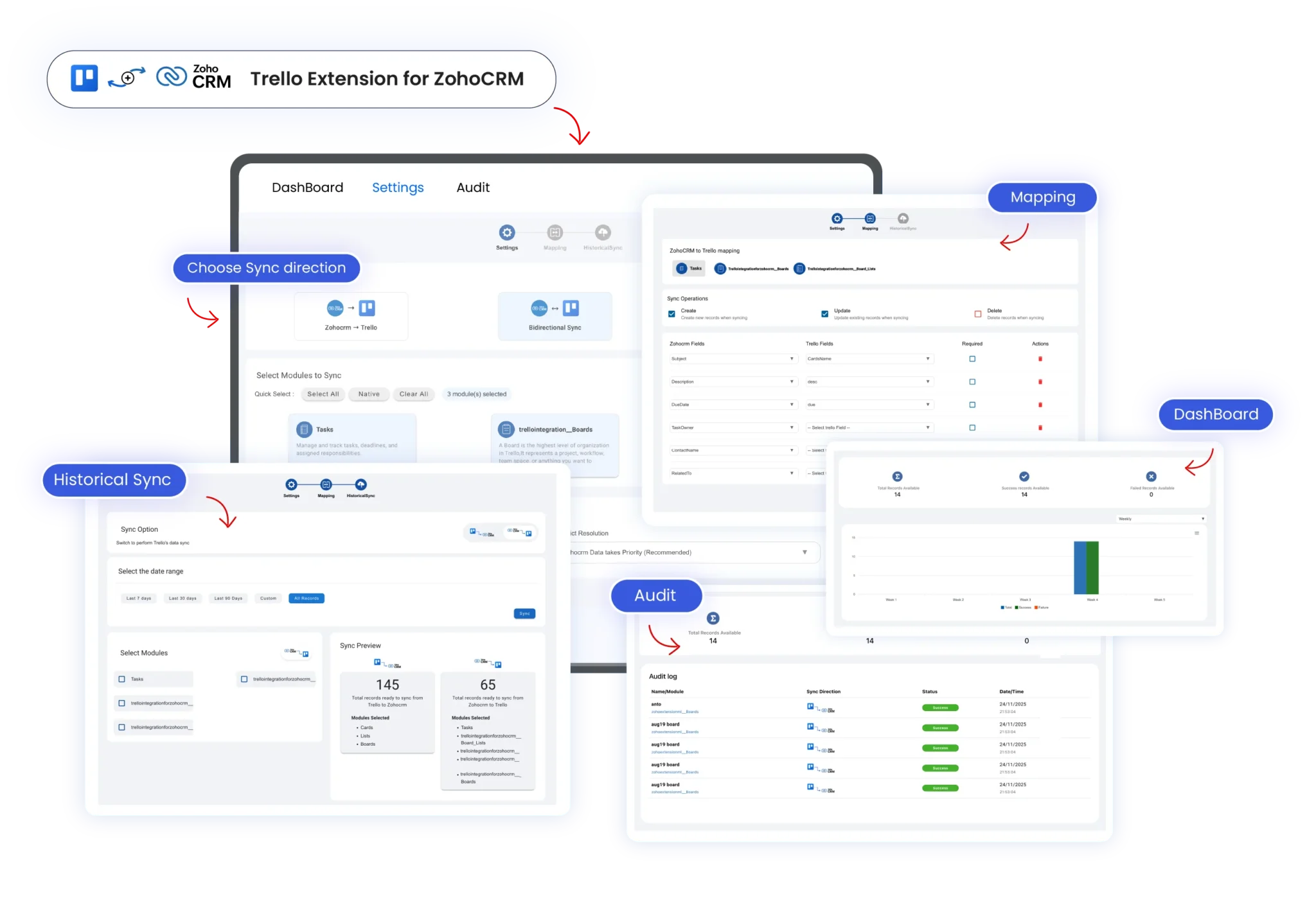
This quick setup allows you to link boards, cards, and CRM records, enabling smooth collaboration and data sync between Zoho CRM and Trello in just a few minutes.
Install the Trello integration from the Zoho CRM Marketplace
Securely sign in to your Trello account
Authorize access using a safe, permission-based login
Get connected in just a few minutes
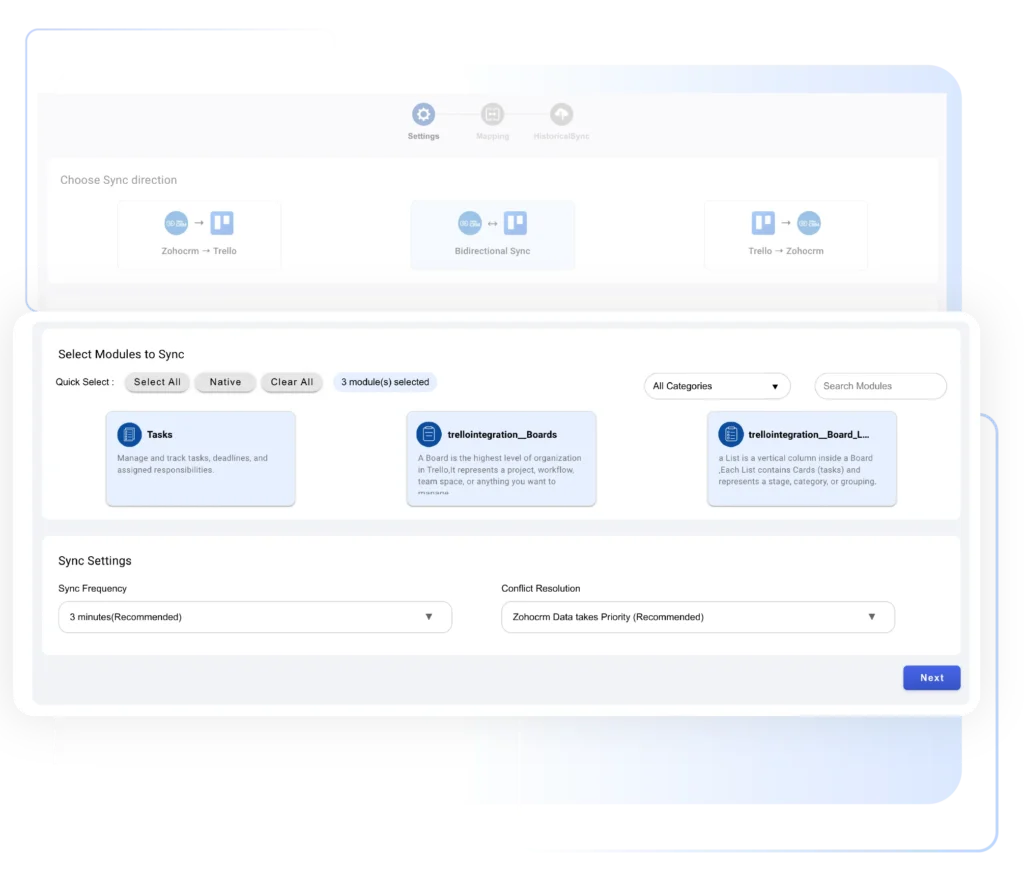
This step lets you control how boards and cards are created or updated, keep data aligned between both platforms, and avoid duplicate manual work.
Decide how CRM records sync with Trello
Control creation and updates of boards and cards
Keep Zoho CRM and Trello data aligned
Avoid manual task duplication
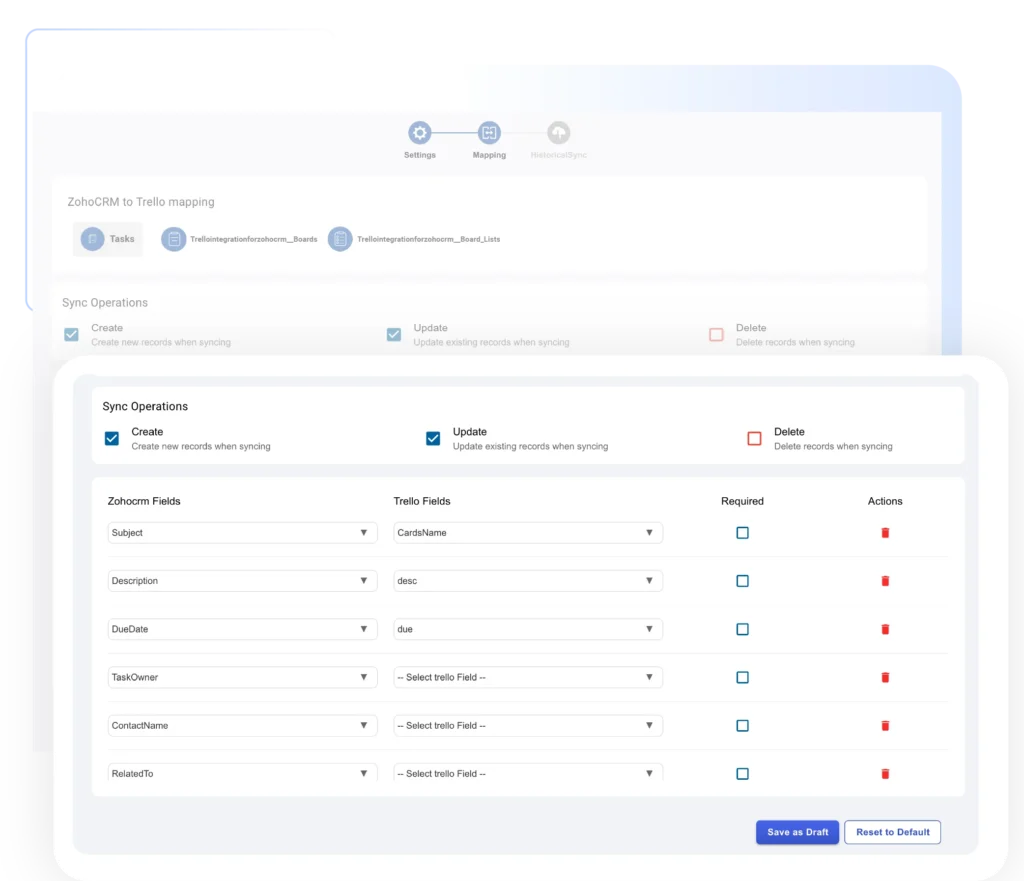
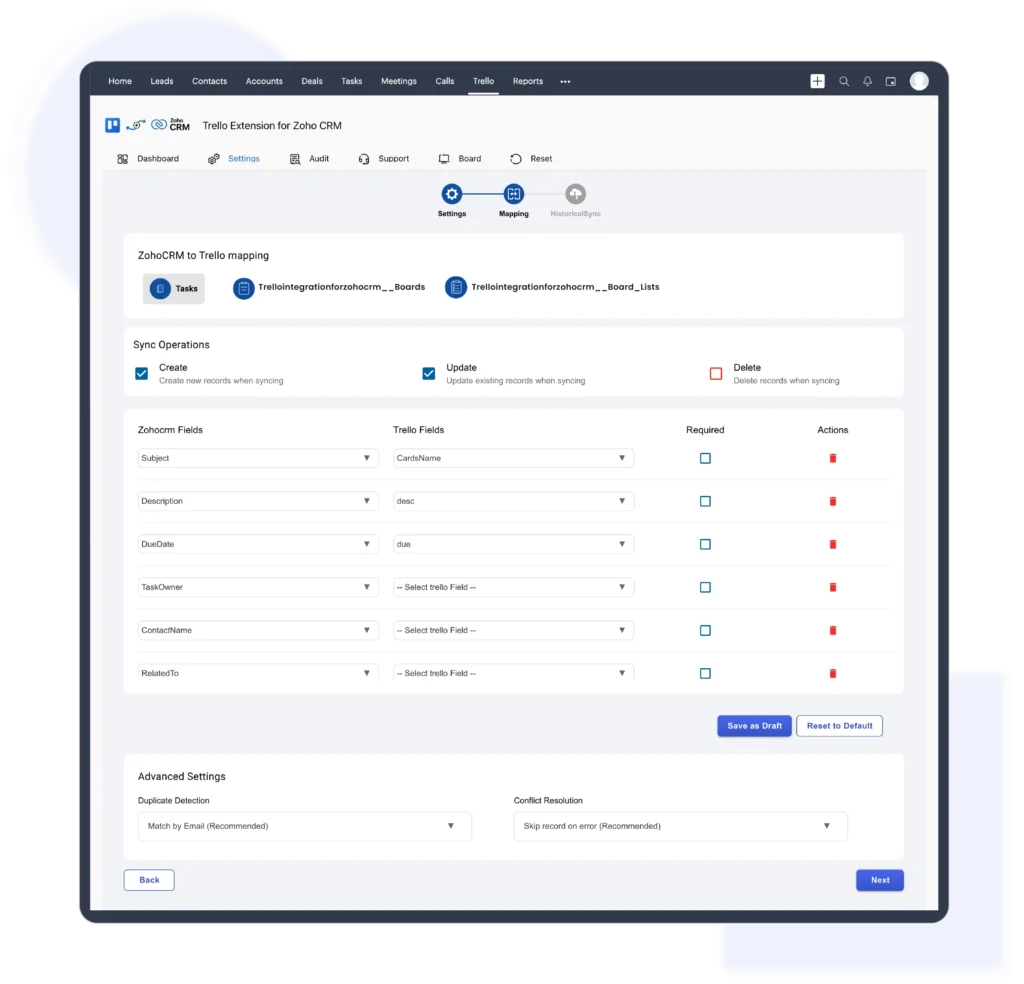
Map your Zoho CRM records to Trello to ensure tasks stay connected with the right customer and deal context.
Map Leads, Contacts, Deals, and Accounts
Link CRM records to Trello boards and cards
Match workflows to your business process
Keep task context connected to CRM data
Once the integration is live, manage your tasks effortlessly by turning Zoho CRM activities into actionable Trello cards.
Create Trello cards instantly from Zoho CRM records
Track task status visually across Trello boards
View real-time updates directly inside Zoho CRM
Keep teams aligned and productive without switching apps
Field mapping between Trello and Zoho CRM ensures that important CRM data is accurately linked to Trello cards. Teams can map fields such as deal name, owner, stage, due date, and priority to corresponding card details. This keeps information consistent across both platforms and ensures updates are automatically reflected without manual intervention.
This helps teams maintain structured workflows and ensures task data is always up to date in Zoho CRM.
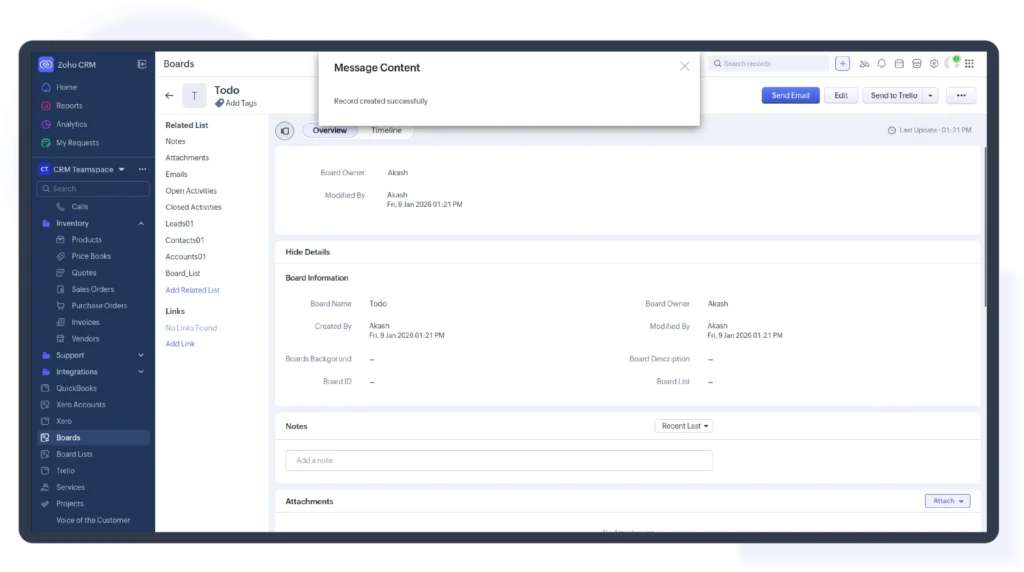
The Trello integration for Zoho CRM lets users create Trello cards directly from CRM records such as deals, leads, or activities. This removes the need for manual task creation and ensures follow-ups and internal actions are tracked visually on Trello boards. Teams gain better visibility, accountability, and real-time alignment between CRM activities and task execution.
Each Trello card remains linked to its corresponding CRM record for better context and accountability.
By linking Trello boards with Zoho CRM modules, teams can organize and manage work around deals, accounts, or projects. Updates made to Trello cards, such as status changes, comments, or ownership, are automatically synced to Zoho CRM. This ensures real-time visibility, consistent task tracking, and better coordination across teams without switching tools or manual updates.
This ensures seamless collaboration between teams managing customer data and teams executing tasks.
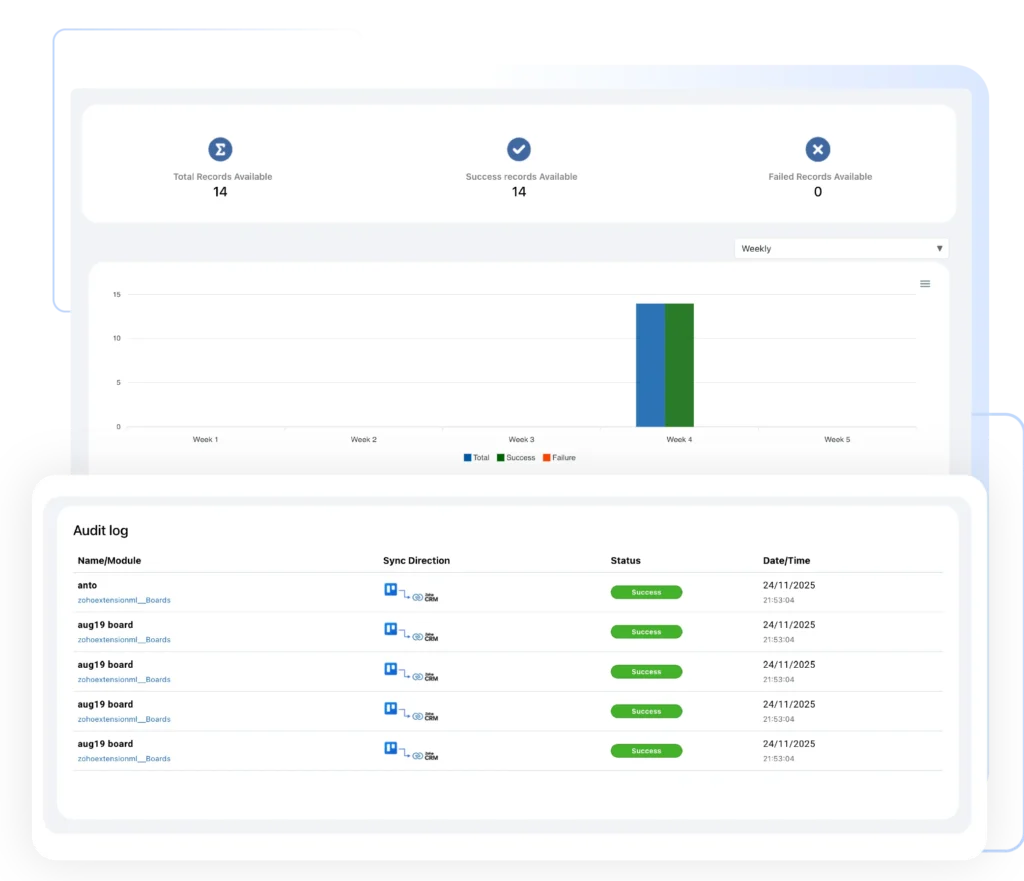
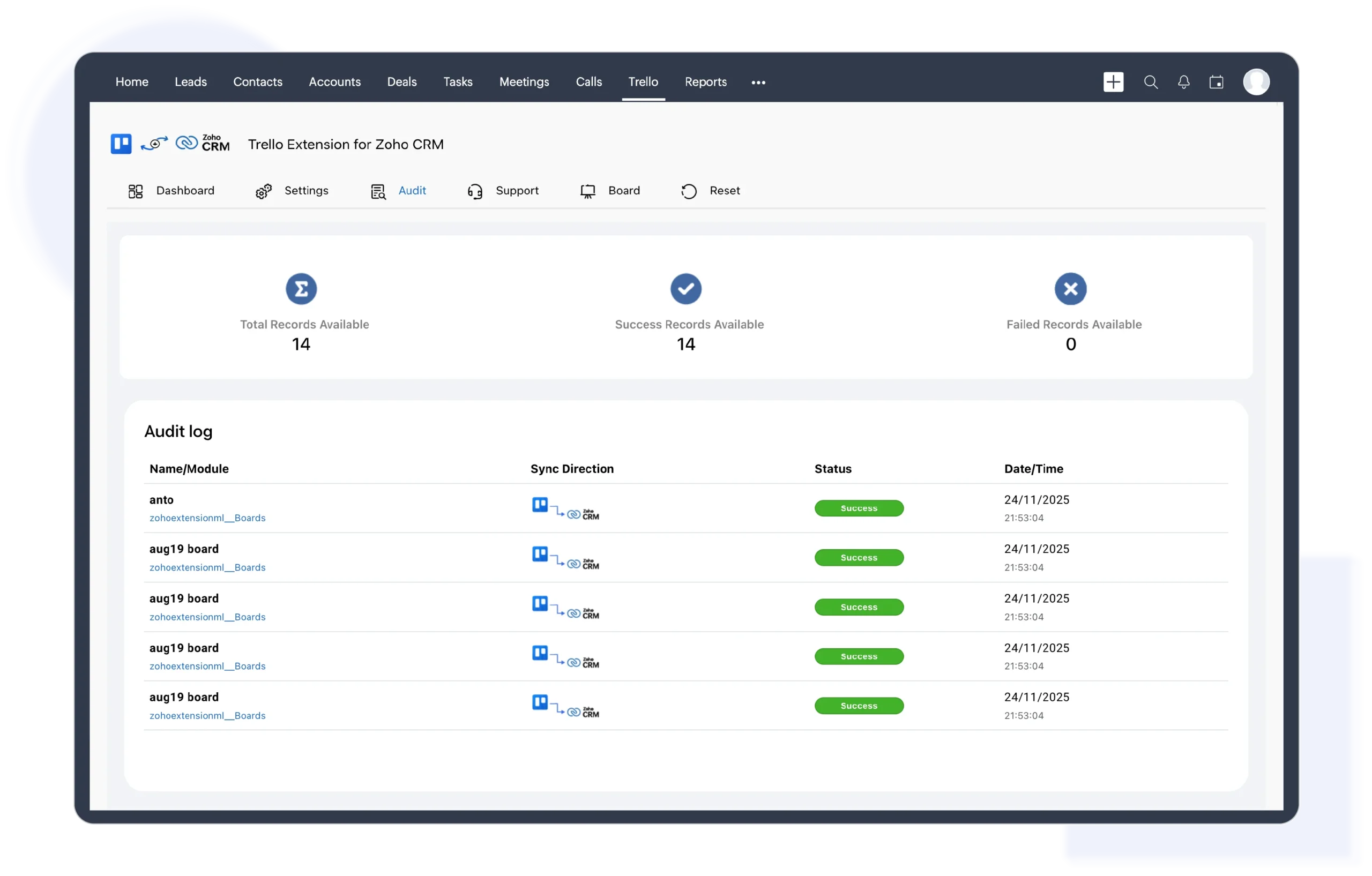
The Trello Zoho CRM integration keeps activities synchronized across both platforms in real-time. When tasks are updated in Trello, those changes automatically appear in Zoho CRM, keeping follow-ups, internal notes, owners, and task statuses aligned. This real-time sync helps teams avoid missed actions, reduce duplicate work, improve accountability, and maintain smooth, connected workflows between sales and execution teams without manual updates or tool switching.

We're here to clear them up
Yes. With the Trello Zoho CRM integration, you can create Trello cards directly from CRM records such as deals, leads, or activities. This helps teams convert follow-ups and internal actions into visual tasks without leaving Zoho CRM or creating cards manually in Trello.
Yes. The Trello Zoho CRM integration syncs task updates in real time. When a Trello card is updated, such as status changes, comments, or ownership, the changes are reflected in Zoho CRM automatically. This ensures teams always work with accurate and up-to-date information.
The Trello Zoho CRM integration can be connected to CRM modules such as Deals, Leads, Contacts, Accounts, or Activities. This allows teams to organize Trello boards around sales pipelines, customer follow-ups, or project workflows while keeping everything linked to the correct CRM records.
The Trello Zoho CRM integration is ideal for sales, operations, onboarding, and delivery teams that need clear task visibility alongside customer data. It’s especially useful for teams that want to reduce missed follow-ups, avoid duplicate work, and keep execution aligned with CRM activities.
© 2026 | All Rights Reserved | Zeeyes Inc.