
QuickBooks Extension for Zoho CRM enables real-time two-way sync of customers, invoices, payments, products, and taxes, providing sales and finance teams with a single, accurate financial source inside Zoho CRM

Bi-directional customer sync between QuickBooks extension for Zoho CRM keeps contacts, billing, and accounting perfectly aligned in real-time, no duplicates, no manual updates, a single trusted system

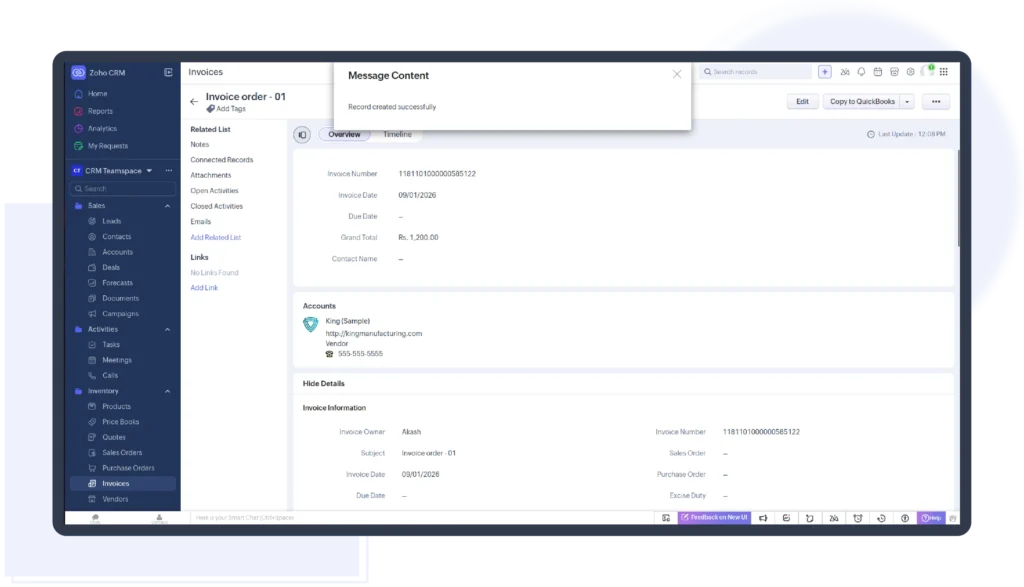
Automatically sync QuickBooks invoices and payments into Zoho CRM, showing billed, paid, overdue, or pending status instantly, so sales follow up smarter, seamlessly, in real time, and close deals faster

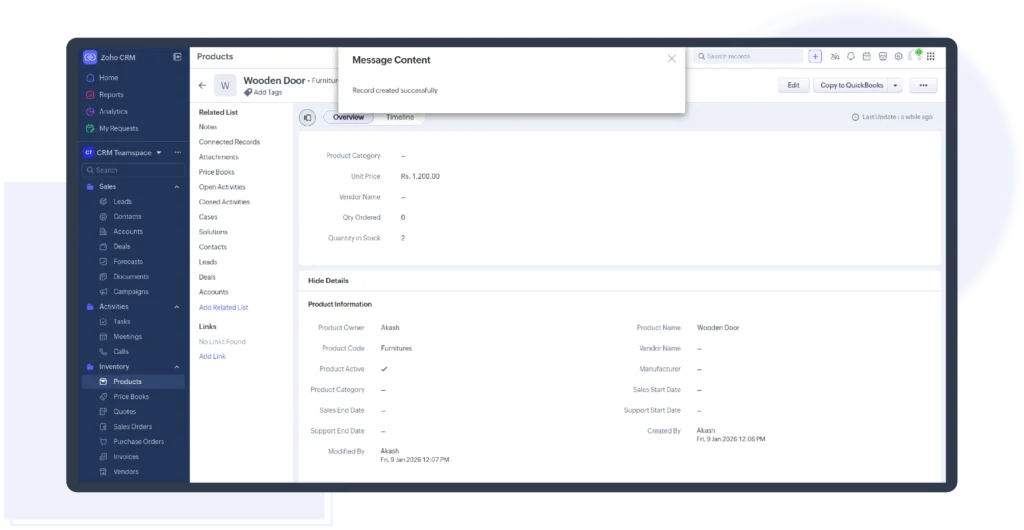
Sync QuickBooks products, pricing, and tax rates into Zoho CRM so every quote and invoice stays accurate, compliant, and current, no pricing gaps, no tax mismatches, no manual fixes

See real revenue intelligence inside Zoho CRM, customer lifetime value, paid revenue, outstanding balances, and invoice history, so sales leaders prioritize high-value accounts with total financial confidence

QuickBooks for Zoho CRM supports historical data sync with date-range control, ensuring past customers and products stay accurately and securely aligned without overwriting current CRM records

QuickBooks Extension for Zoho CRM supports multi-currency transactions and region-based tax calculations, ensuring accurate pricing, compliant invoices, and seamless global accounting inside Zoho CRM
Extremely satisfied by this extension and the support I've been given. I tried other such sync tools and they had clunky configuration and options were very unclear. This one works perfectly, even in our multi-language and multi-tax environment in Canada and US
Renaud Boisjoly
⭐⭐⭐⭐⭐
Install the QuickBooks Extension from Zoho CRM Marketplace and securely connect your QuickBooks account.
Install the integration from the Zoho CRM Marketplace
Securely sign in to your QuickBooks account
Authorize access using a permission-based login
Complete the connection in minutes
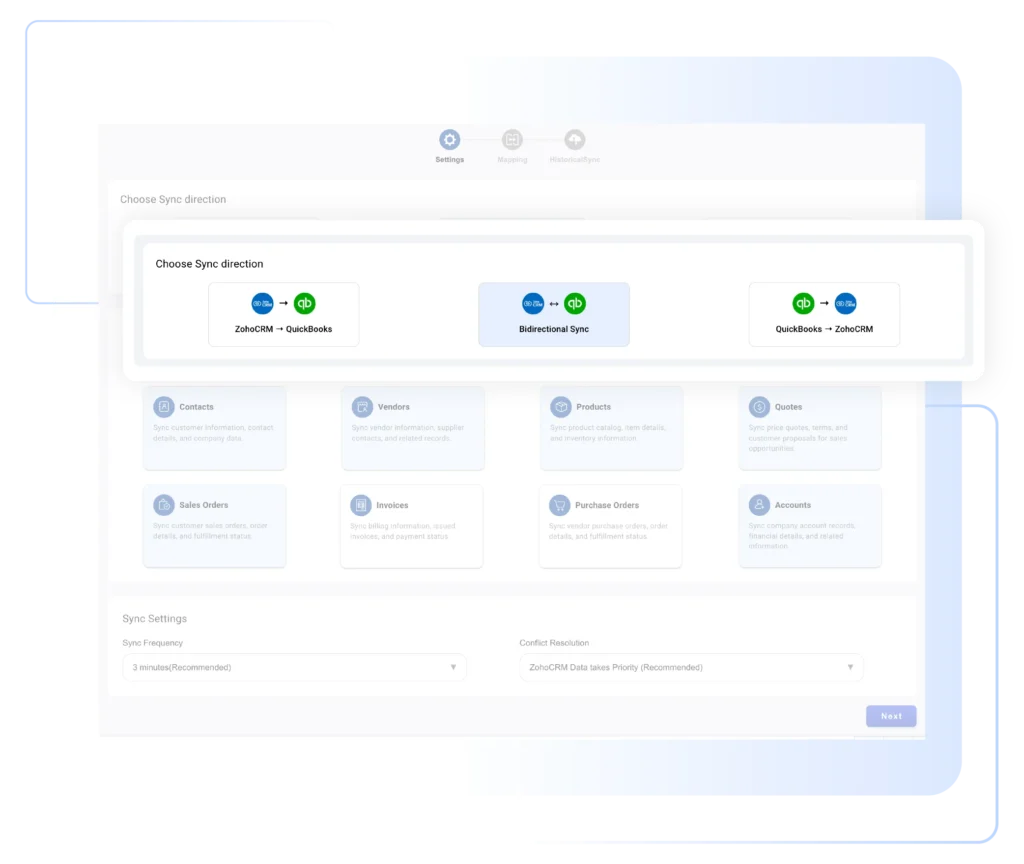
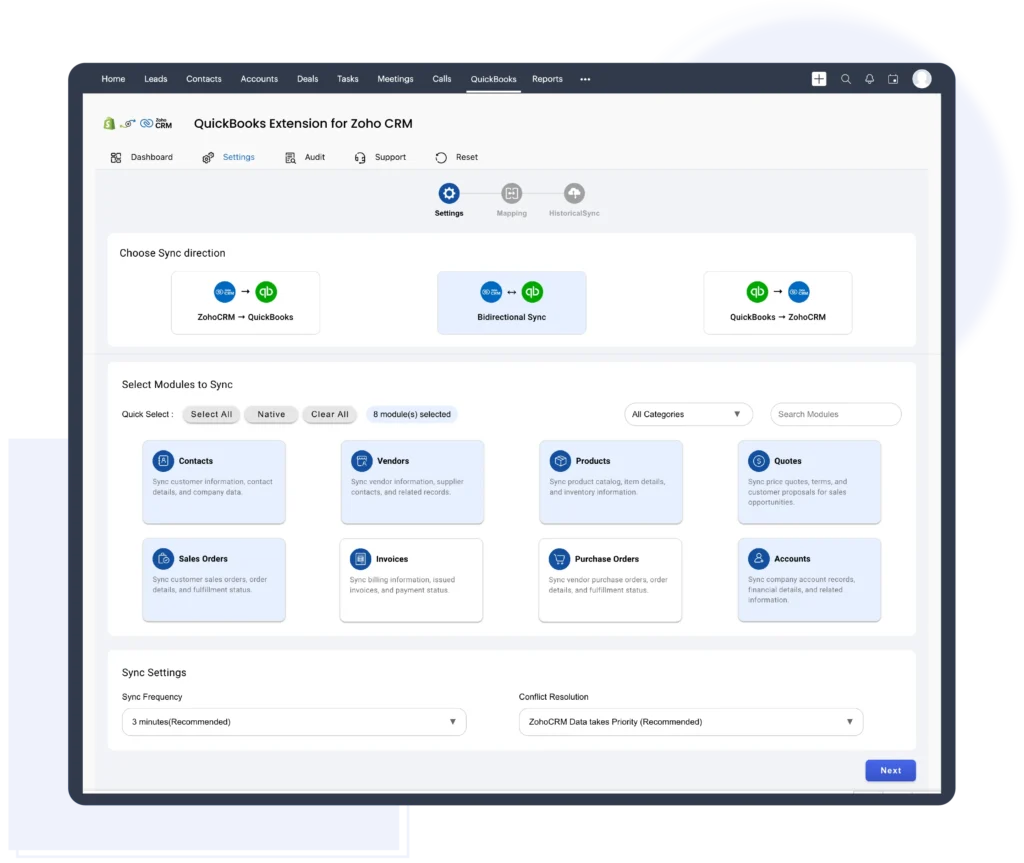
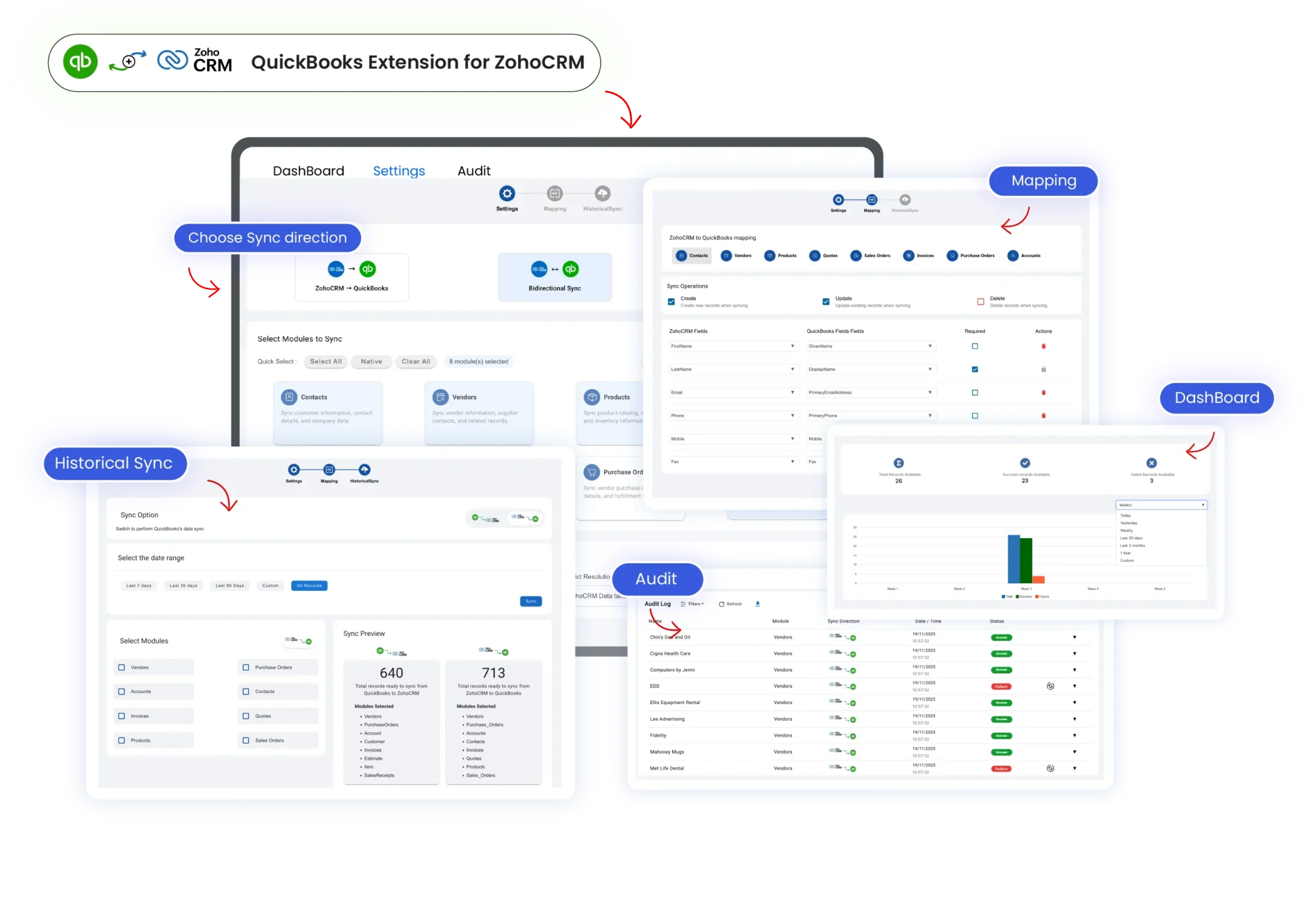
Choose one-way or bi-directional sync to control updates, avoid duplicates, and ensure data moves exactly the way your workflow requires.
Select one-way or bi-directional sync
Control how data moves between QuickBooks and Zoho CRM
Prevent unwanted or duplicate updates
Match sync behavior to your workflow
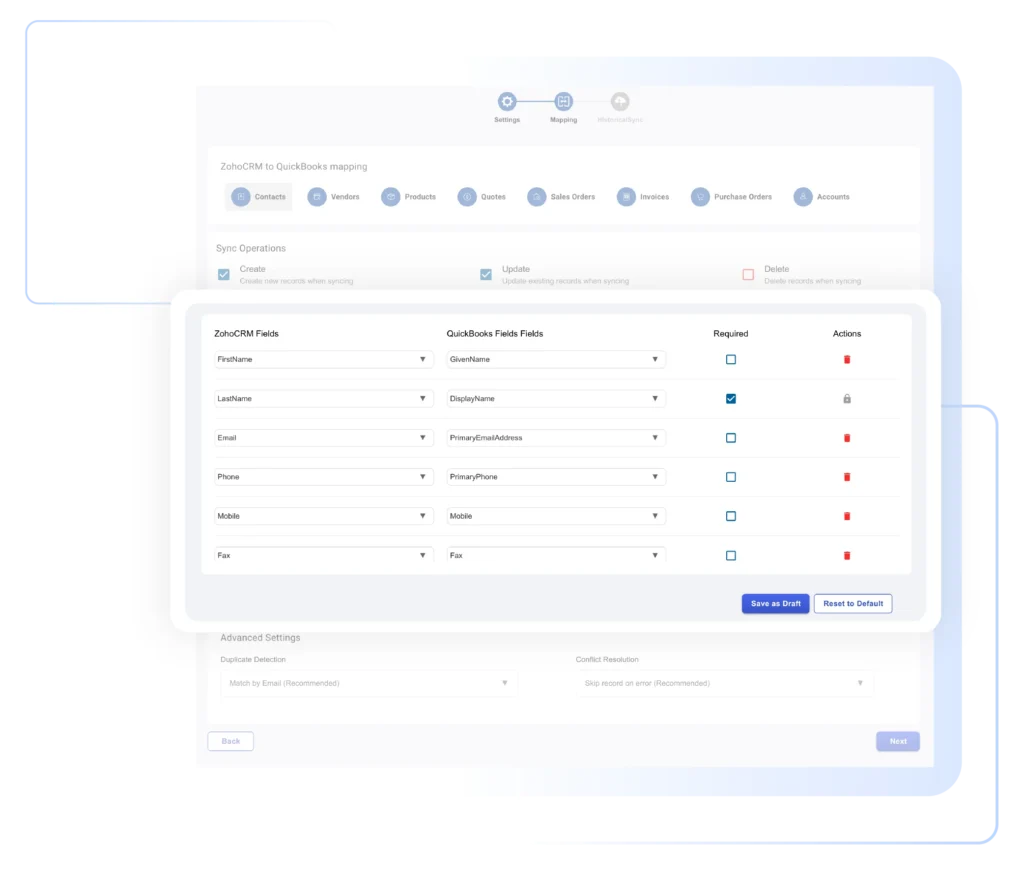
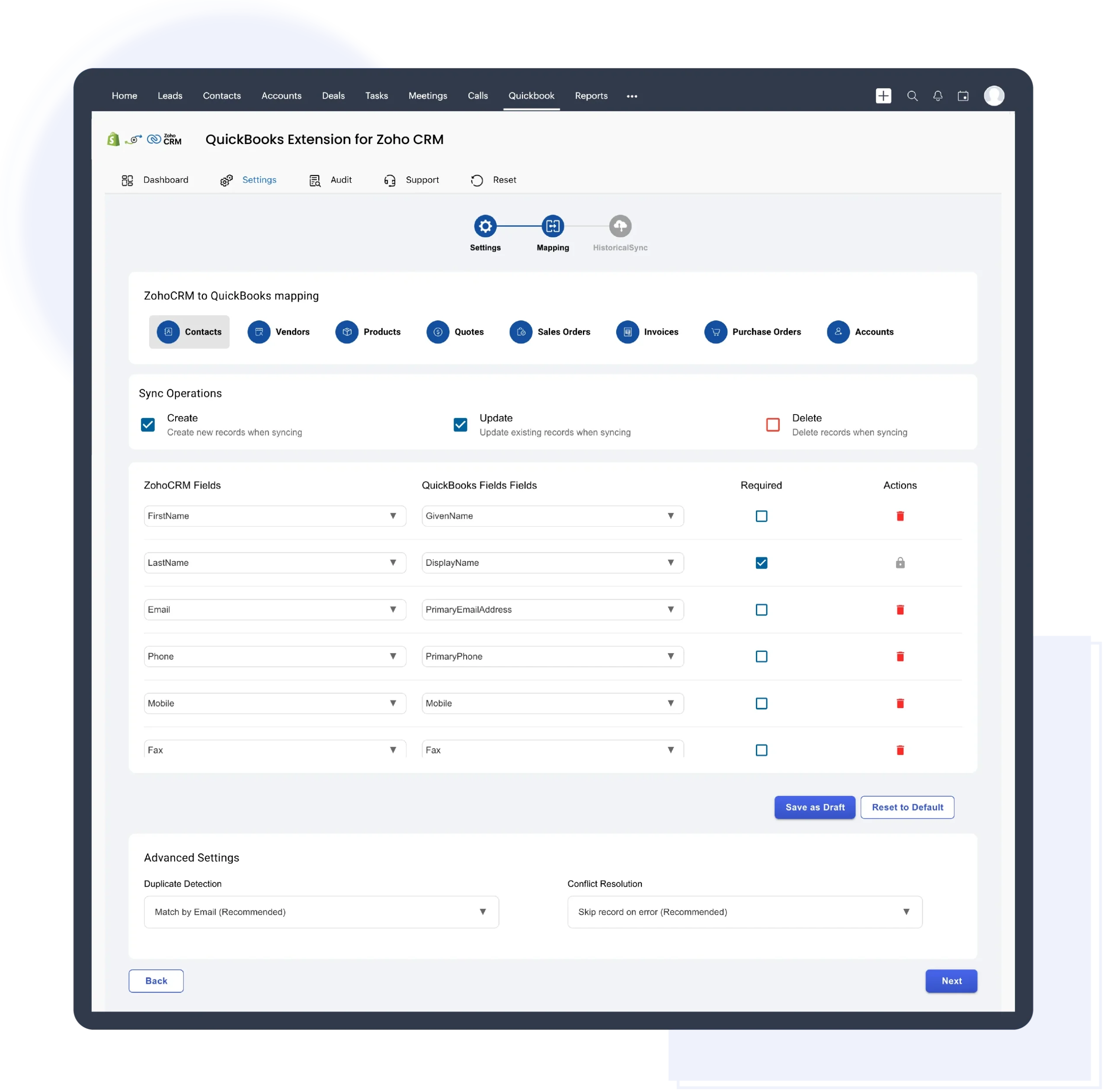
Map your accounting data between the QuickBooks extension for zoho crm to ensure accurate and consistent financial information across both systems.
Map customers, invoices, products, and taxes
Align QuickBooks fields with Zoho CRM fields
Ensure accurate and consistent financial data
Save mappings for continuous sync
Start syncing your data instantly and access up-to-date financial information directly inside Zoho CRM.
Start syncing data instantly
View invoices and payment details inside Zoho CRM
Track financial data alongside sales records
Reduce manual updates and errors
Take full control of how financial data flows between QuickBooks and Zoho CRM. Sync data one-way or bi-directionally, in real time or on schedule.
The integration supports customer sync, invoice statuses (Draft, Sent, Paid), taxes, products, and payment details, ensuring financial accuracy, audit readiness, and global compliance without manual intervention.
Take full control of how data moves between systems. The integration provides default and customizable field mappings for Contacts, Products, Sales Orders, and Invoices.
You can easily map Zoho CRM fields to QuickBooks Online fields to ensure customer details, pricing, and financial data stay aligned across platforms.
Built for global teams, region-based tax fields are handled automatically on the QuickBooks side, reducing manual configuration and compliance risk.
Get complete financial visibility without leaving Zoho CRM. View detailed QuickBooks invoice data, including invoice number, payment status, total amount, balance due, overdue days, and payment timelines. Track partially paid and fully paid invoices in real time, giving sales teams clear insight into customer payment behavior. This empowers confident follow-ups, smarter account prioritization, and faster revenue conversations without requiring accounting access or switching platforms.
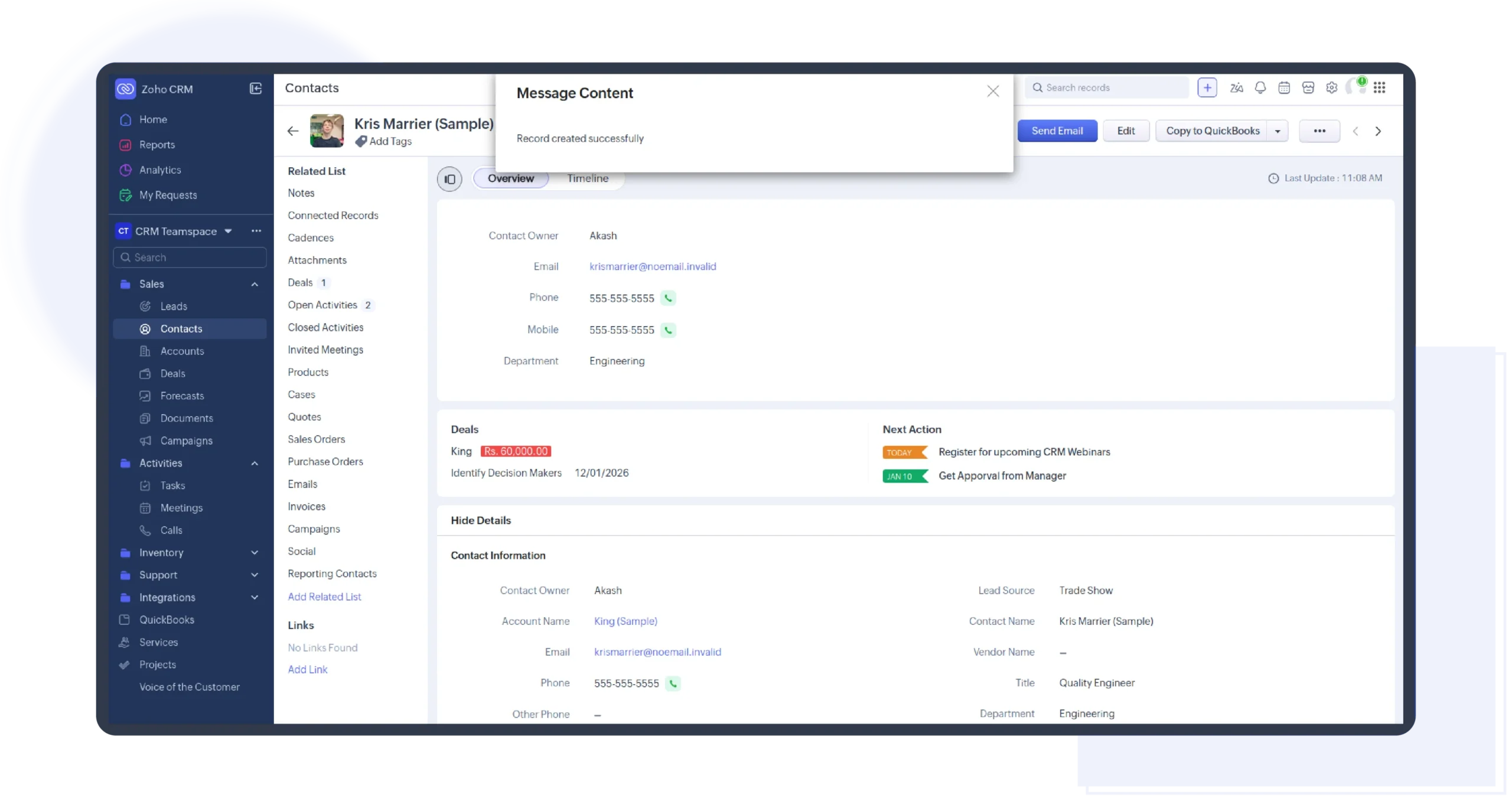
Keep customer data consistent across both platforms. Contacts are automatically synchronized between Zoho CRM and QuickBooks Extensions to ensure billing details, communication history, and customer records stay accurate.
Manual sync is also available using Pull from QuickBooks Online, allowing you to fetch customers on demand. To prevent duplication, the integration syncs only records modified since the last sync.
Maintain pricing accuracy across sales and finance by syncing Inventory, Non-inventory, and Service items from the QuickBooks extension into the Zoho CRM Products module. This keeps product details, pricing, and tax-related information consistent across both systems. As a result, quotes, sales orders, and invoices always reflect correct, up-to-date data, eliminating pricing mismatches, reducing rework, and ensuring smooth collaboration between sales and accounting teams at scale.
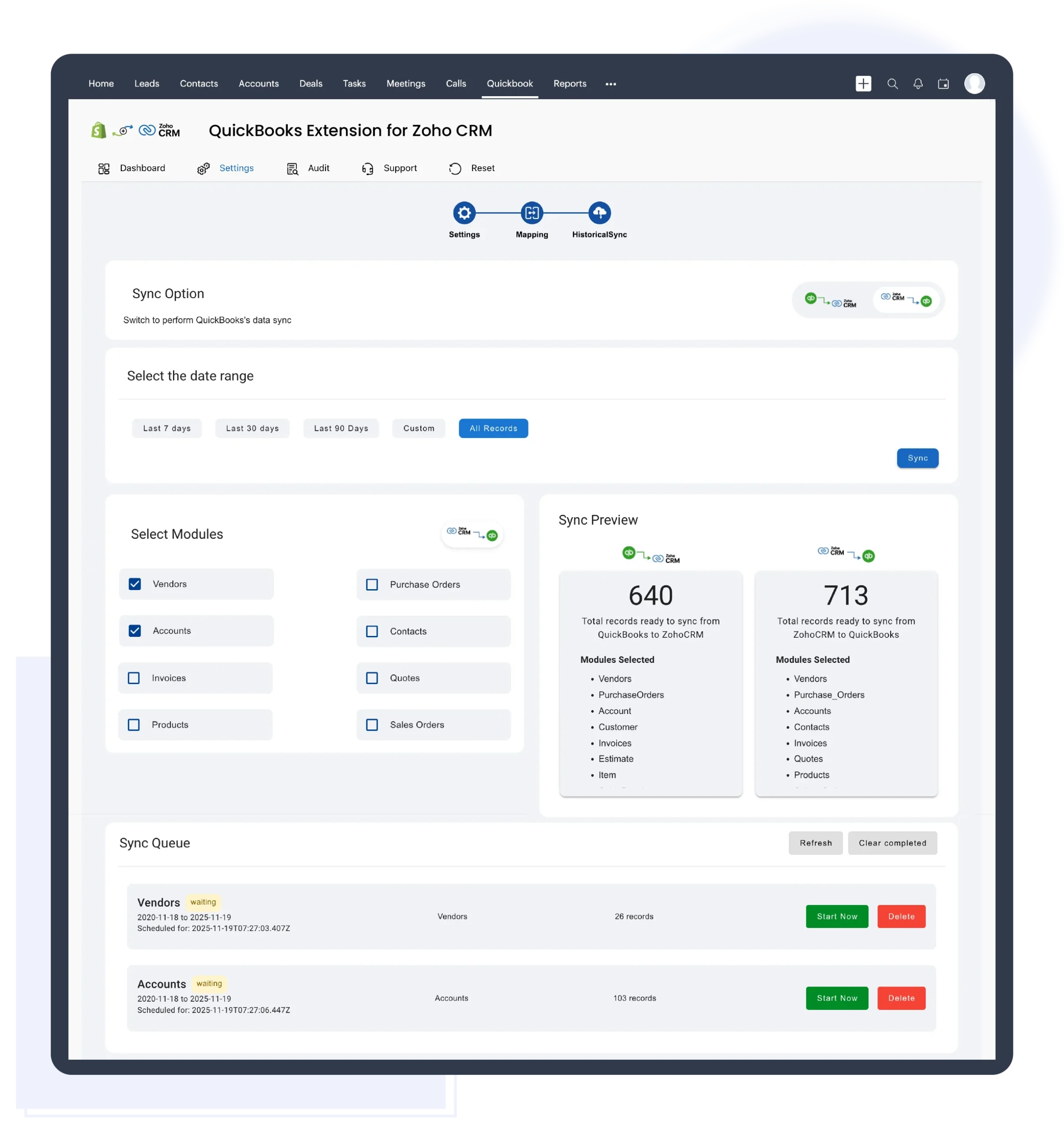
Bring past data into one system. Historical Sync allows you to synchronize existing contacts and products between Zoho CRM and QuickBooks Online for a selected time period.
This is ideal for businesses that previously managed both systems separately and now want a unified data view. Duplicate handling is built in to maintain data integrity.
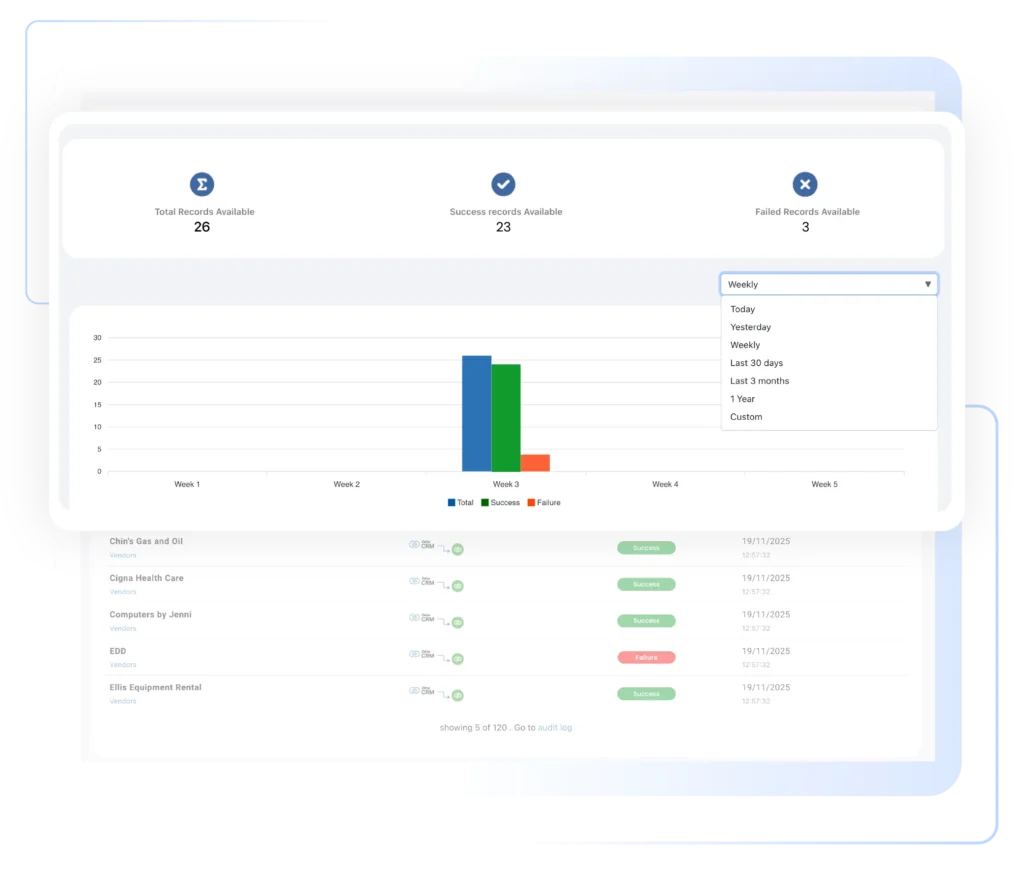
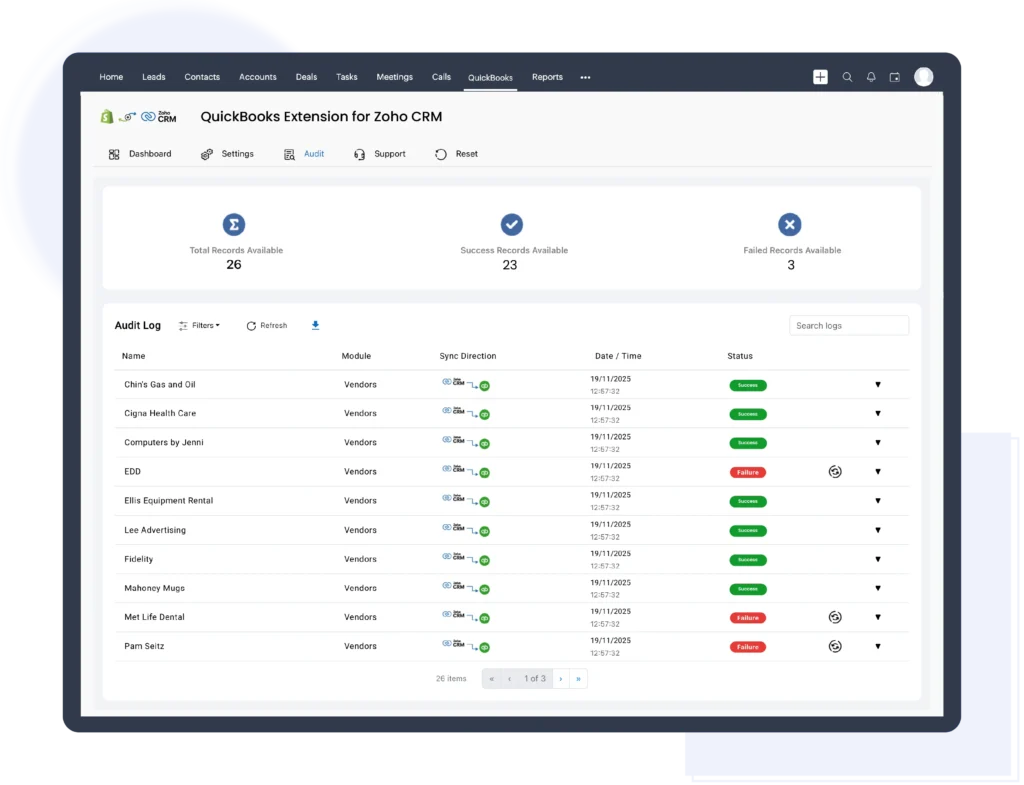
Get full transparency with zero blind spots using the Error Logs module. Every sync failure is captured with detailed error reasons, affected records, and exact timestamps, making issues easy to trace and resolve. Admins can quickly identify what went wrong and take corrective action without guesswork. Upcoming enhancements will allow direct re-syncing of failed records from logs, delivering even greater control and operational reliability.

We're here to clear them up

Yes. Once configured, the integration syncs data automatically in the background without manual triggers.
Yes. The extension uses intelligent matching rules (email, customer ID, or custom logic) to prevent duplicate customers, contacts, and invoices across both platforms.
Yes. The QuickBooks extension for Zoho CRM supports real-time or near real-time synchronization, ensuring customer records, invoices, and payment statuses are always up to date between Zoho CRM and QuickBooks without delays or manual refreshes
Absolutely. You can choose
This flexibility allows businesses to control how financial and CRM data flows based on their internal processes
Yes. You can choose to sync
This keeps Zoho CRM clean and focused on revenue-driving customers
© 2026 | All Rights Reserved | Zeeyes Inc.