
Xero Integration with Zoho CRM

Xero integration with Zoho CRM syncs invoices, contacts, products, and payments in real-time, reduces manual accounting work, improves accuracy, and provides sales and finance teams with complete billing visibility worldwide.

Xero-integration-with-zoho-crm-scaled

Everything You Need to Connect Xero integration with Zoho CRM

Real-Time-Sync

Real-Time Sync

Automatically sync invoices, products, and contacts between Xero integration and Zoho CRM to eliminate manual data entry and reduce errors
Flexible-Data-Mapping

Flexible Data Mapping

Configure field mapping between Xero and Zoho CRM based on your business workflows, ensuring accurate and meaningful data synchronization
Invoice-Creation-Anywhere

Invoice Creation Anywhere

Create invoices directly in Zoho CRM or Xero integration and have them instantly synced across both systems for consistent financial records
Faster-payments

Faster payments

Track invoices in real time through Xero integration to accelerate payments, reduce overdue balances, and improve cash flow visibility and take quick actions

Multicurrency-Support

Multicurrency Support

Easily handle multiple currencies in one place, making global transactions smooth, accurate, and stress-free for growing international businesses
Sales-and-Finance-Alignment

Sales and Finance Alignment

Empower sales and finance teams with shared real-time through xero insights that drive better coordination, accuracy, and confident business decisions

Review

The real-time syncing capability of the extension is particularly impressive. Any updates or changes made in Zoho CRM or Xero are promptly reflected in the other platform, providing a synchronized view of customer and financial data.

How to connect Xero with Zoho CRM

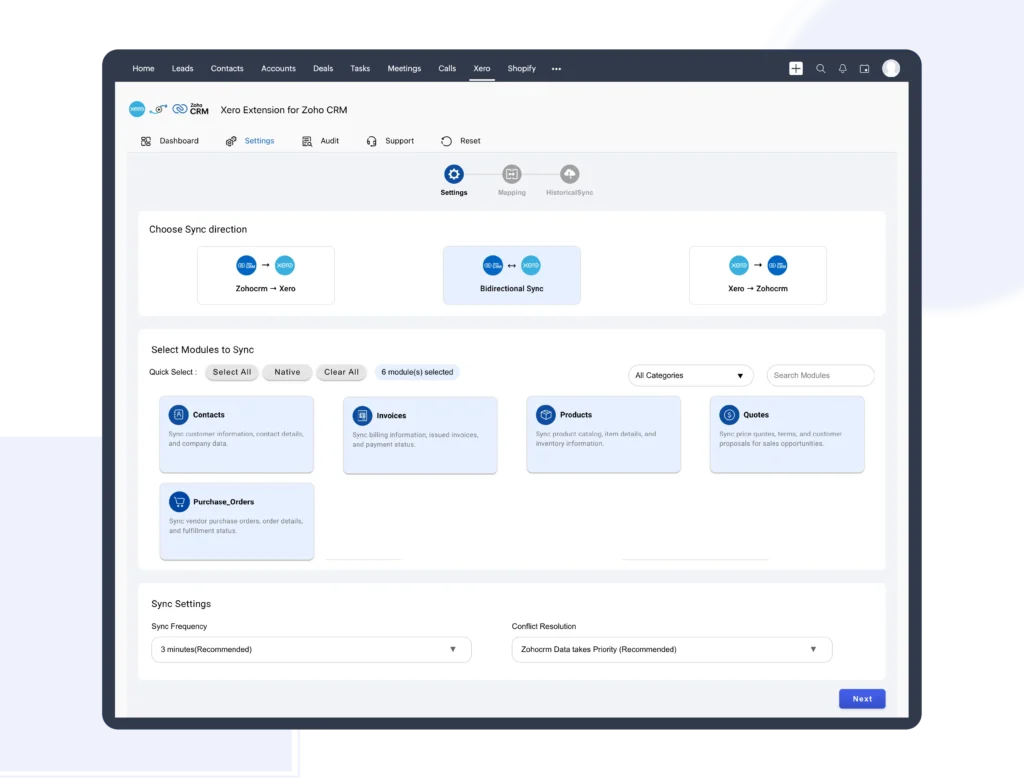
Install and Connect Xero Integration with Zoho CRM

Easily set up and connect Xero integration with Zoho CRM to start syncing your accounting and CRM data securely

  1. Install the Xero integration directly from the Zoho CRM Marketplace

  2. Sign in securely to your Xero account

  3. Grant permission using role-based authorization

  4. Complete the connection in just a few minutes

Install-and-connect-xero-integration

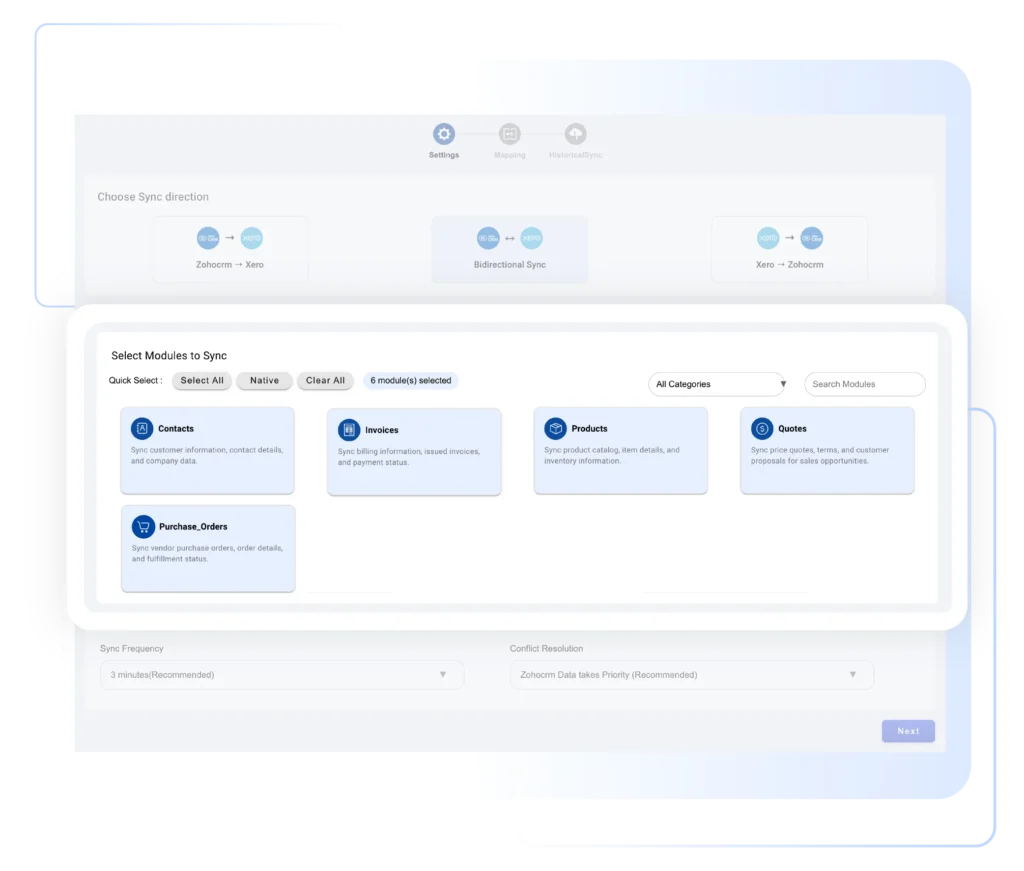
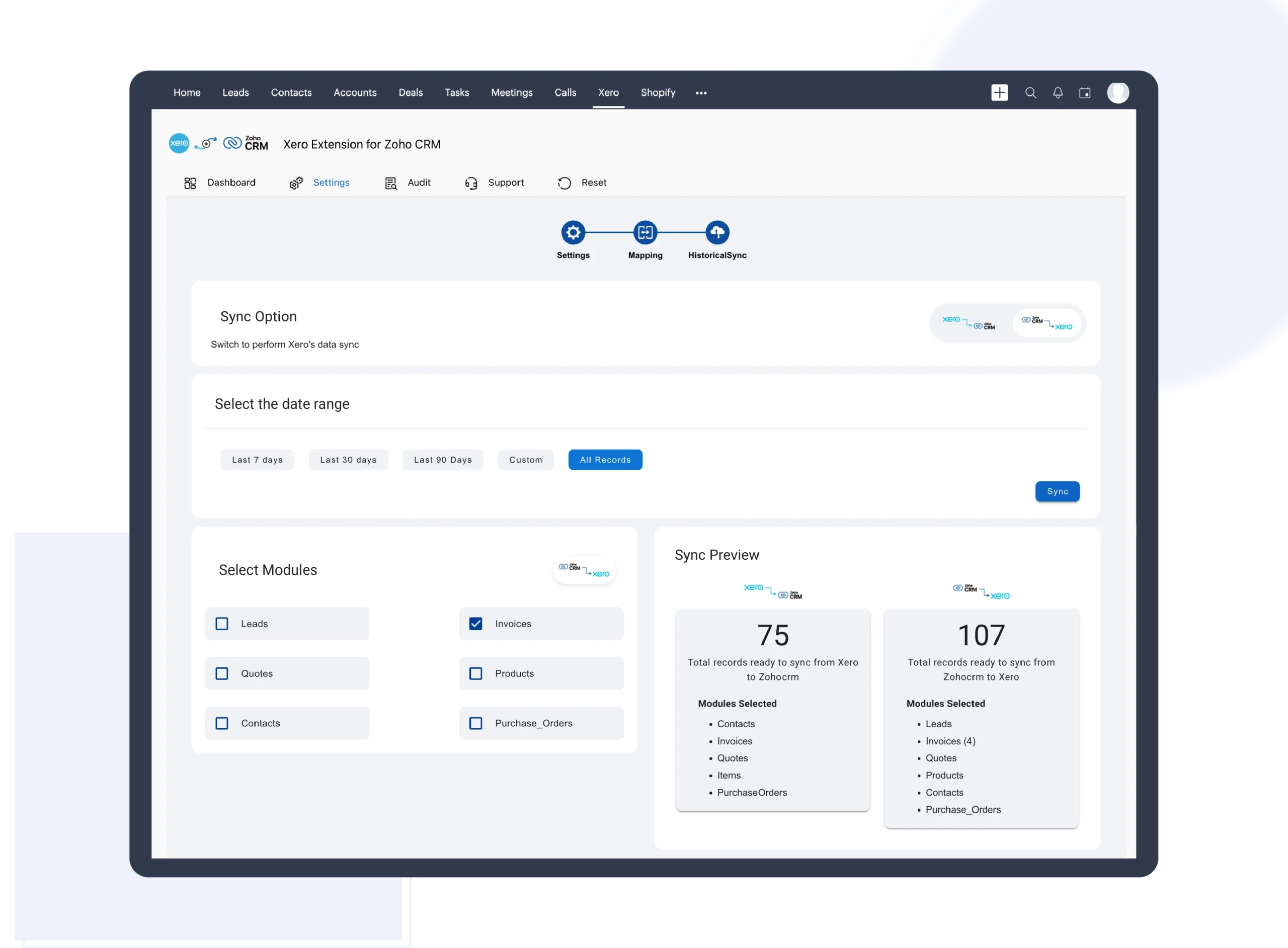
Select What to Sync

Choose exactly what data you want to sync between Xero and Zoho CRM for full control and accuracy

  1. Select the data to sync, including invoices, products, and contacts

  2. Define how and when data should flow between systems

  3. Sync only the information your business actually needs

  4. Prevent unnecessary, duplicate, or mismatched data

select-what-to-sync

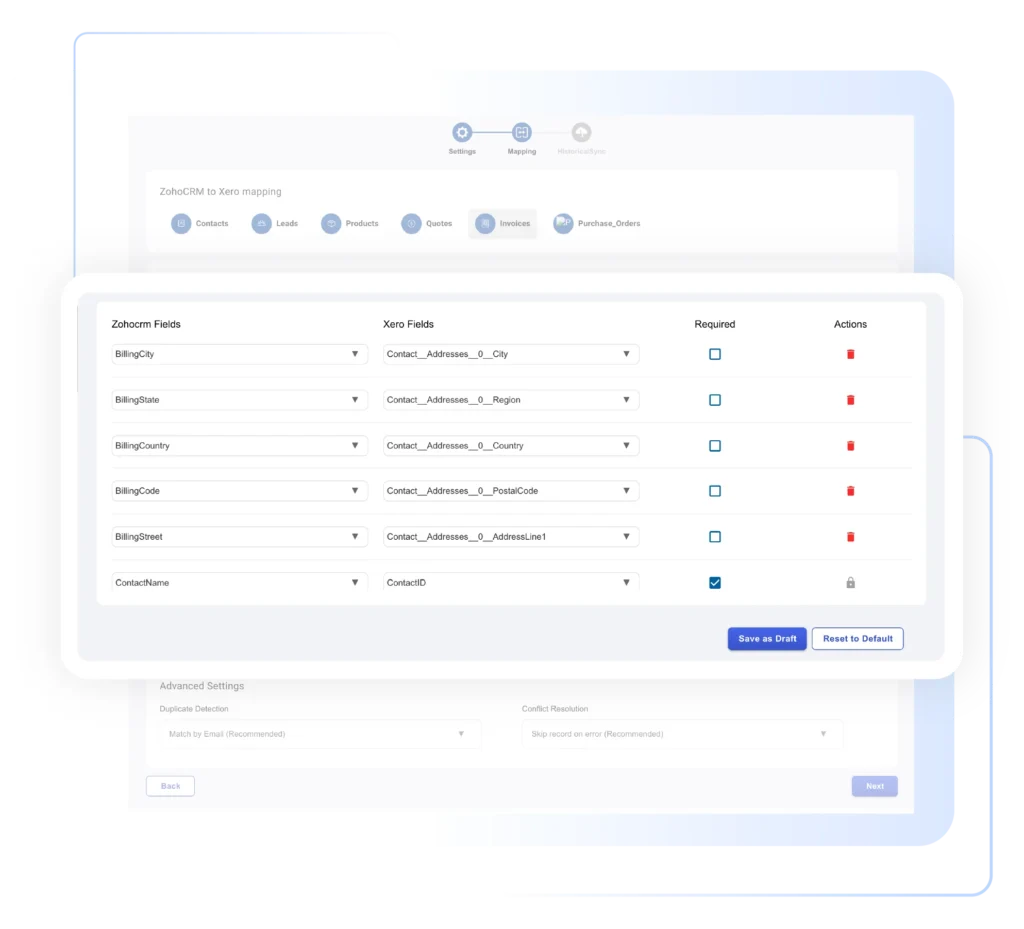
Map Fields

Map fields for Xero integration with Zoho CRM fields to ensure accurate, consistent data synchronization

  1. Match Xero fields with corresponding Zoho CRM fields

  2. Ensure accurate invoice, product, and contact data

  3. Maintain consistency across both Xero and Zoho CRM systems

  4. Save field mappings for seamless ongoing sync

map-fields

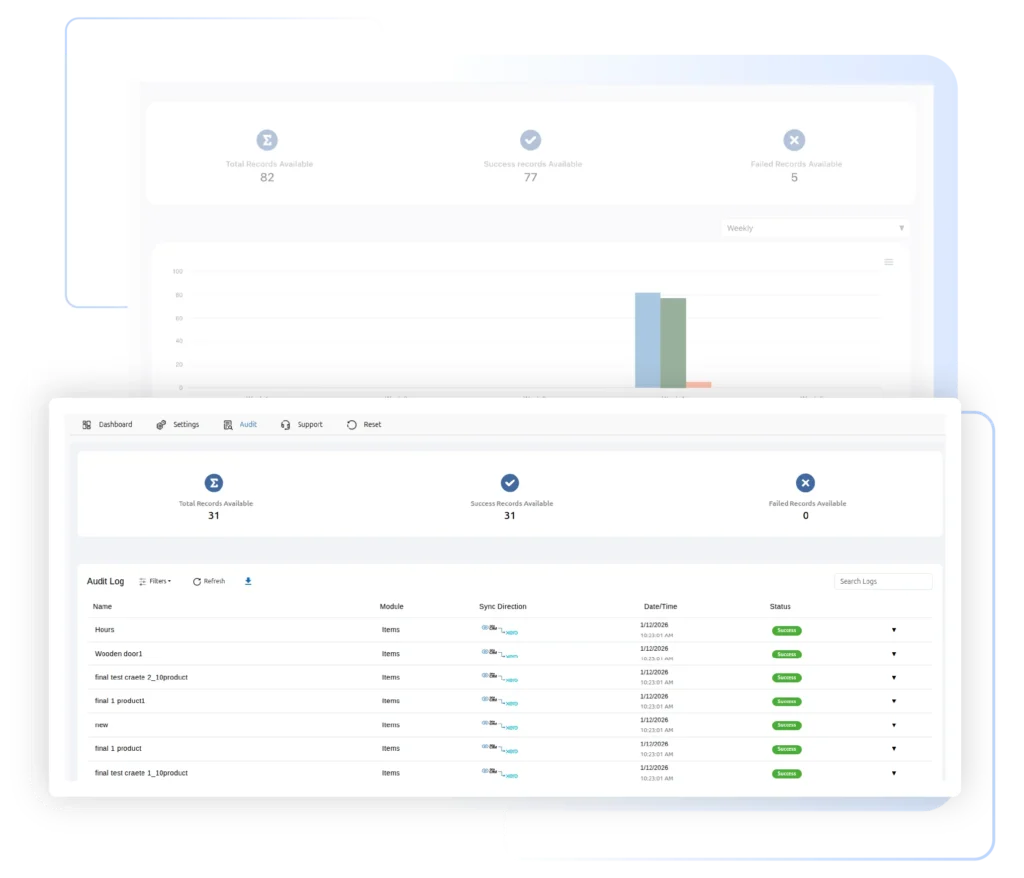
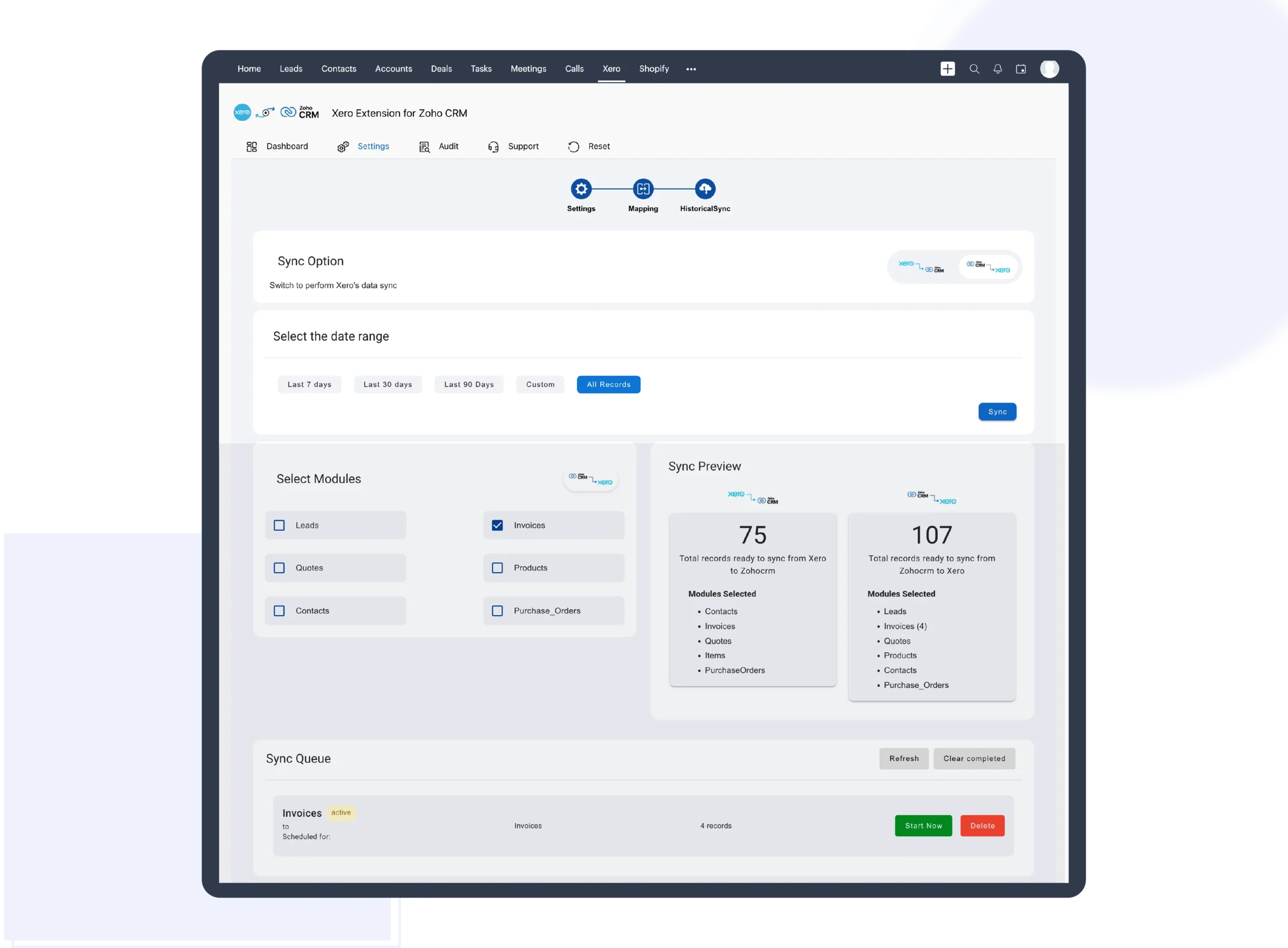
Start Sync and Track Invoices

Activate the sync and get real-time visibility into your Xero financial data directly inside Zoho CRM

  1. Start syncing data instantly after setup

  2. Track paid, pending, and overdue invoices in real time

  3. View complete payment status directly inside Zoho CRM

  4. Gain live visibility into your financial and billing data

start-syn-and-track-invoices

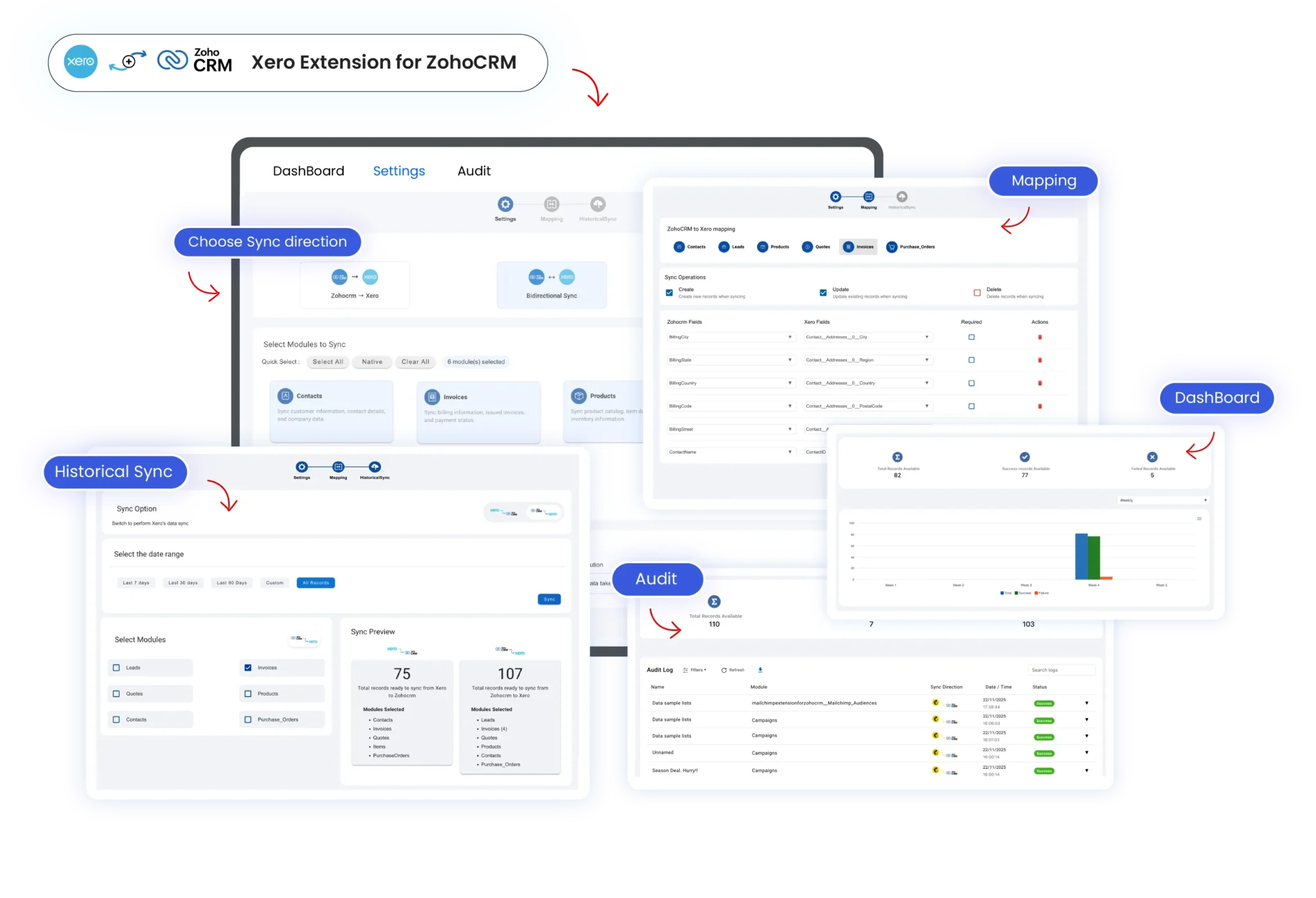
See How Xero and Zoho CRM Works Together

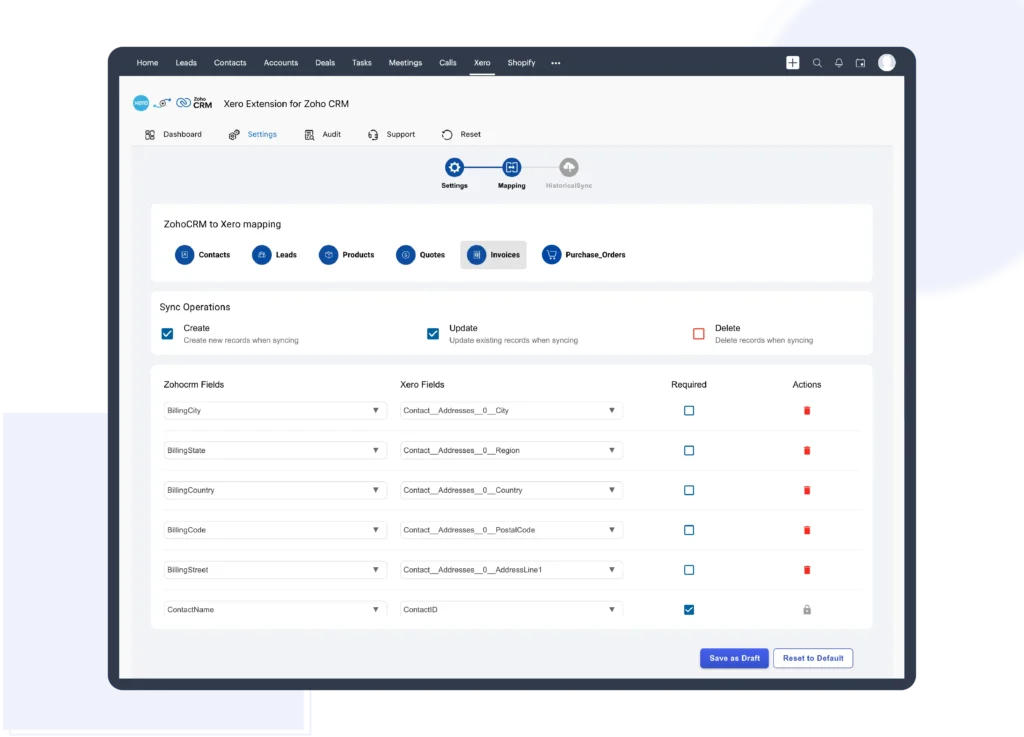
Field Mapping Between Xero and Zoho CRM

Seamlessly map standard and custom fields between Xero and Zoho CRM to ensure accurate, real-time data synchronization across both platforms. This integration helps maintain clean customer records, eliminate data mismatches, and improve accounting and CRM automation. By aligning financial and sales data, businesses can streamline workflows, enhance reporting accuracy, and scale operations efficiently while ensuring reliable data flow as your organization grows globally

Field-Mapping-Between-Xero-and-Zoho-CRM-scaled

Create Xero Invoices from Zoho CRM

Generate Xero invoices directly from Zoho CRM in just a few clicks and simplify your billing process. Automatically sync invoice details, taxes, and customer data between CRM and accounting systems to eliminate manual entry. This powerful Zoho CRM Xero integration improves billing accuracy, saves time, reduces errors, and ensures real-time financial visibility, helping businesses manage invoices efficiently while scaling operations with confidence

Create-Xero-Invoices-from-Zoho-CRM-scaled

Sync Xero Contacts with Zoho CRM Accounts

Keep customer data accurate and up to date by syncing contacts between Xero and Zoho CRM in real time. Any changes made in one platform automatically reflect in the other, eliminating duplicate entries and manual updates. This seamless Xero Zoho CRM contact synchronization provides teams with a single, reliable customer view, improves data consistency, enhances collaboration, and supports smarter sales, accounting, and customer relationship management decisions

Sync-Xero-Contacts-with-Zoho-CRM-Accounts-scaled

Sync Products (Items) between Xero and Zoho CRM

The Xero Integration for Zoho CRM seamlessly synchronizes products (items) between Zoho CRM and Xero, ensuring consistent and up-to-date product information across both systems without manual data entry. Any updates made to product details in Zoho CRM or Xero are automatically reflected in the other system during sync. You can track each product sync using the Sync button and view the last synced date and time on the Field Mapping page

Sync-Products-Items-Between-Xero-and-Zoho-CRM-scaled

Pricing Plan

Zoho Xero Intergation
Streamline your accounts and sync customer data
$25 /Monthly
Zoho Xero Intergation
Streamline your accounts and sync customer data
$300 $252 /Yearly

Need Help Setting Up the Xero Integration?

Struggling with where to start or want help configuring the integration? whether it’s your first setup or a complex configuration, our team will guide you through connecting Xero and Zoho CRM, so everything works exactly as your business needs
Chat-with-Question

Got questions?

We're here to clear them up

The Xero integration for Zoho CRM by Xapplets makes it easy to connect your accounting and CRM data. It automatically syncs Xero invoices, products, and contacts with Zoho CRM, so your sales and customer records always reflect the latest financial information without manual updates or duplicate data. 

Yes. It supports multi-currency transactions and works reliably across regions and time zones, making it ideal for global teams. 

Yes. The integration supports one-way or two-way sync, allowing data to stay consistent across Xero and Zoho CRM. 

Yes. You can create Xero invoices from Zoho CRM and track Paid, Due, and Overdue statuses directly within your CRM.